Page 17 of 19 0455-0209 Rev C
Adding Bulk Extensions
Add bulk VoIP extensions and enter the user's names and email addresses in bulk.
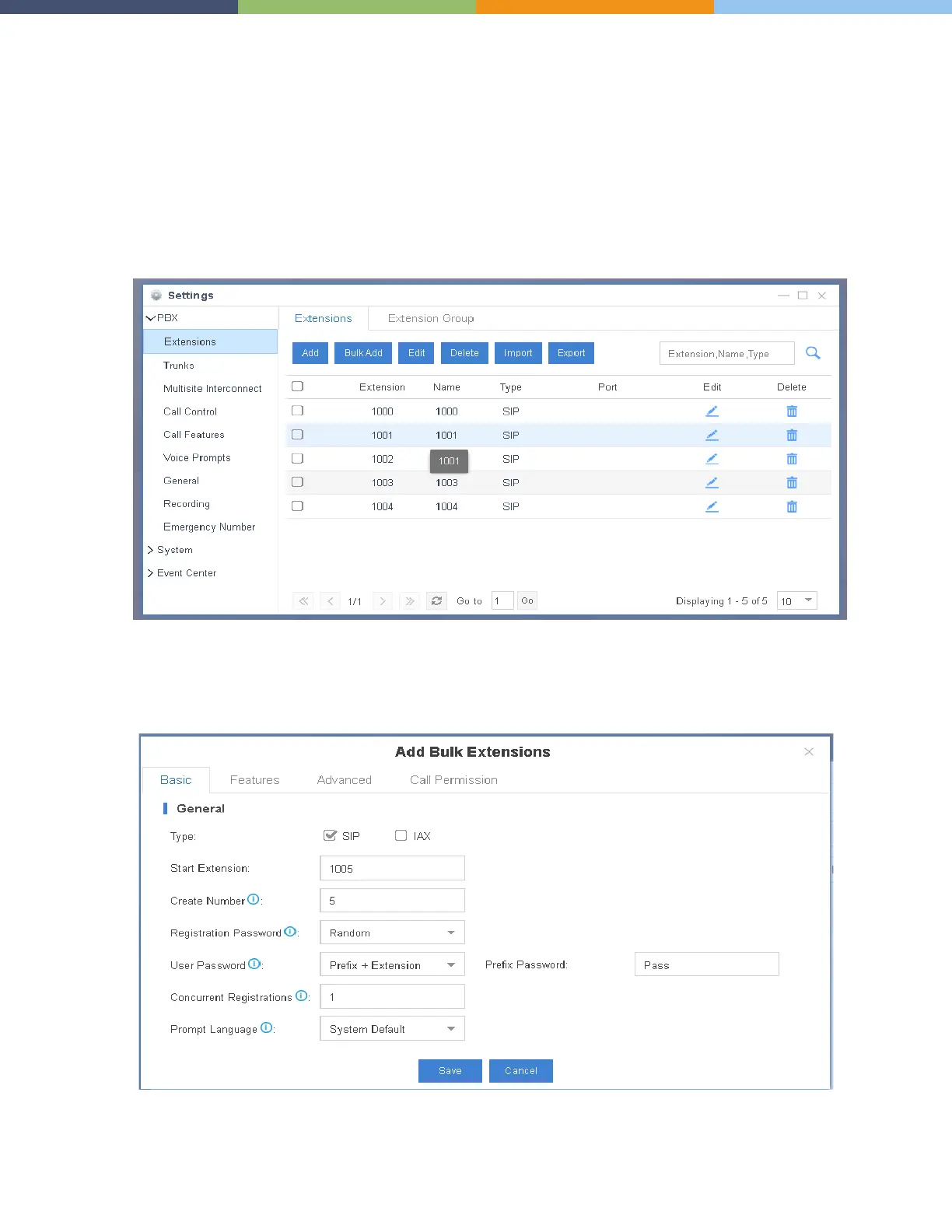
Add bulk extensions
1. Go to Settings > PBX > Extensions, click Bulk Add.
2. On the Basic page, configure the following settings:
Notes:
• A random Registration Password and a random User Password will be assigned for each extension.
• If you want to edit the Registration Password and User Password for multiple extensions, you need to go to
Settings > System > Security > Service, check the option Allow Weak Password.



 To Next Page