10
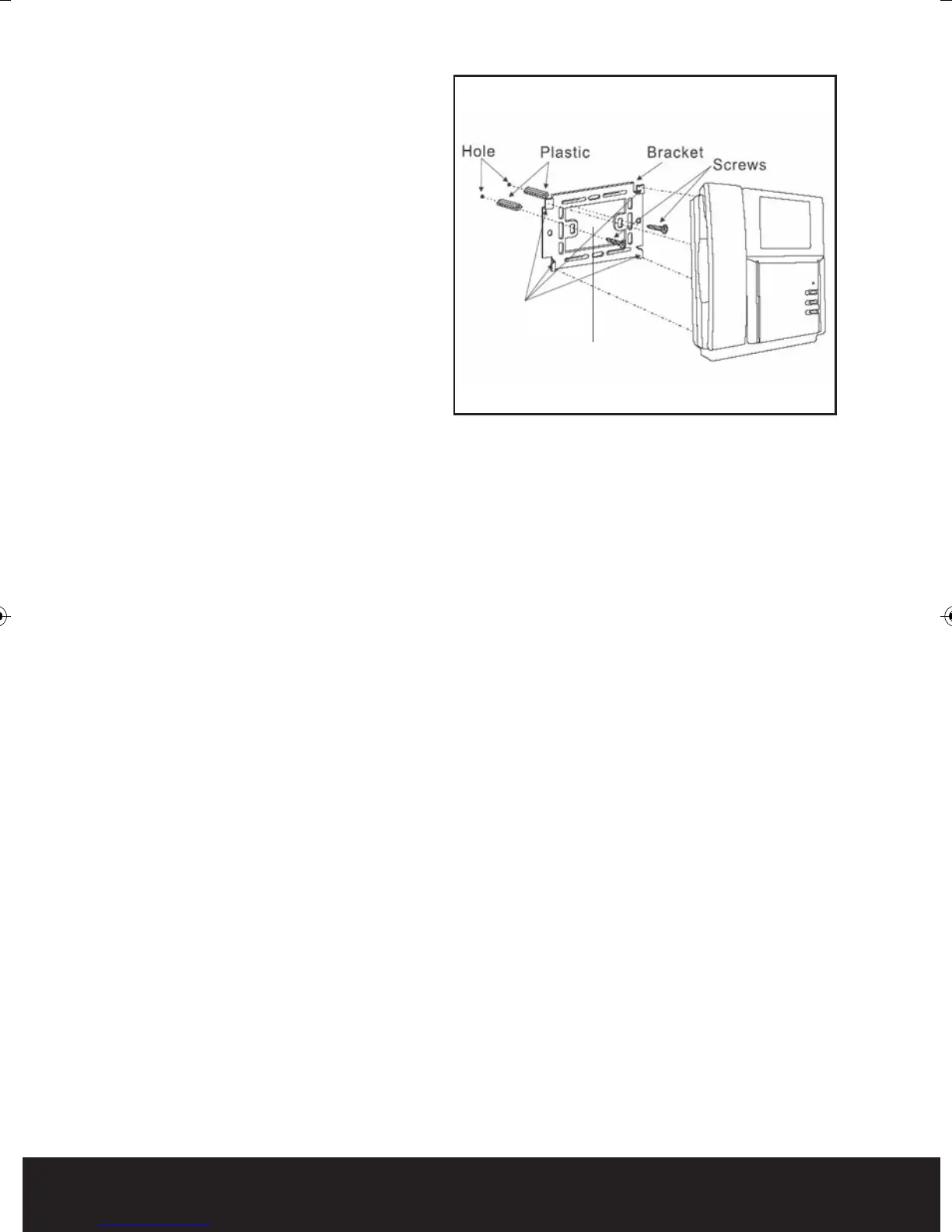
Fitting the handset to the metal
back plate
Locate the 4 lugs on the metal
back plate, one located on each
corner see Fig. 11, these lugs
must fit into the recesses on
the rear of the hand set.
Place the handset over the
metal back plate keeping the
cables flat and out of the way
of the lugs.
Slide the hand set down into
position engaging the 4 lugs on
the back plate into the recesses
of the hand set see F
ig
. 11.
Programming the keypad
To enter programming mode press the star key followed be the 4 digit programing
pin number (factory default 1234) the blue indication light will now start to flash.
Adding User Codes
Enter programming mode.
Enter the location 01 to 41 (01 to 30 are standard code locations, 31-40 are the
latching code locations). If a series of bleeps are heard at this point this confirms
a
cod
e is stored at this location.
Enter the desired 4 digit user code, if at this point you get a long continuos tone
then this pin number is in use on the system already and cannot be used. After
the tone has stopped you will need to enter the location again and enter a
different pin number. When the new pin number has been accepted a 2 second
confirmation tone will be heard and the code lock retune
s im
mediately to the
programming mode base level.
Return to the beginning to enter more user codes or press the * key to exit
programming mode.
Deleting user codes
Enter programming mode.
Enter the desired location (01 to 40 to be deleted) if a series of bleeps are heard
at this point then the location has a code stored, you may however proceed as
this is only a warning tone.
Press the # key to delete t
he cod
e from the location, a 2 second confirmation
tone will be heard.
Return to the beginning to delete more codes or press the * key to exit
programming mode.
Lugs
Item 1
Fig. 11
Enterview MX Manual_Layout 2 07/10/2013 14:59 Page 10



 To Next Page