Chapter 5
Hardware Development
5.1 ESP32-S3 Modules
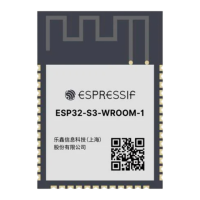
For a list of ESP32-S3 modules please check the Modules section on Espressif’s ocial website.
To review module reference designs please check the Documentation section on Espressif’s ocial website.
5.2 ESP32-S3 Development Boards
For a list of the latest designs of ESP32-S3 boards please check the Development Boards section on Espressif’s
ocial website.
5.3 Download Guidelines
You can download rmware to ESP32-S3 via UART and USB.
To download via UART:
1. Before the download, make sure to set the chip or module to Joint Download Boot mode, according to Table
Boot Mode Control.
2. Power up the chip or module and check the log via the UART0 serial port. If the log shows “waiting for
download”, the chip or module has entered Joint Download Boot mode.
3. Download your rmware into ash via UART using the Flash Download Tool.
4. After the rmware has been downloaded, pull GPIO0 high or leave it oating to make sure that the chip or
module enters SPI Boot mode.
5. Power up the chip or module again. The chip will read and execute the new rmware during initialization.
To download via USB:
1. If the ash is empty, set the chip or module to Joint Download Boot mode, according to Table Boot Mode
Control.
2. Power up the chip or module and check the log via USB serial port. If the log shows “waiting for download”
, the chip or module has entered Joint Download Boot mode.
3. Download your rmware into ash via USB using Flash Download Tool.
4. After the rmware has been downloaded, pull GPIO0 high or leave it oating to make sure that the chip or
module enters SPI Boot mode.
5. Power up the chip or module again. The chip will read and execute the new rmware during initialization.
6. If the ash is not empty, start directly from Step 3.
39



 To Next Page