ADD TO YOUR COMMUNICATION POWER
Essence|VT Easy Start
28
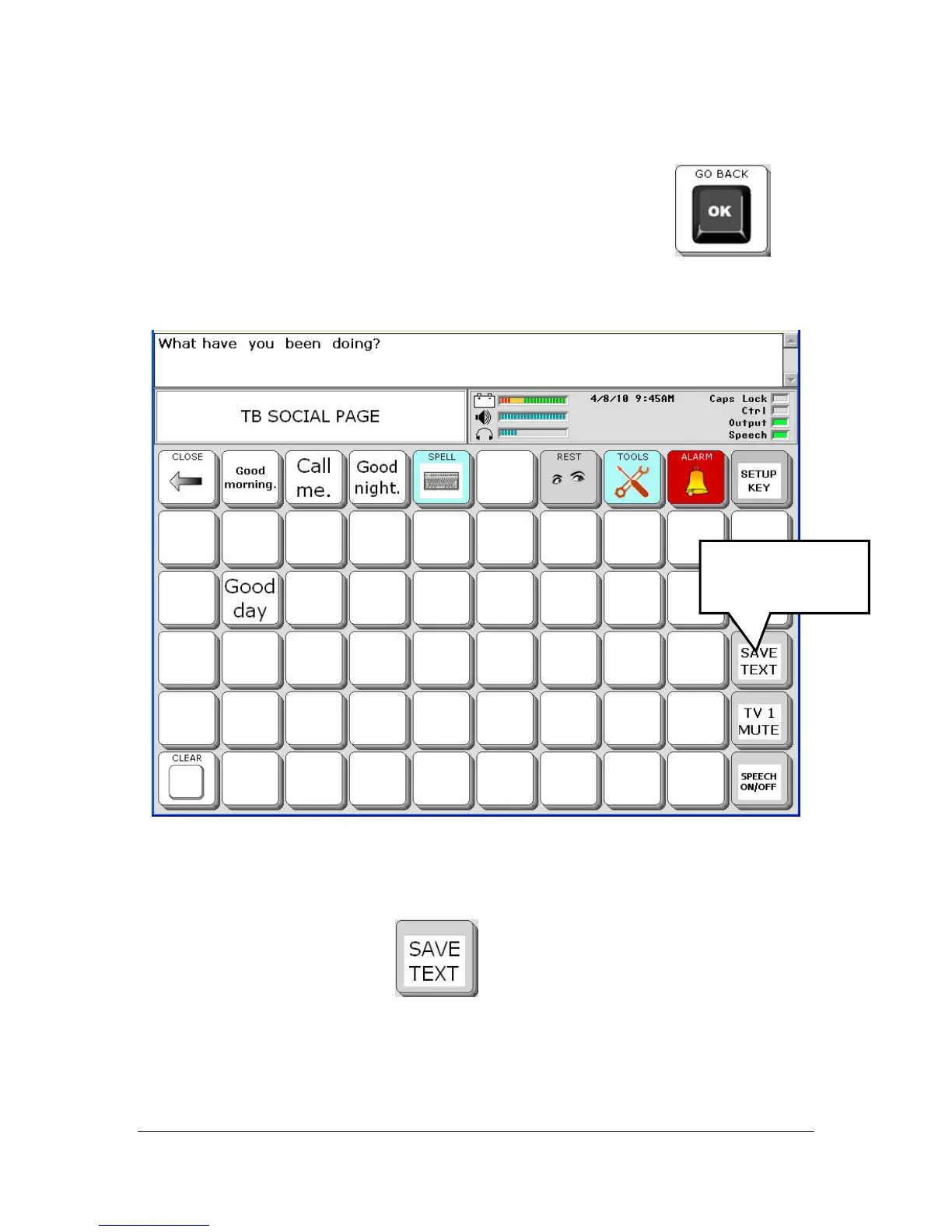
On your spelling keyboard, enter the message, "What have you been doing?"
When you have finished typing, select the OK (go back) key
to
return to the SOCIAL page.
Now let's add your message to a key so you won't have to type it every time
you want to use it.
Select the SAVE TEXT key
.
1. Select
SAVE TEXT.



 To Next Page