CUSTOMIZING ESSENCE
Essence|VT Easy Start
58
Swap Keys
You might not like where the keys are situated on a page. You can move
them around using the Swap Keys key in the Setup menu.
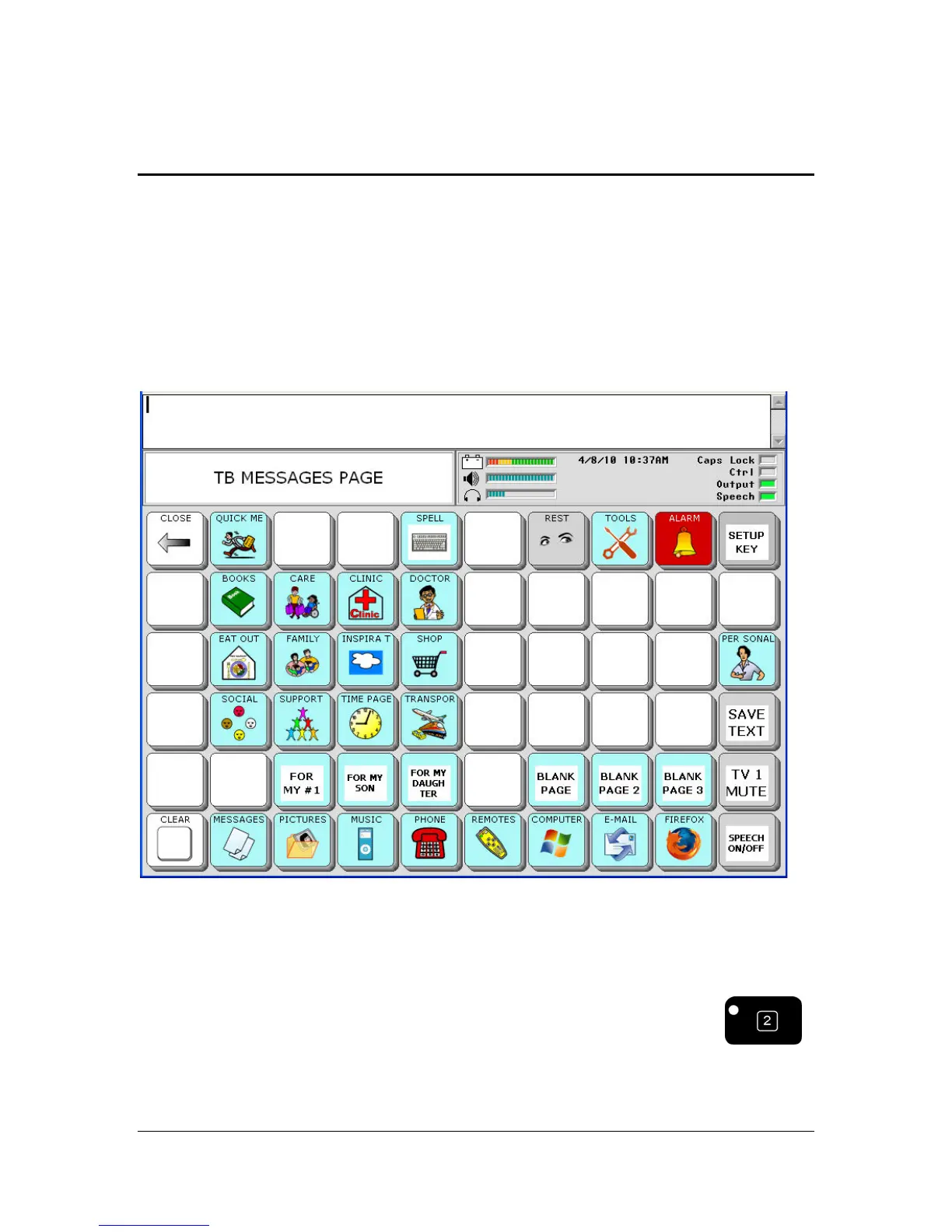
Let's swap some keys on the MESSAGES page.
Let's say that it is easier for you to use the top row of keys than the bottom
row. You'd like to move the PHONE key and the MUSIC key to the top
row where you can access them more easily.
Select the SETUP MENU key (remember you can also use the
key on the front of your device case to open the Setup menu.)



 To Next Page