CUSTOMIZING ESSENCE
Essence|VT Easy Start
79
Saving Memory
One of the most important things you can do after personalizing your
Essence|VT is to save its memory.
If, for some reason your device should lose power, or crash, you could lose a
great deal of customized work. Names or new words added to Word
Prediction, names and phone numbers added to the phone book (see the
Operator's Manual for information on this), remote control signals added to
your device, even messages you created yourself, may all be lost unless you
have saved your device's memory
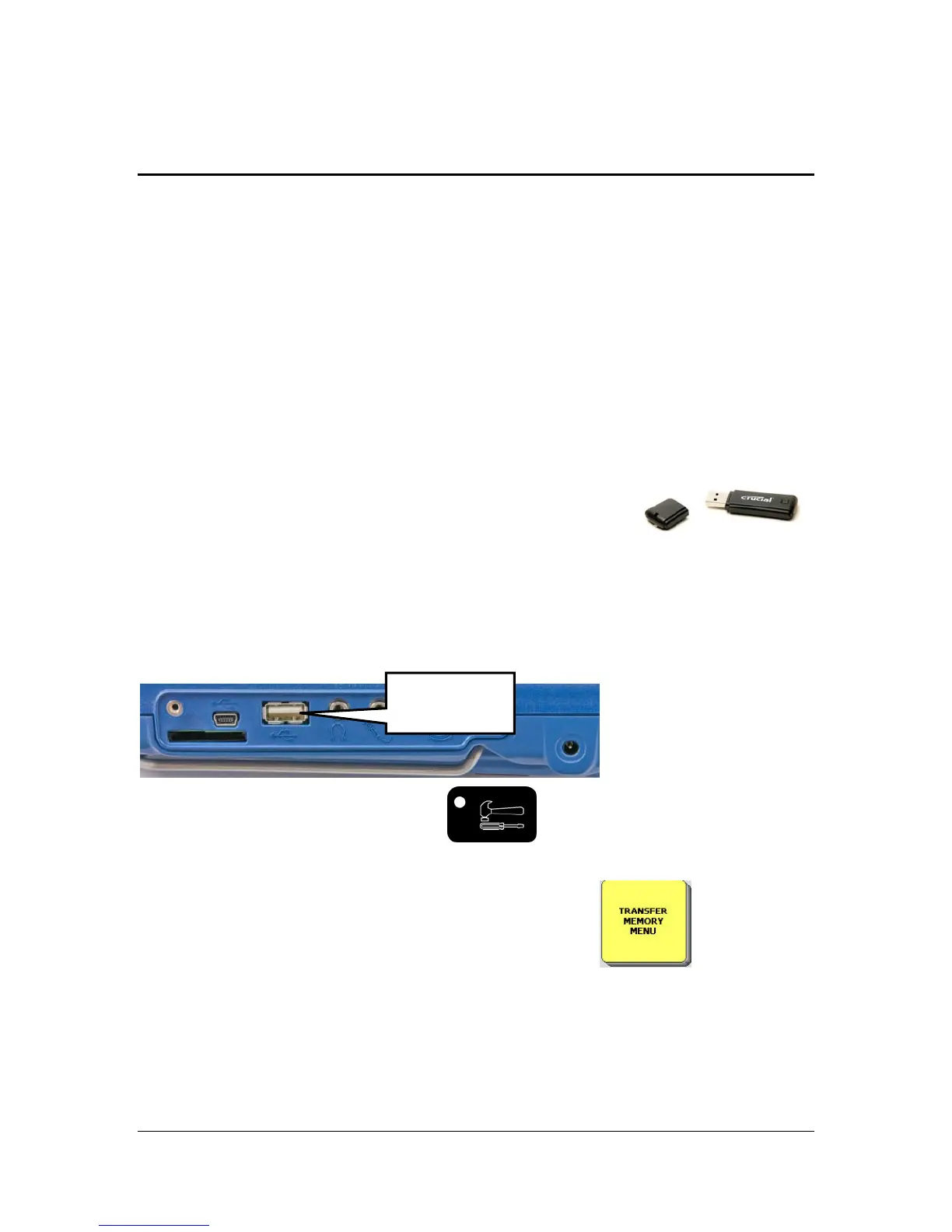
You received a USB drive in the box with your device.
Use this drive to back up your device memory.
Plug the drive into the rectangular port on the right side of device case.
Press or select the TOOLS key
on the top front of the device
case.
Select the TRANSFER MEMORY MENU key
.
You see:
USB port



 To Next Page