SPECIAL FEATURES
Essence|VT Easy Start
85
Type in the title for the reminder. For example, Mon. Mtg.
Select OK.
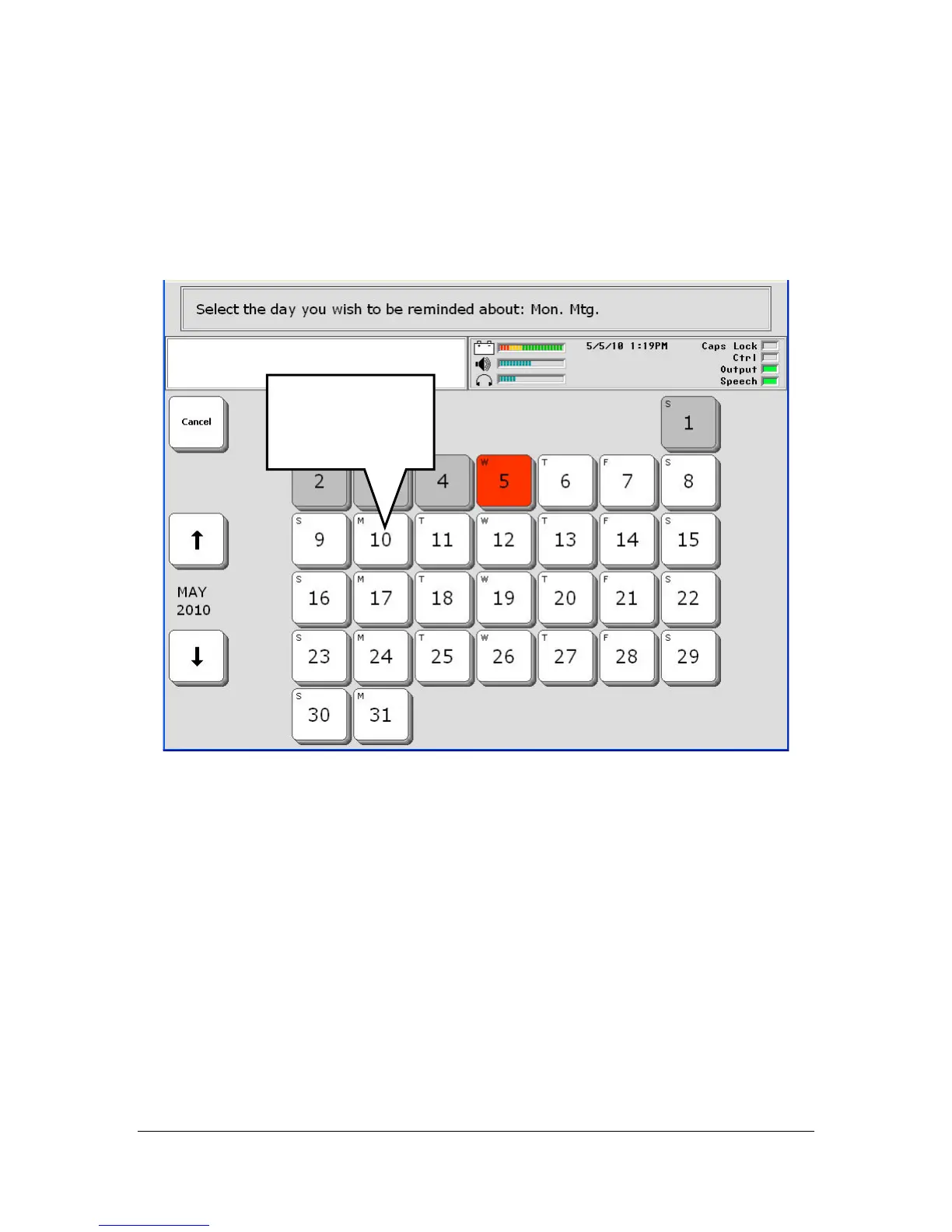
You see:
The key in red is the current day and date. If you want the current date, just
select the red key. For our reminder, let's pick Monday the 10
th
.
Select the M(onday)10 key.
On the next screen, select the time you want to be reminded about your
meeting. Since the meeting is at 10:00 AM, let's select 9:50 AM to be
reminded. It does not matter if you use the colon ( : ) key or not.
Check that the AM/PM key is marked correctly.
When you have entered the numbers, select OK.
Select the day
you want to be
reminded about.



 To Next Page