Ext. Control: Computer
20 ET System electronic GmbH
RS232 INTERFACE
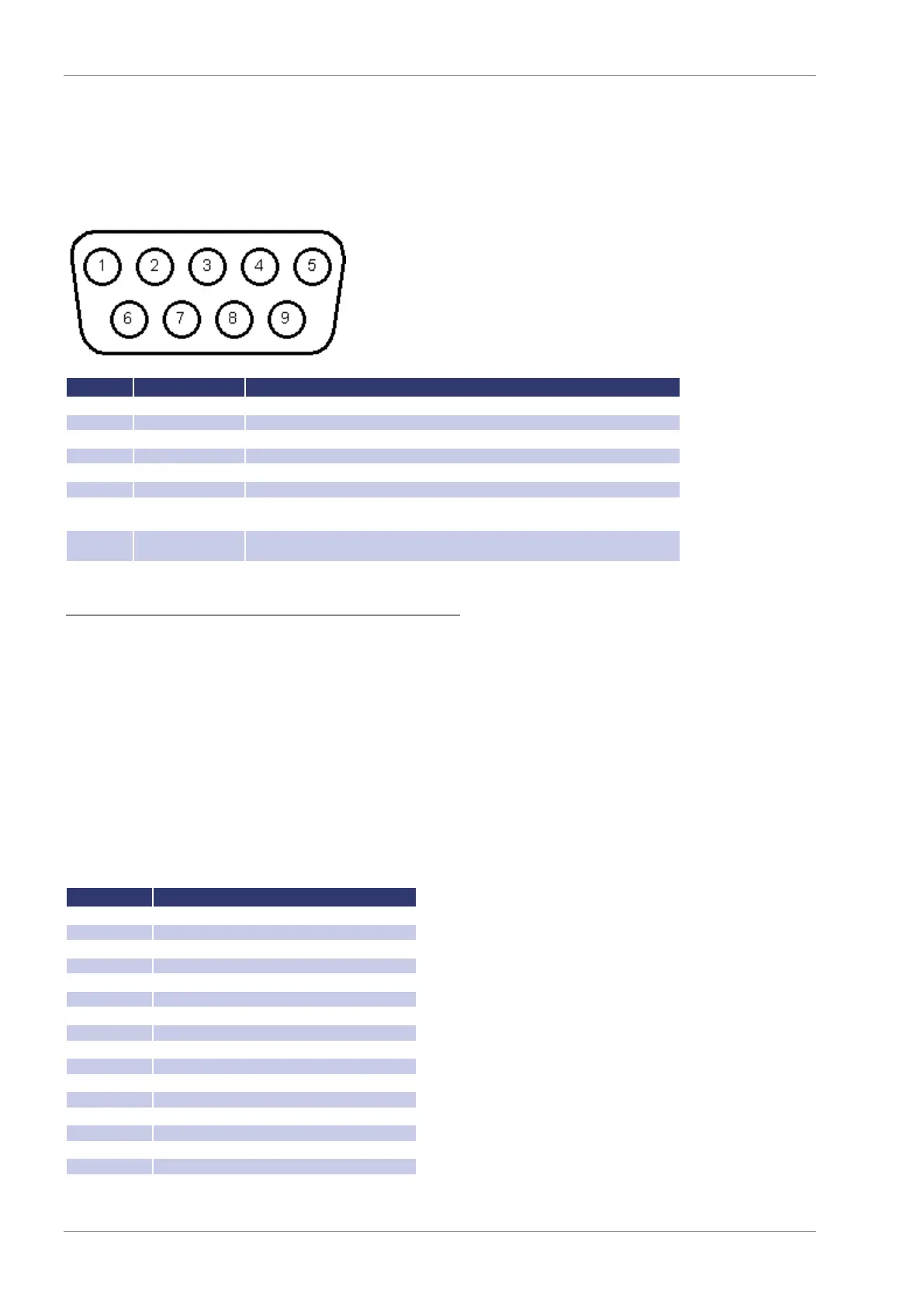
The connection of the RS232 interface is carried out with a 9pin sub D connector. A null modem cable must be used as
connector cable.
Data line from unit to PC
Data line from PC to unit
Reception of the PC, signal direction from PC to unit
(only required for active Hardware handshake)
Reception of the unit, signal direction from unit to PC
(only required for active Hardware handshake)
The interface can be operated using the following parameters:
1200, 2400, 4800, 9600, 14400, 19200, 38400, 57600, 62500, 115200
O = Odd = uneven parity
E = Even = even parity
N = None = no parity bit
H = Hardware
S = Software
N = None (no handshake)
The defined character for XON is 0 x 11 and for XOFF it is 0 x 13.
Interface parameters in delivery state are 9600 baud, no parity, 8 data bits, 1 stop bit, echo on. The status word can be
read with the command <STB> or <*STB?>. The following functions are assigned to the bits:
used internally, can be 1 or 0
Hardware handshake (RTS/CTS)
Software handshake (XON/XOFF)
Parity mode (1 = odd, 0 = even)
Stop bit (1 = 2 stop bits; 0 = 1 stop bit)
Data format (1 = 8 bit; 0 = 7 bit)
used internally, can be 1 or 0


 To Next Page