17 P-TS7 User Manual
Add Event
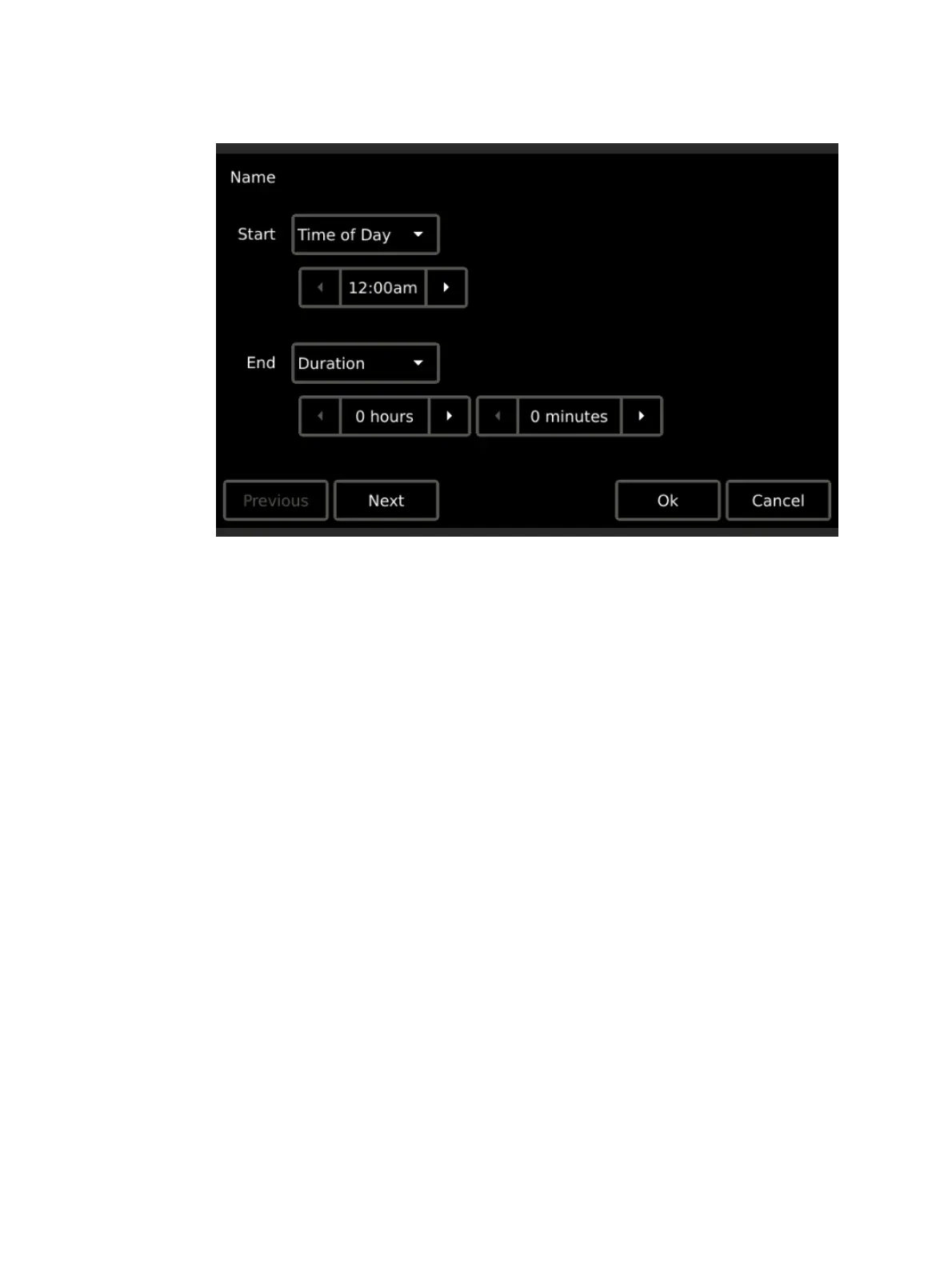
1. Press the {Add} button, the “New Timed Event” wizard displays.
2. Specify the “Start Time”. Press the default {Time of Day} button to display a list of
available start times including; “Time of Day”, “Sunrise”, and “Sunset”. Select the
option. Depending on the selection, additional options may display:
If “Time of Day” is selected, additional selection for a “Start Time” is required.
If “Sunrise” or “Sunset” are selected, additional selection for an “Offset” is required.
An offset is specified as an additive (press the {+} button) or negative (press the {-}
button) hour and minutes setting from the astronomical time.
3. Specify the “End Time”. The options for “End Time” are similar to the “Start Time”
except “Duration” is now an option. When “Duration” is the selected “End Time”, you
will also be required to specify the hours and minutes the event should run from its start
time.


 To Next Page