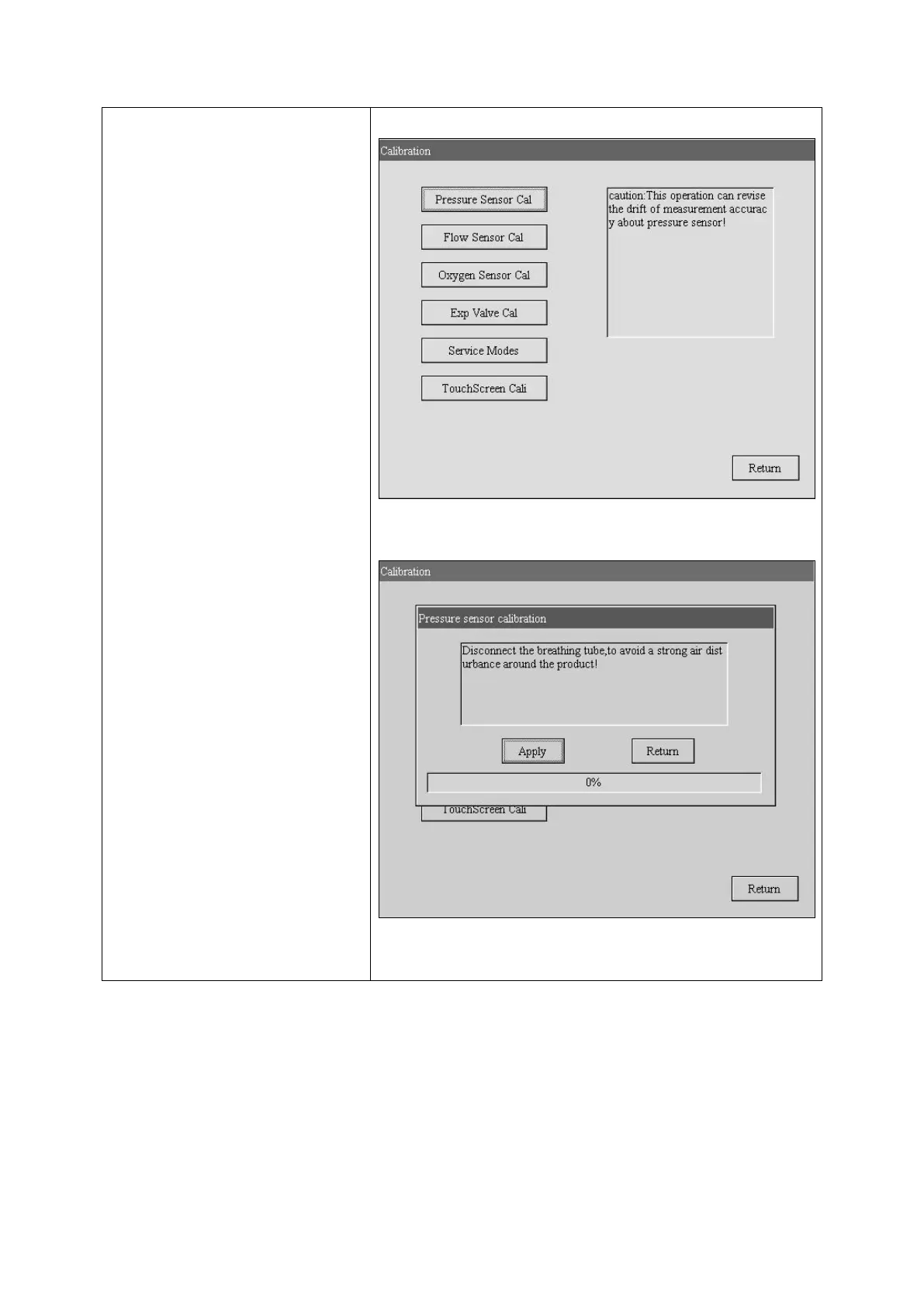
1.Calibrate Press sensor
Turn the Knob to select Pressure
sensor button, see right figure.
push the Knob, enter into pressure
sensor calibration menu.
see right figure.
Select do button, push Knob to
calibrate
If succeed, the word Calibration
completed will be displayed on the
screen



 To Next Page