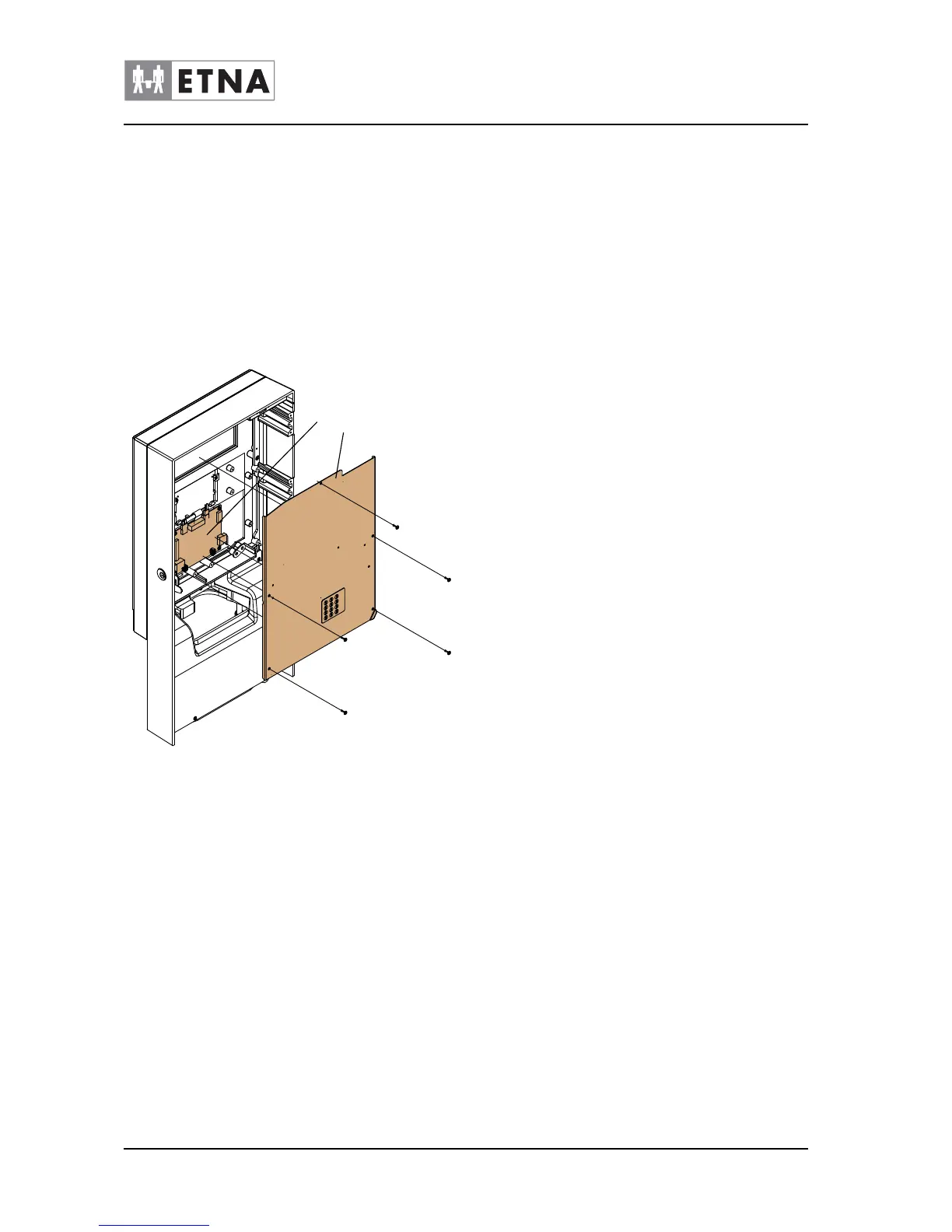
9.14 Door plate
Be careful! : PCBs are ESD-sensitive. Put on an ESD
wrist strap and connect it to the machine frame.
Be careful when moving the machine. The machine is heavy, see par.
6.5.
• Read the safety instructions, see par. 9.1.
• Disconnect the plug from the wall socket.
Removing door plate top
1 Open the door.
2 Loosen the plate (A).
3 Disconnect the ribbon cable of the service panel from the display
PCB (B).
4 Remove the plate.
Fixing door plate top in place
1 Connect the ribbon cable of the service panel to the display PCB
(B).
2 Fix the plate (A) in place.
3 Test service and selection buttons.
4 Restart the machine, see restart procedure par. 9.4.
Figure 9-14



 To Next Page