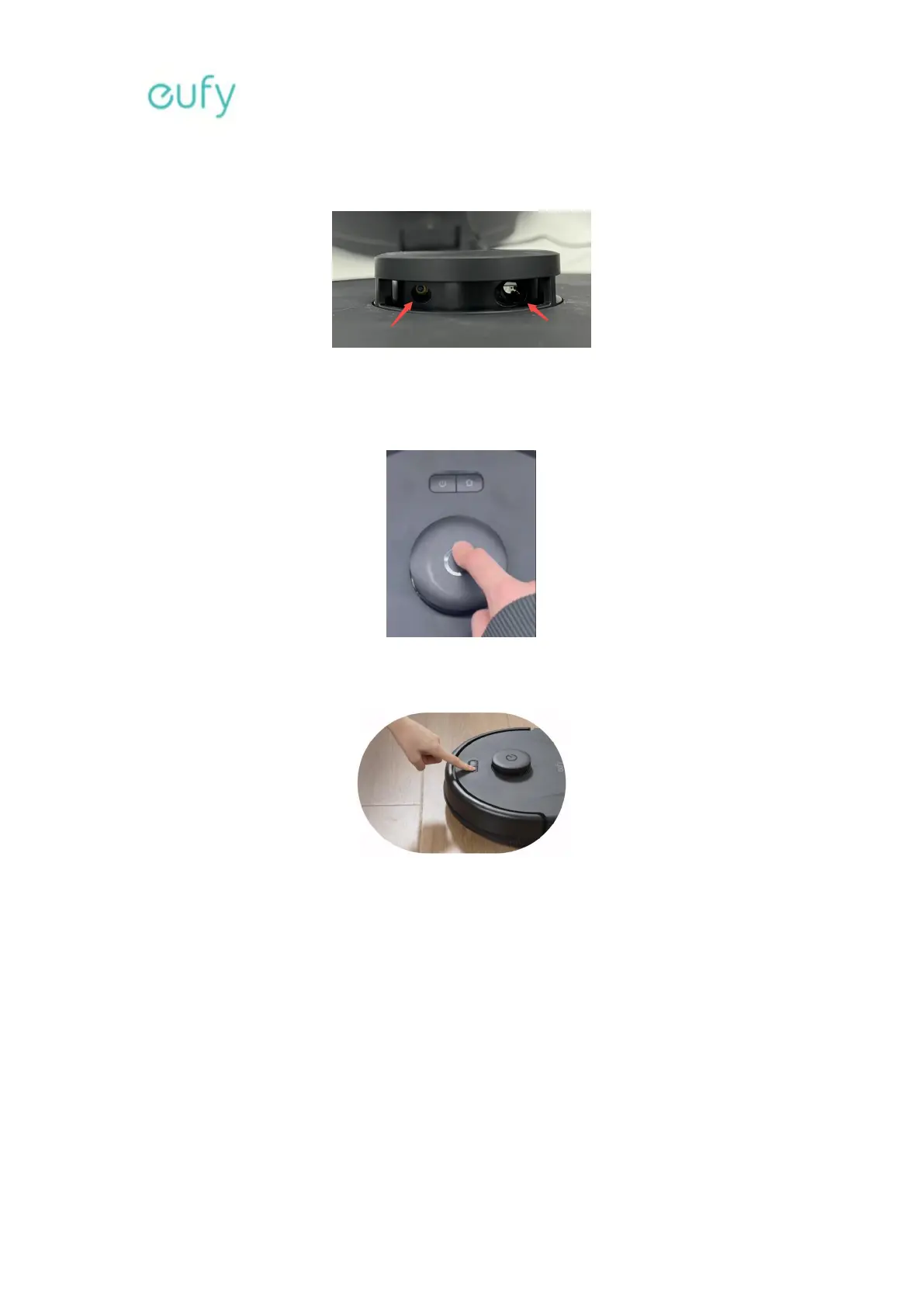
Please check if the radar emission and reception holes are covered by any objects.
Gently rotate the radar with your fingers to confirm that there are no blockages on the
radar.
Please manually press the radar cover to ensure it springs back normally. Also, press and
hold the radar cover to check if the robot vacuum cleaner consistently moves backward.
Please restart the robot vacuum cleaner to verify if the issue persists. Press and hold the
Start/Pause button for three seconds to power on/off the robot vacuum cleaner.
2. What should I do if my L60 is not charging?
Troubleshooting steps:
Try reconnecting one end of the AC adapter to the Charging Base and the other end to
another wall outlet. Please make sure the wall outlet has power and works without issues.
For example, please make sure the wall outlet can charge your phone or other devices.
Use a dry, clean cloth to clean the charging contact pins on the charging station and the
robot vacuum cleaner. Please inspect both components to make sure the pins are not
deformed or rusty.








 To Next Page