Clean and replace the filters regularly. Please note that the filters should be cleaned
regularly, and please replace the filters once they are worn out or damaged to ensure
proper airflow and filtration.
Inspect the robot vacuum cleaner for debris. It is recommended to occasionally
inspect the robot vacuum cleaner for any potential debris in the suction path, wheels, or
brushes that may hinder the robot vacuum cleaner's movement or cleaning performance.
6. What should I do if my L60 always gets stuck?
Troubleshooting steps:
Remove obstacles from the floor. Please ensure that the floor is clear of any obstacles
that could obstruct the robot vacuum cleaner's cleaning path, such as toys, loose cables,
clothing, or large debris.
Check and clean the robot vacuum cleaner's sensors. Please power off the robot
vacuum cleaner and flip it upside down to locate its sensors. Simply use a soft, dry cloth
to gently wipe the sensors clean of any dust or debris.
Inspect and clean the robot vacuum cleaner's wheels. Please examine the wheels for
any entangled hair or debris that could potentially cause the robot vacuum cleaner to
become stuck. Carefully remove any obstructions from the wheels and ensure they can
rotate freely.
Evaluate the cleaning area. Please check if the robot vacuum cleaner is experiencing
any difficulties with specific types of flooring, furniture, or thresholds. For example, the
robot vacuum cleaner may struggle with dark-colored carpets, long-fringe rugs, or high
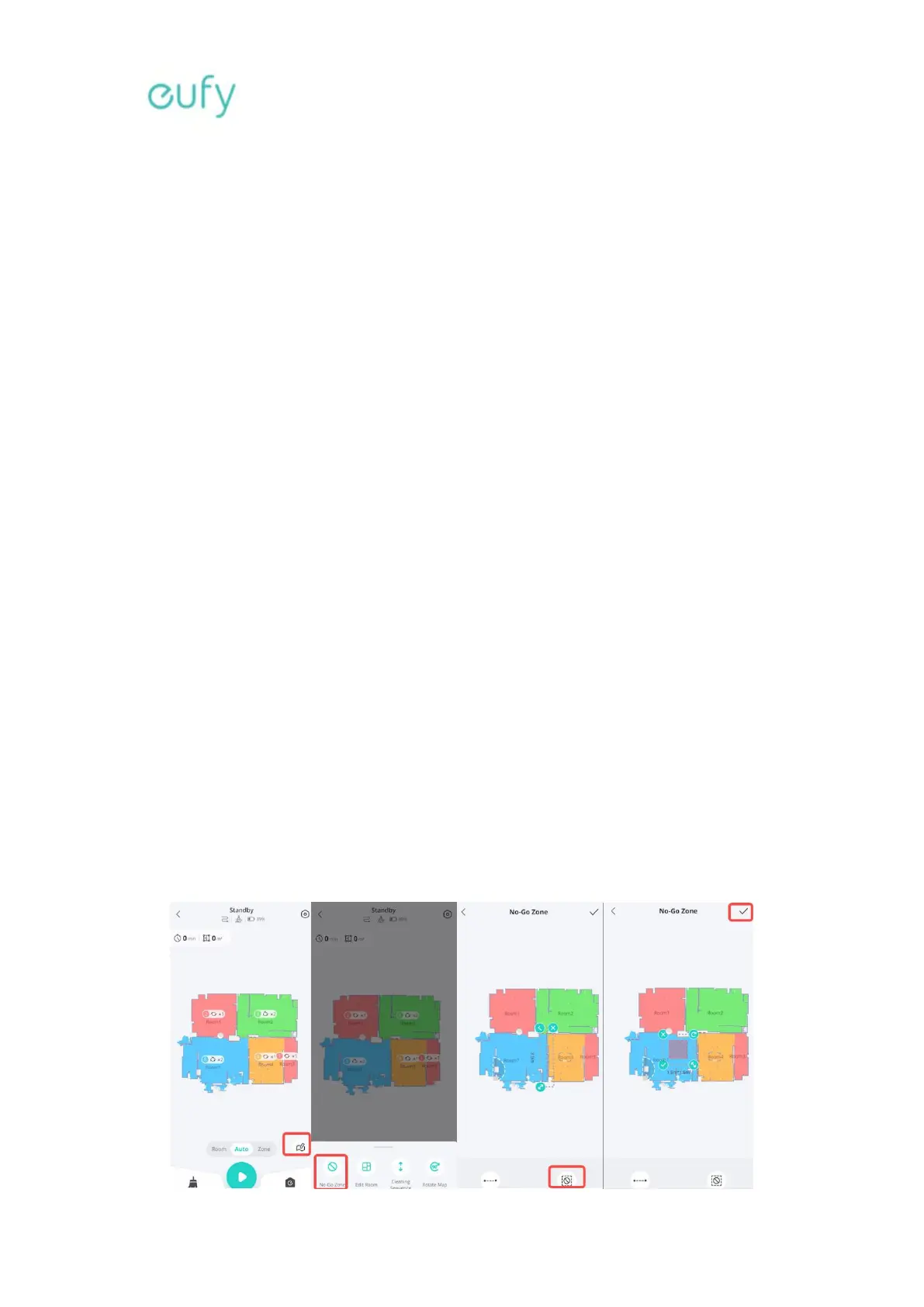
thresholds. If possible, please set No-go zones using the eufy Clean app to block off
these areas.








 To Next Page