02 EN EN 03
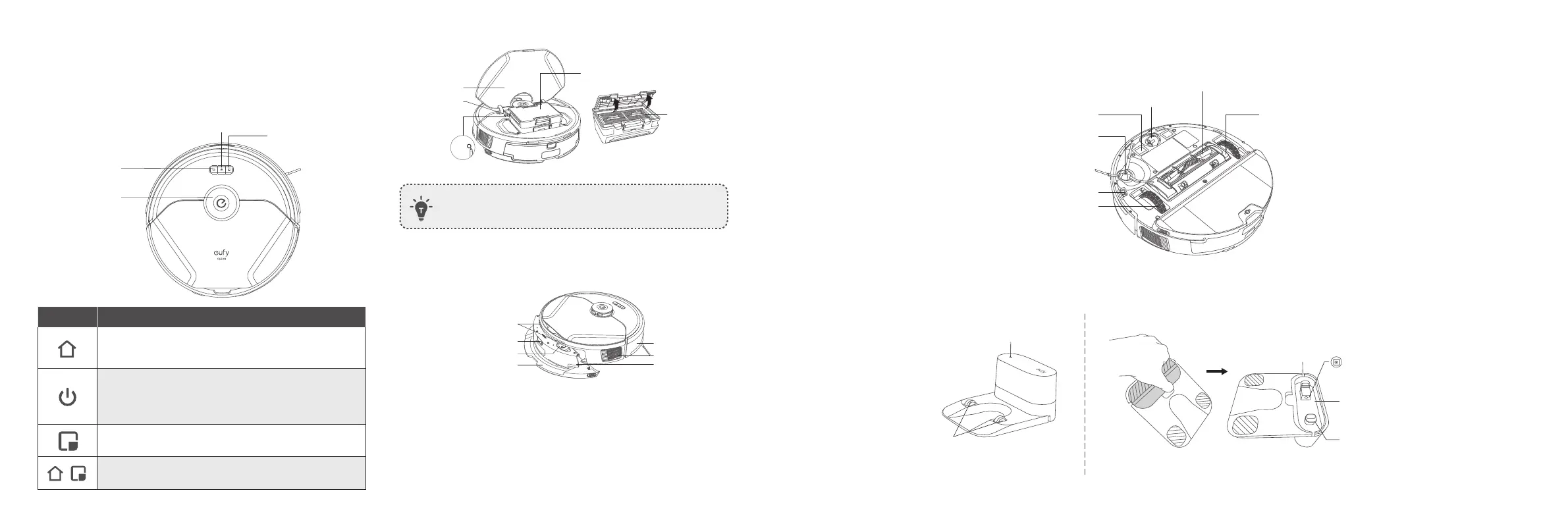
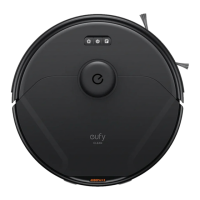
Top cover
Wi-Fi indicator
Dust box
Filter assembly
• To restart RoboVac, open the top cover and press the Reset
button with sharp-pointed objects.
B. Side
Charging contact pins (×2)
Water tank
Water tank release button
Mopping module
Water inlet
Bumper
Ventilation holes
C. Bottom
Charging contact pins (×2)
Side brush
Anti-drop sensors (×4)
Wheels (×2)
Brush guard
Rolling brush
Swivel wheel
D. Charging Base (T2266 only)
Charging contact pins
Status light
Power cord storage compartment
Power socket
Wire slot exit
Slot winding
RoboVac Anatomy
A. Front
Recharge button
Laser distance
sensor (LDS)
Auto cleaning Start
/ Pause button
Spot cleaning button
Button
Action
Press to return RoboVac to the Self-Empty Station /
Charging Base; press to pause / finish the current task
when working
• Press and hold for 3 seconds to power on or off
(when not in Charging status)
• Press to start Auto cleaning
• Press to pause / finish the current task when working
Press to start Spot cleaning; press to pause / finish the
current task when working
Press and hold simultaneously for 5 seconds to reset
the Wi-Fi connection.


 To Next Page