06
Operation & Installation
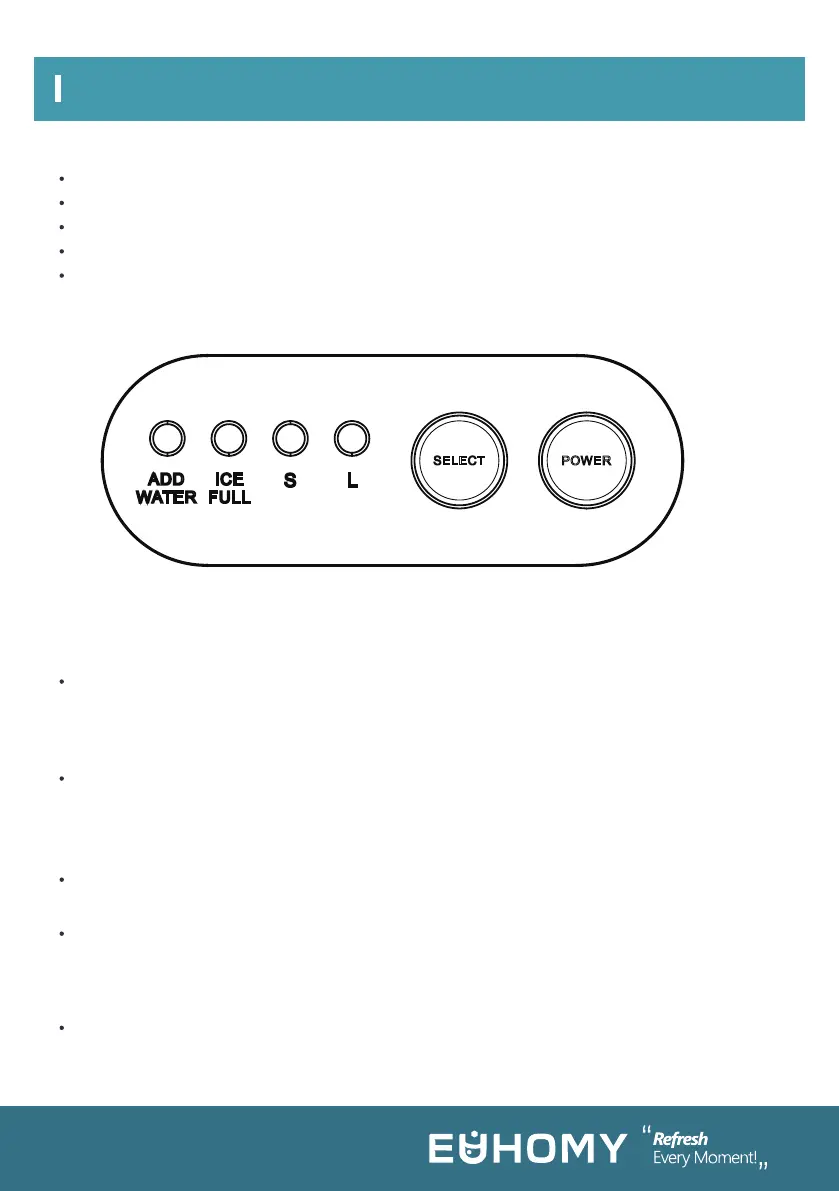
Plug in the power and the “L” indicator light flashes. Press the “POWER” button, the “L”
indicator light is always on, and the machine will start the deicing function first. It will then
automatically make the ice according to the selected mode, deicing after the completion of ice
making, and then enter the deicing function.
SELECT: Select the ice size mode, and the default mode is large ice making mode for each
startup. Select the mode: “S” for small ice selection, “L” for large ice selection and the corre-
sponding indicator light is on. The production time of small ice is longer than 8 minutes and that
of large ice is longer than 9 minutes.
ADD WATER: Water shortage alarm: when the light is red, it means there is a water shortage in
the water tank. You need to add water and press the “POWER” button to restart the machine.
ICE FULL: Ice full alarm. When the ice reaches the maximum amount of ice in the storage
container, the "ICE FULL" light flashes and the machine stops. At this time, the ice needs to be
poured out. When the ice position is lower than the full sensor position, the machine will restart
automatically.
CLEAN: Press the “POWER” button for 3 seconds, and the machine will enter the self-cleaning
mode. The water pump will pump water and the water box will pour water. After 5 cycles, the
machine will stop and enter standby mode.
POWER: ON-OFF switch
S: Small ice selection
ICE FULL: Ice full alarm
SELECT: Mode selection
L: Large ice selection
ADD WATER: Water shortage alarm
FEATURES
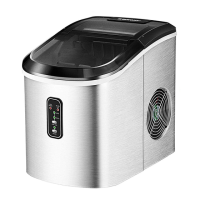
CONTROL PANEL OPERATION
Quick ice making
Two different sizes of ice cubes can be made
Prompt when the ice tray is full, and water is insufficient
Bullet ice
10 pcs of ice can be made in 8-9 minutes.



 To Next Page