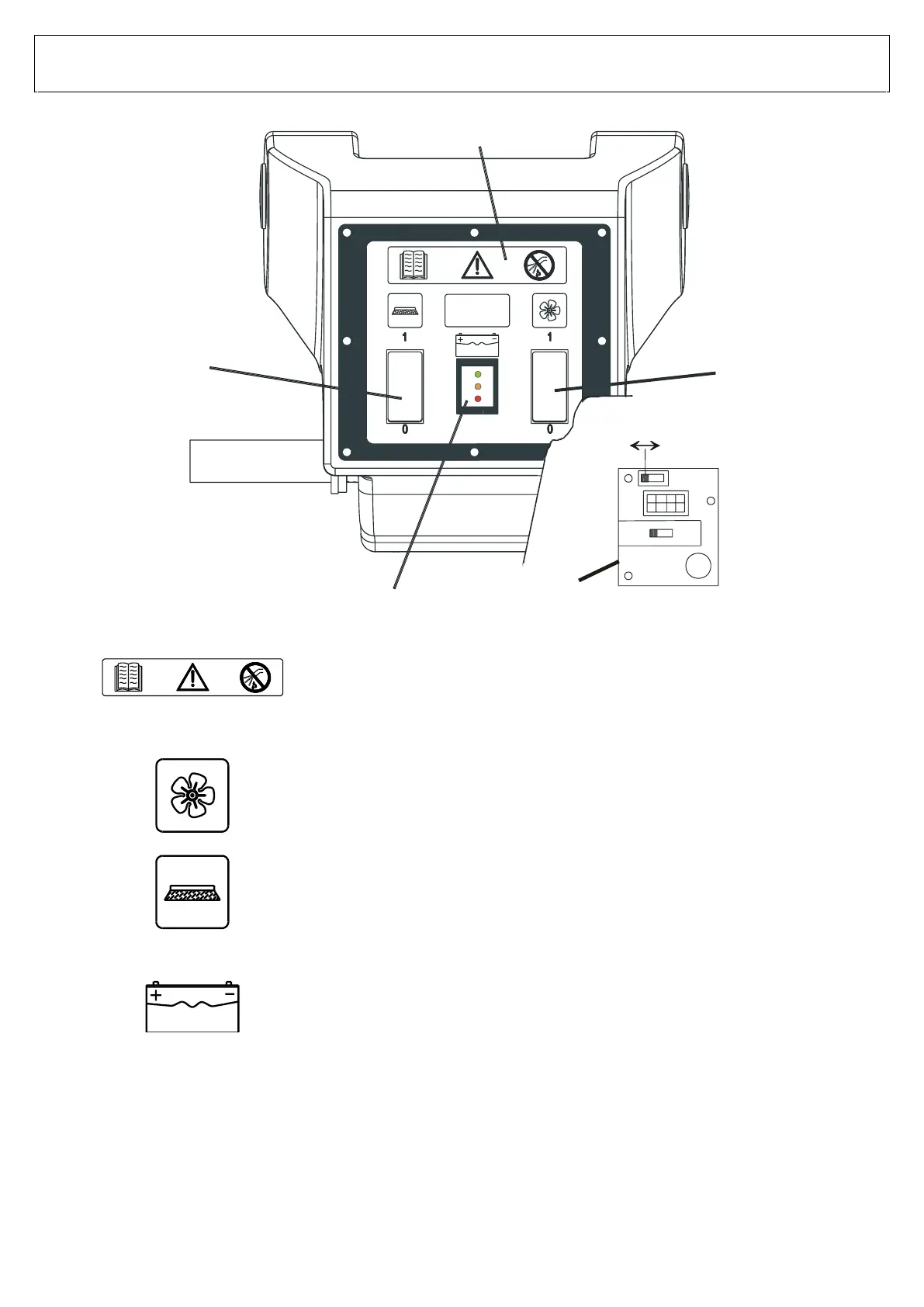
CONTROL PANEL
VERSIONS: E51 V1 BASIC – M510 V1 BASIC
WARNING SYMBOLS
The symbol on the left advices using the instruction manual at all times
for any information regarding the machine, whereas the symbol on the
right forbids the use of water on the instrument panel as there are
electrical parts
SUCTION FAN SWITCH
The suction fan is turned on by pressing the rocker switch into position 1.
The suction fan is turned off by pressing the rocker switch into position 0.
.
BRUSH SWITCH
The brush starts rotating by pressing the rocker switch into position 1.
The brush stops rotating by pressing the rocker switch into position 0.
EXHAUSTED BATTERY INDICATOR
The battery charge level is indicated when the brush is switched on.
The machine can keep operating as long as the green led light stays on.
The battery needs to be recharged when the orange led light comes on.
The machine needs to be switched off immediately if the red light comes
on; the exhausted battery may suffer irreversible structural damages if
continued to be used.
OPTIONAL – EXHAUSTED BATTERY INDICATOR WITH ACID/GEL CONTROL BOARD STATUS
LED AND BRUSHES IN HALT POSITION.
When the red light of the batteries charge indicator (pos. 4) is on, the brush stops rotating.
Charge the batteries to activate the brush.
NB – To switch from ACID to GEL mode, open the control panel and activate the lever
switch as shown in pos. 5


 To Next Page