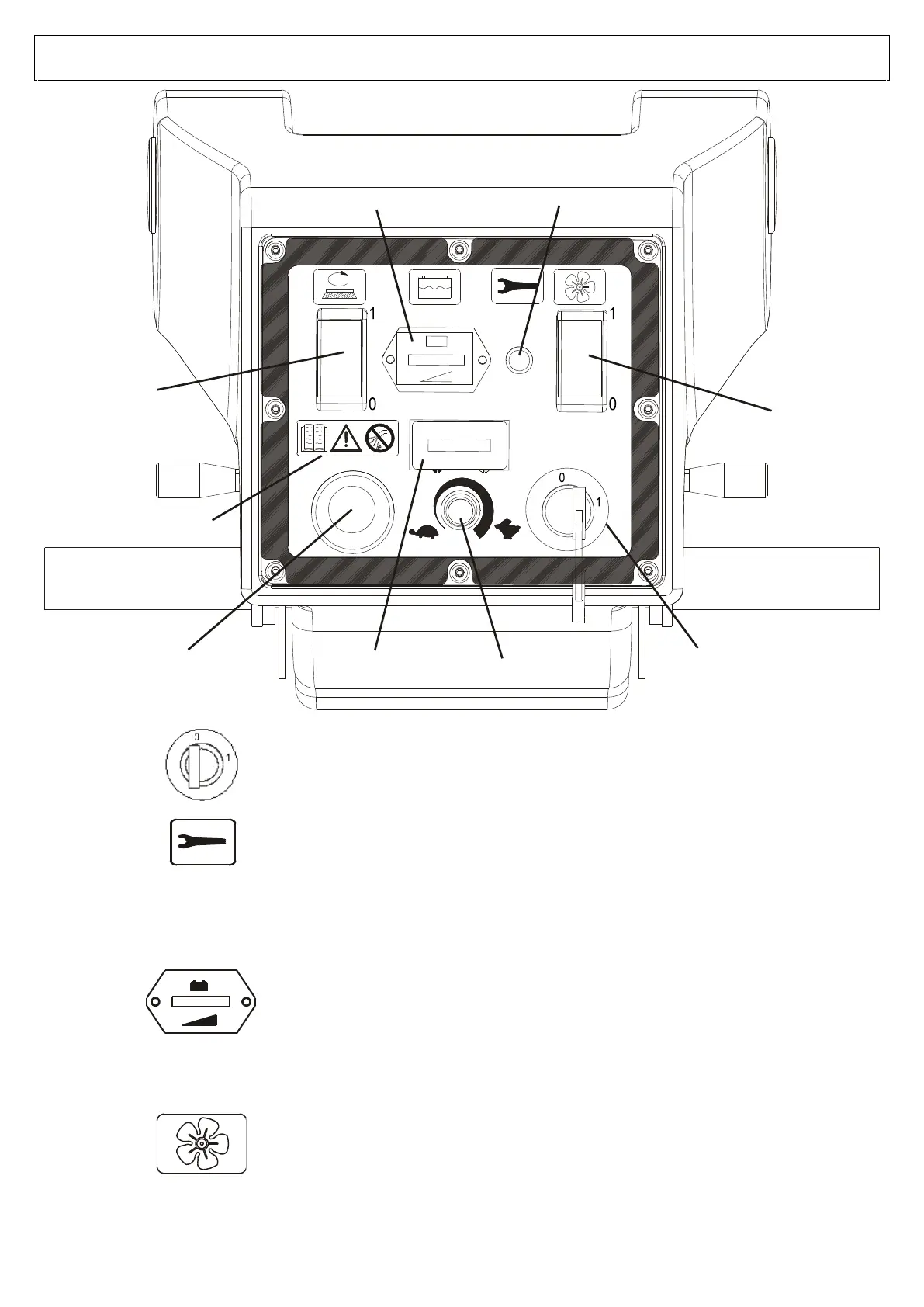
RED LIGHT: DRIVE ALARM
Indicates any faults in the drive board of the drive motor.
The number of flashes indicates the type of fault (consult the troubleshooting
table).
BATTERY CHARGING INDICATOR
The green LED light indicates that the battery is charged.
When the red light comes on after about 20 seconds, the brush motors will
stop running. Go to the charging zone and charge the battery.
Warning: The indicator is configured for acid-lead batteries.
To avoid damaging the batteries, make sure to change the settings when
installing other types of batteries (GEL, AGM, etc).
In case different batteries are fitted (GEL, AGM, etc.) the setting must be
changed to avoid damaging the batteries. (SEE PAGE 15)
VACUUM BUTTON
Push the switch to position 1 to turn on the vacuum.
Push the switch to position 0 to turn off the vacuum.


 To Next Page