EasyManua.ls Logo

Euromag MC608 Series - User Manual

Euromag MC608 Series
60 pages
Print Icon
To Next Page IconTo Next Page
Loading...
CAREFULLY READ THESE INSTRUCTIONS AND KEEP THEM IN A SAFE PLACE
TD 210-2-ENG
ENGLISH
Translate of the original instruction
Instruction manual
Version 6.0 and later versions - Ed. 10/2018
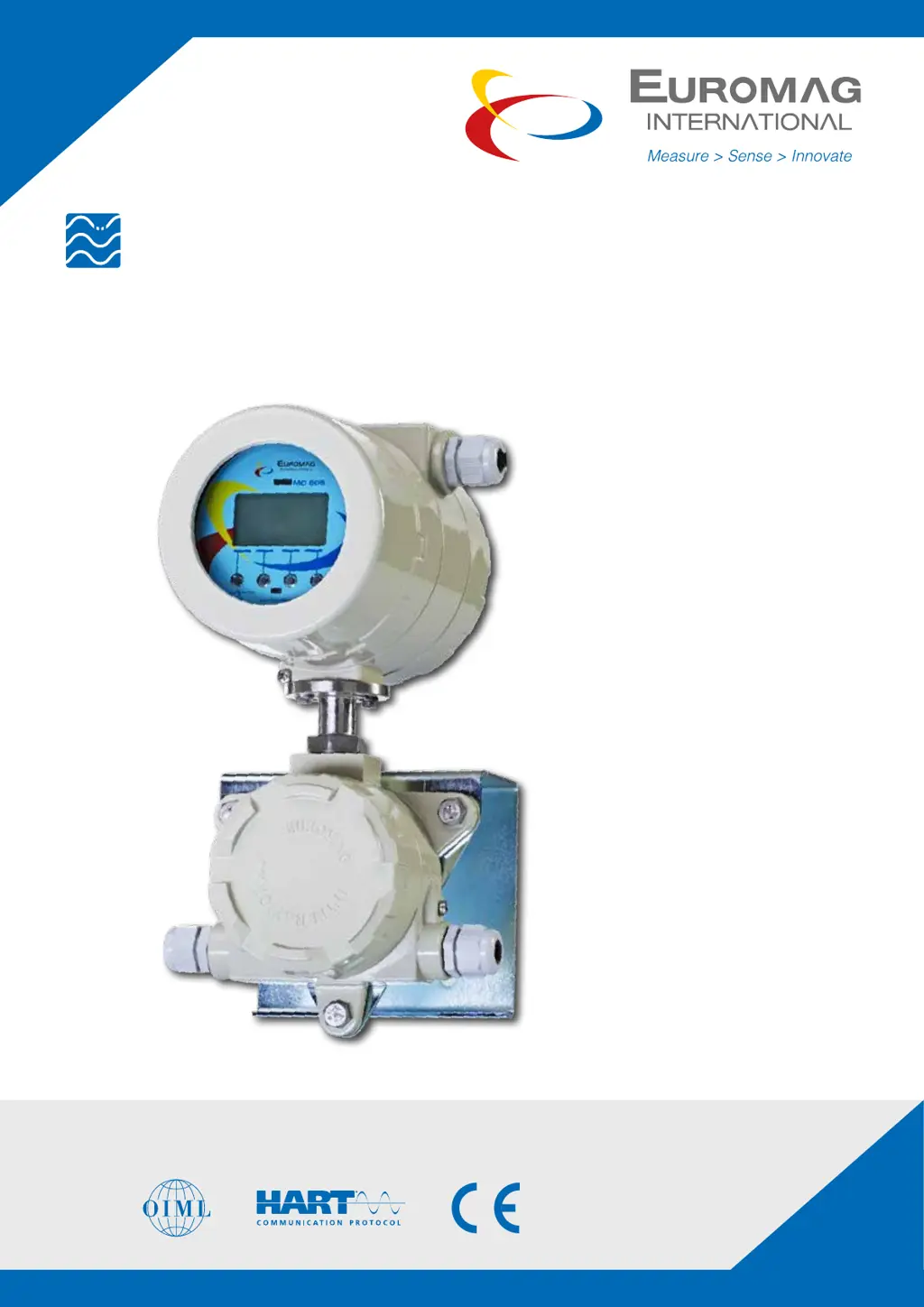
MC608 Converter
ELECTROMAGNETIC FLOW METERS

Table of Contents

Other manuals for Euromag MC608 Series

Questions and Answers

  • R
    Richard GrimesAug 16, 2025
    Why does Euromag Media Converter show a flow rate when there is no flow?
    • Z
      zjohnsonAug 16, 2025
      The Euromag Media Converter might display a flow rate even without actual flow due to several reasons: incorrect or missing grounding, which requires checking the sensor and liquid grounding; lack of liquid in the sensor downstream, necessitating a check to ensure the sensor is full; incompatible or low electric conductivity of the liquid, suggesting electrode or sensor replacement; or incorrect calibration, which can be resolved by performing a manual zero calibration via the menu.
  • M
    Mallory BryantAug 18, 2025
    What to do if the screen is turned off on Euromag MC608?
    • J
      Jared ThorntonAug 18, 2025
      If the screen of your Euromag Media Converter is off, first check the current supply voltage on the converter plate to ensure it is correct. If you have the MC608B version, you should also check the battery life and replace the battery pack if necessary.
  • C
    Christian CruzAug 21, 2025
    Why is the flow reading unstable on my Euromag MC608 Media Converter?
    • A
      Amanda PearsonAug 22, 2025
      Unstable flow readings on your Euromag Media Converter can be caused by hydraulic or electric failures. Hydraulic issues include air bubbles or unstable flow (vortex motion) due to non-compliance with minimum required linear distances upstream and downstream of the device. Electric issues can stem from missing or improperly performed grounding, oxidized nodes, or a noisy ground point. Try changing the grounding point, preferably creating a new one exclusively for the meter. Also, check for the presence and correct installation of vents on the pipe to avoid the presence of air in the pipe. If the liquid is stable and the pipe is full, the issue is most likely electrical noise.
  • G
    Gerald DavilaAug 25, 2025
    What to do if Euromag Media Converter shows [Measure error]?
    • J
      julie03Aug 26, 2025
      If your Euromag Media Converter displays a [Measure error], it may be due to several reasons: an empty pipe, air bubbles in the liquid, incorrect grounding, or an incorrect or damaged electrical connection. Check if the sensor has been installed correctly and if there is air inside the pipe. Also, ensure that the sensor and converter are properly grounded.
  • S
    sgonzalezAug 27, 2025
    Why does Euromag MC608 Media Converter show [Empty pipe] message?
    • S
      Spencer GonzalezAug 27, 2025
      If your Euromag Media Converter shows an [Empty pipe] message, it indicates an empty pipe detection. If the message persists even with a full pipe for more than a few minutes, check the electrical connections of the separation cables (for remote versions). You may also need to adjust the empty pipe threshold.
  • A
    Anna SandersAug 30, 2025
    What causes [Interrupted excitation] error on Euromag Media Converter?
    • D
      Denise BoyleAug 30, 2025
      An [Interrupted excitation] error on the Euromag Media Converter can be caused by an incorrect or damaged electrical connection to the sensor/converter, a damaged sensor (possible seepage inside), or a damaged converter. To check the electrical continuity of the sensor coil circuit, refer to the procedure “DI10D_SENSORTEST” available in the download area of the website www.euromag.com.
  • K
    Kenneth WilliamsSep 3, 2025
    What to do if Euromag MC608 Media Converter shows [Pulses accumulation]?
    • F
      Frank SharpSep 3, 2025
      If your Euromag Media Converter displays a [Pulses accumulation] message, it is recommended to change the settings of the pulse volume and duration.
  • Z
    Zachary McfarlandSep 5, 2025
    Why does external pulse totalizer show different results than expected on Euromag MC608?
    • Y
      youngisaacSep 5, 2025
      If the external pulse totalizer shows unexpected results with the Euromag Media Converter, it may be due to a pulse output configuration error. Check the conditions in paragraph 5.3.4 - menu – Pulse output. Test the output with the external flow simulator and the converter-pulse counter system, simulating a flow rate through System > Simulation.
  • R
    Robert OlsenSep 8, 2025
    What to do if Euromag MC608 shows [Power supply voltage]?
    • M
      Mathew HebertSep 8, 2025
      If your Euromag Media Converter displays a [Power supply voltage] message, it indicates that the supply voltage is out of the operating range. Check the power supply network.
  • H
    Holly GonzalesSep 12, 2025
    What to do if Euromag Media Converter shows [Low GSM signal]?
    • U
      uashleySep 12, 2025
      If your Euromag Media Converter displays a [Low GSM signal] message, it indicates a low or missing GSM signal. Check the antenna connection.

Summary

Introduction to Electromagnetic Flow Meters

Manufacturers Statement and Responsibilities

Manufacturer's statement regarding product design, limitations, and responsibilities.

Packaging Verification and Product Check

Instructions for checking the packaging and product completeness upon receipt.

Preliminary Notes and Operating Conditions

Basic notes on flowmeter parts, advantages, and essential operating conditions.

Product Identification Plates

Details the standard and OIML identification plates and their information.

Applications of the MC608 Converter

Lists typical applications and use cases for the MC608 converter.

Product Description of MC608 Flow Meters

Operating Principle of Electromagnetic Flow Meters

Explains the electromotive force principle behind the flow meter's operation.

Available Versions of MC608 Converters

Lists and describes the different MC608 converter models and their features.

Converter Installation Types: Compact and Remote

Details the compact and remote installation methods for the converter.

Protective Casing Specifications

Details the protective casing materials and IP ratings for MC608 versions.

Power Batteries and Safety Precautions

Discusses battery power sources and essential safety precautions for lithium batteries.

Data Safety and Memory Management

Explains data safety features, internal memory, and software for data management.

Remote Data Reading Capabilities

Describes data collection and remote monitoring capabilities via GSM/GPRS.

Optional Modules for MC608 Converters

Details optional modules like Hart protocol and pressure/temperature sensors.

Technical Specifications of MC608 Converters

Overall Dimensions by Version

Provides overall dimensions for various MC608 converter versions with diagrams.

Certificates and Approvals

Lists applicable EU directives, harmonised standards, and certifications.

General Technical Features Overview

Summarizes technical data for casing, power supply, consumption, and I/O across versions.

Accuracy Specifications and Conditions

Defines reference conditions and displays accuracy classes and graphs.

Installation Guide for MC608 Converters

Moving and Handling the Converter

Provides precautions for safe movement and handling of converter versions.

Converter Positioning and Installation

Details positioning, installation, and display rotation for compact and remote versions.

Electrical Connection Procedures

Introduces electrical connection procedures, wiring diagrams, and safety warnings.

Converter Programming and Configuration

Converter Configuration Methods

Describes three methods for configuring the MC608 converter: buttons, RS485, IrCOM.

Core Programming Operations

Explains core programming procedures via PC software or converter buttons.

Menu Items Description for Configuration

Details the menu structure for accessing and configuring various converter parameters.

Maintenance of MC608 Converters

Cable Gland and Gasket Condition Checks

Guides periodic checks on cable glands and gaskets for integrity and sealing.

Battery Installation and Replacement

Provides step-by-step instructions for battery pack installation and replacement.

Troubleshooting MC608 Flow Meters

Malfunctioning and Possible Solutions

Summarizes common malfunctions, their potential causes, and corrective solutions.

Alarm Messages and Solutions

Explains alarm messages, their causes, and corresponding solutions for troubleshooting.

Sending Converter to Manufacturer for Service

Repair Request Form Procedure

Instructs on filling out and attaching the repair request form for service.

Product Disposal and Environmental Compliance

Euromag MC608 Series Specifications

General IconGeneral
CategoryMedia Converter
Operating Temperature0°C to 50°C
SeriesMC608
ModelMC608
Fiber TypeSingle-mode or Multi-mode
Wavelength850nm, 1310nm
Power Supply5V DC
Humidity5% to 90% non-condensing

Related product manuals