TimeFactor User Guide Typical Setups
11
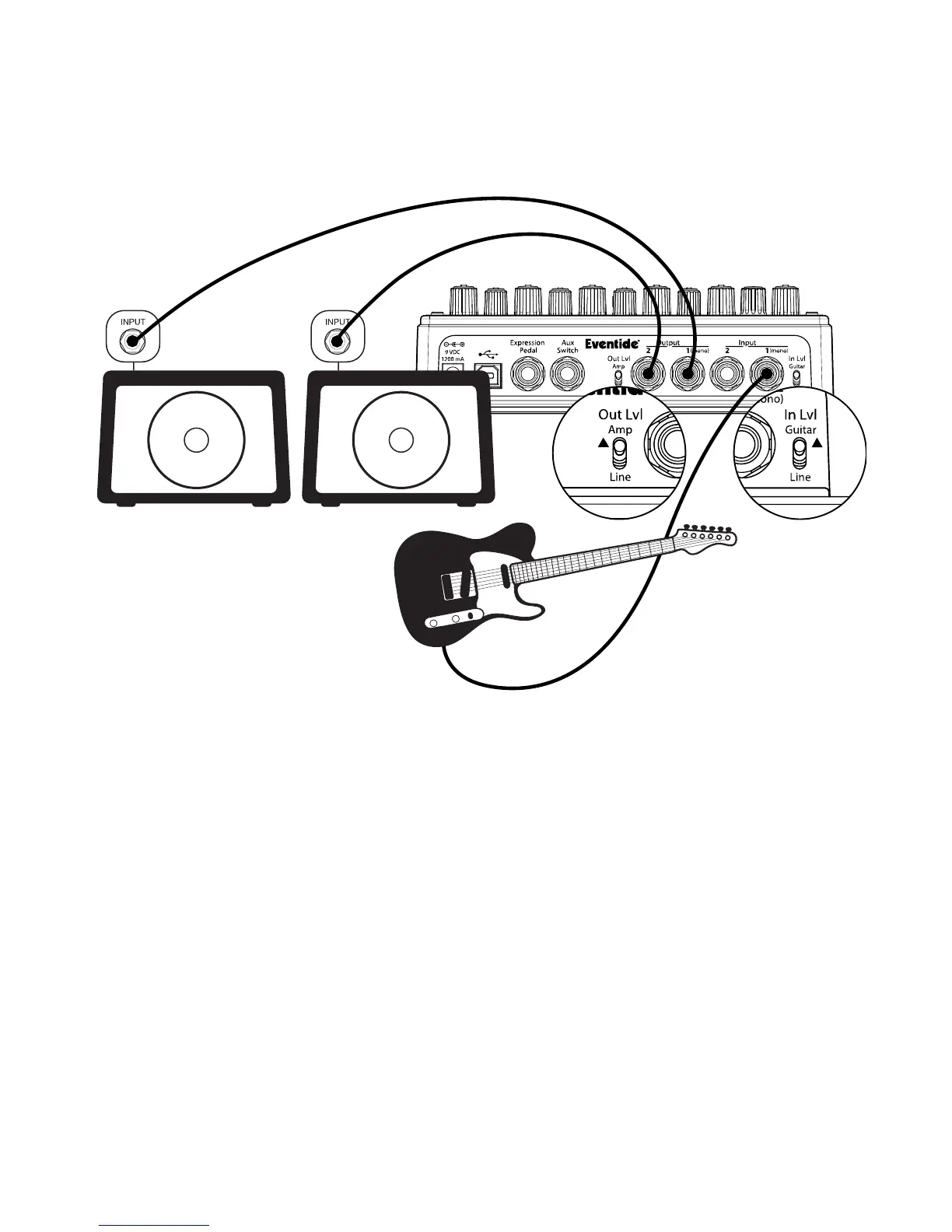
Guitar > TimeFactor > Amp 1/Amp2 – Mono or Stereo In/Stereo Out
Connect your guitar cable to TimeFactor Input 1 and a cable from TimeFactor Output 1 to
one amp and a second cable from TimeFactor Output 2 to the other amp. Input Level switch
(In Lvl) should be set to GUITAR and Output Level switch (Out Lvl) set to AMP.
If you are using other stompboxes or pedals, it’s best to connect them in front of TimeFactor.
Connect TimeFactor’s Input 1 to Output 1 of the other pedal. If the other pedal has stereo
outputs, connect its Output 2 to TimeFactor’s Input 2. If TimeFactor’s peak LED lights solidly,
set TimeFactor’s In Lvl to LINE.



 To Next Page