TimeFactor User Guide Connections
9
Connections
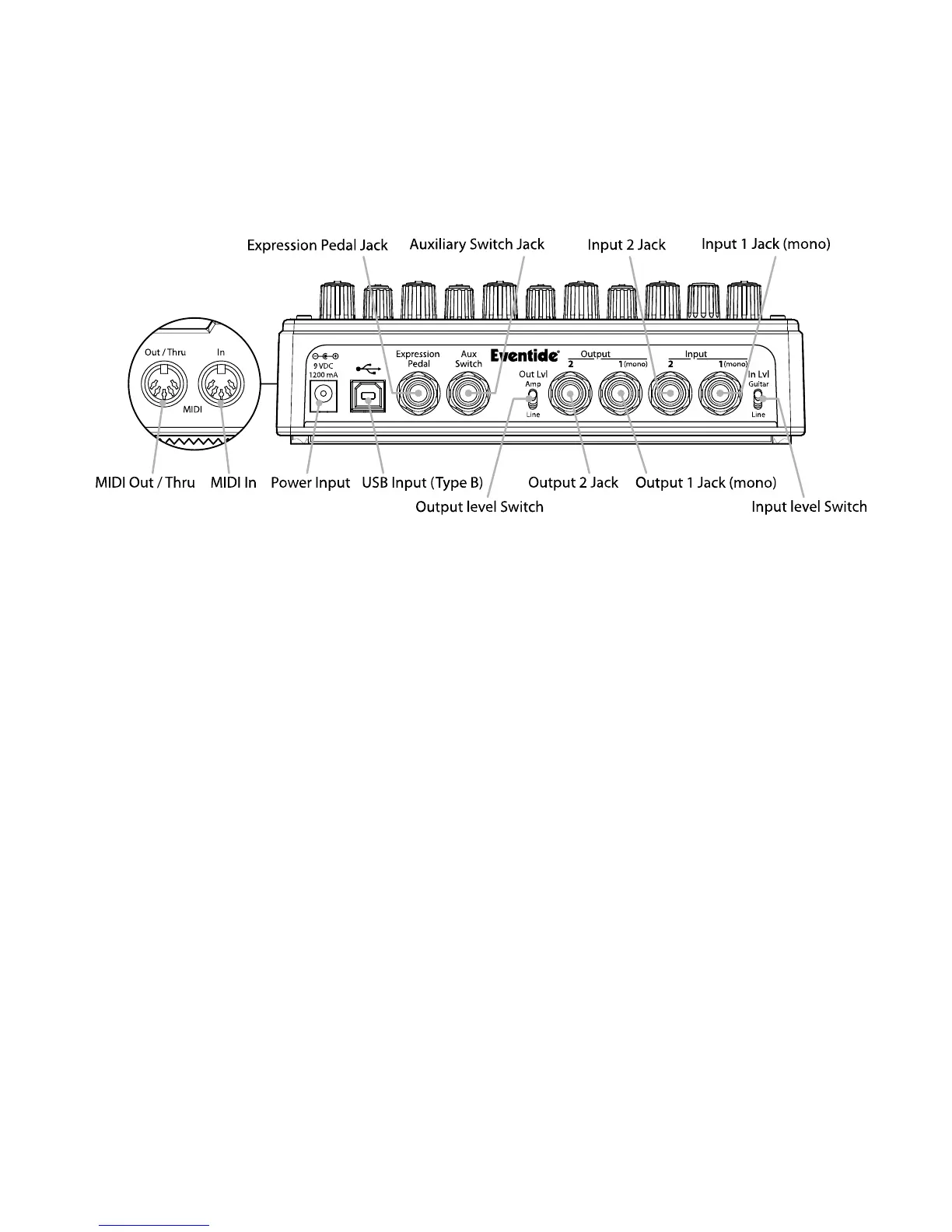
TimeFactor is designed to be flexible and can support both instrument and line-level inputs
and outputs. Rear panel toggle switches allow you to independently select input and output
levels. Audio Inputs and Outputs accept standard mono (unbalanced) ¼” phone plugs.
TimeFactor can be connected directly to your guitar, behind another pedal, in your Amp’s
effects loop or to your mixer’s send/return or insert. Given the variety of guitars, effects
pedals, amps and mixers, we can’t describe a ‘best’ setup. The setup should be driven by you
and the sound that you’re going for. That writ, here are some suggestions and typical setups.
Note: It’s best to connect TimeFactor after distortion effects, compressors, EQs, and noise
gates.
Typical Setups
Here are some suggested ways of connecting to your rig and suggested I/O level switch
settings:



 To Next Page