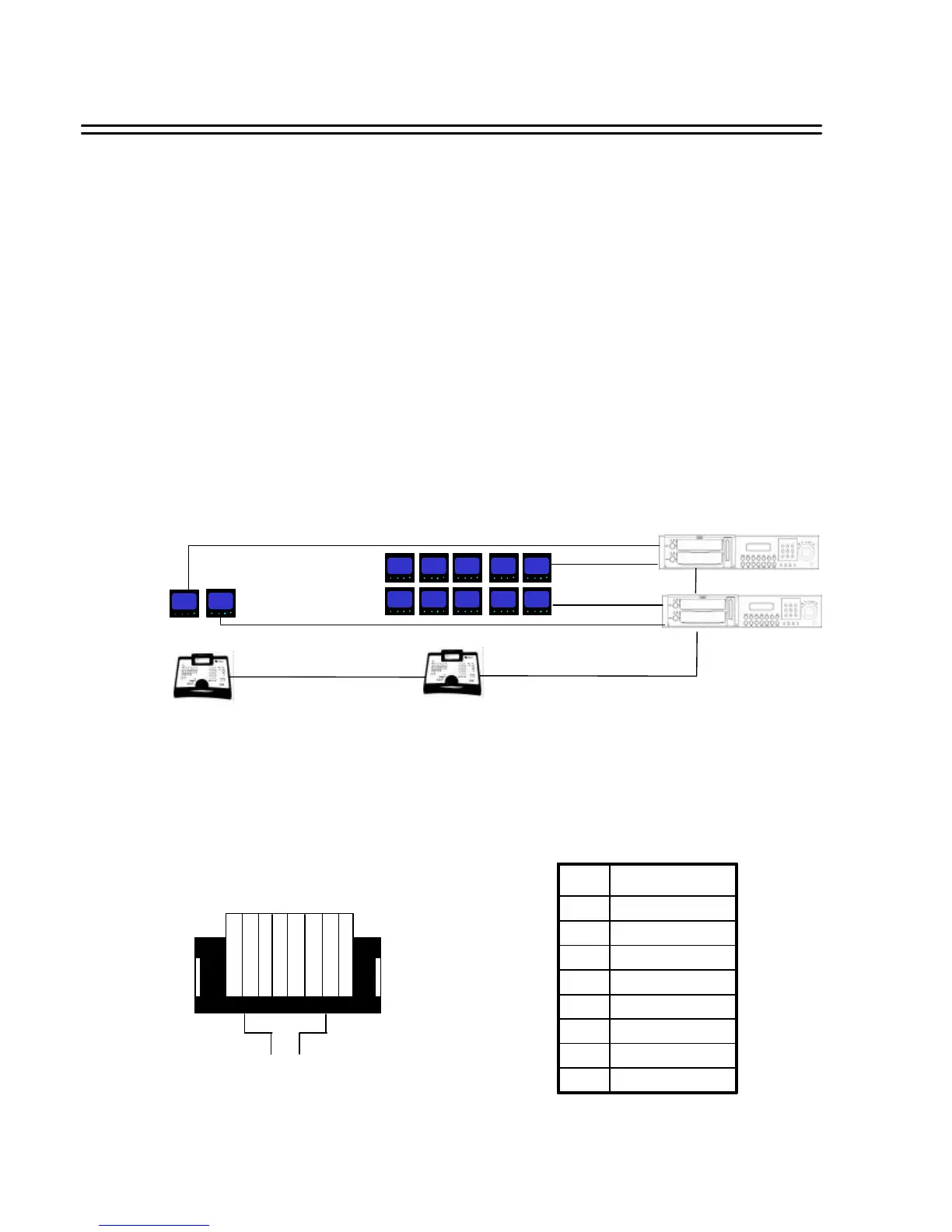
RJ45 (RS485) pin assignment
11. REMOTE CONTROL
11.1 RS-485 REMOTE CONTROL
The new standard EverFocus EDSR remote protocol allows challenging installations with DVR remote
control at different installation sites.
EDSR remote control is supported by the keyboards KS-KBJ (with 3-axis joystick and 2 additional
RS-485 – Ports for telemetry control with independent telemetry protocols) and KS-KBK (no
telemetry).
Up to 32 units are allowed in the RS-485 bus. The RS-485 bus requires serial wiring with 2-wire
shielded twisted pair cable(“daisy chain”). Maximum cable lenght of the bus is 1200 m.
Star wiring is only possible with additional RS-485 distributor.
Mixed installation is possible with following recorder types:
EDSR100H, EDSR100M, EDSR400, EDSR400H, EDSR400M, EDSR900, EDSR1600
For installation details please consult the manuals of KS-KBK and KS-KBJ keyboard.
Installation example (2 remote operators, 1 EDSR900, 1 EDSR1600) :
1 2 3 4 5 6 7 8
There are two RJ-45 (RS-485) connectors on the back panel of the DVR (loop through). Please
refer the following pin assignment for application.
RS-485 2 wire RS-485 2 wire
RS-485 2 wire
Video 5 x
Video 5 x
Video 1 x
Video 1 x
CALL 1 CALL 2
MAIN1 M1-1 M1-2 M1-3 M1-4
MAIN2 M2-1 M2-2 M2-3 M2-4
Operator 1:
1x Full screen view DVR1
1x Full screen view DVR2
Operator 2:
1x Multi screen view DVR1 (MAIN)
4x Full screen view DVR1 (MATRIX)
1x Multi screen view DVR1 (MAIN)
4x Full screen view DVR2 (MATRIX)
DVR1: EDSR1600
DVR2: EDSR900
NC8
NC7
RX -6
NC5
NC4
RX +3
NC2
GND1
FUNCTIONPIN
36














 To Next Page