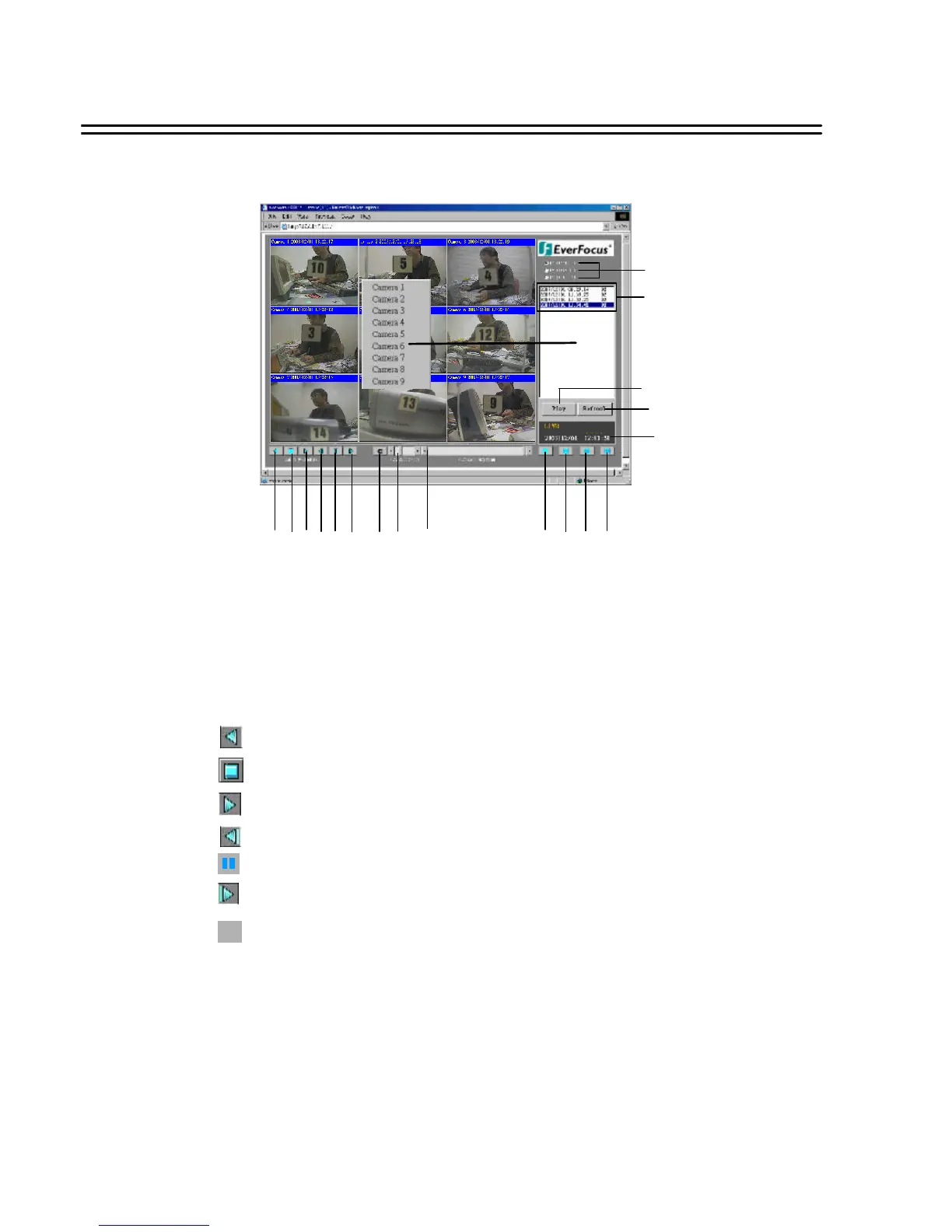
Main Screen
Above diagram is the main screen display.
The icons on the lower corner of the screen are mainly for control and Configuration, those on
the right corner are for status indication.
If any icon is grayed, it means that the specific function is not accessible in the current mode.
The followings are a brief description for each of the icons.
2. STOP : Press this key to stop Video Playback.
3. PLAY: Play back the Video display.
1. REV. PLAY : Reverse Video Playback.
4. STEP FORWARD the Video Playback display.
6. STEP BACKWARD the Video Playback display
5. PAUSE: To pause the Video Playback display.
C
7. CONTROL MODE: To switch to direct remote control mode.
39
Note: Only allows user with access level “ADMIN”..
8. Control for Playback Video Speed
9. Control for Playback Position
View From Internet/Intranet
10
11
12
13
15 16 17 18
1 2 3 4 5 6 7 8 9
14
19














 To Next Page