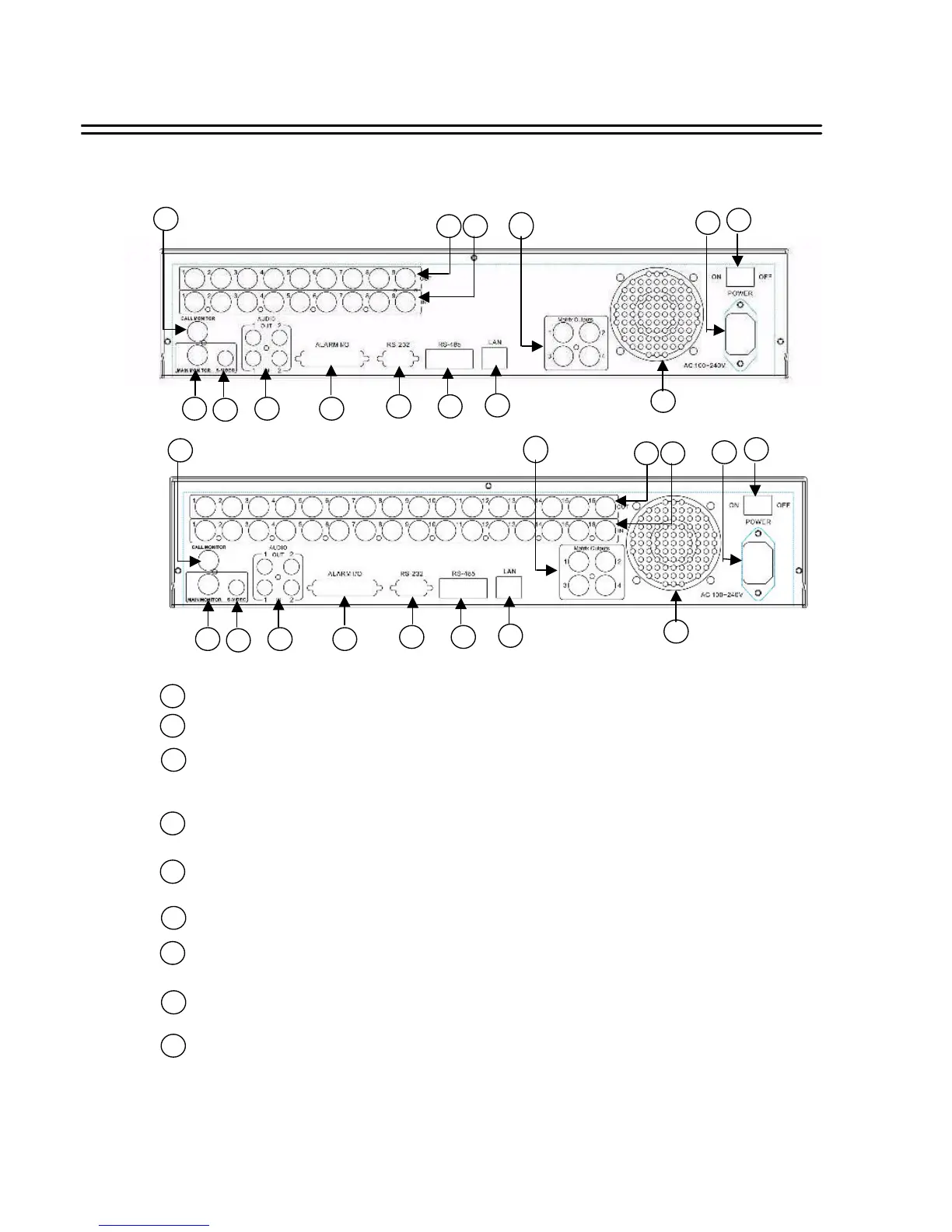
Back Panel Connections
2. Back Panel Connections
1
ON/OFF: Main on/off switch.
2
AC100~240V power socket.
3
VIDEO IN: BNC-sockets for composite signal video inputs, automatic 75 Ohm
termination (EDSR-900: 1 ~ 9, EDSR-1600: 1 ~ 16).
4
VIDEO OUT: Loop through video outputs for each input channel.
(EDSR-900: 1 ~ 9, EDSR-1600: 1 ~ 16)
Matrix Outputs: These connectors are used for additional 4 programmable Call monitors.
With these outputs, there are totally 5 programmable call monitors.
These monitors can only display full screen as regular call monitor.
5
6
CALL MONITOR: BNC-socket Call (Spot) Monitor, composite signal. (Full screen display only)
7
8
MAIN MONITOR: BNC-socket main monitor, composite signal. Main monitor provides
Full sreen, Multiscreen, Setup.
S-VIDEO: Mini-DIN socket main monitor, S-Video signal. Main monitor provides
Full sreen, Multiscreen, Setup.
3
1
2
5 4
3
6
7
8
9 10
11 12
13
14
AUDIO IN : 2 x Cinch socket audio input 500 mV max., 10 KOhm impedance.
AUDIO OUT: 2 x Cinch socket audio output 500 mV max. at 10 KOhm
9
1
2
5 4
3
6
7
8
9 10
11 12
13
14
EDSR-900
EDSR-1600














 To Next Page