EHN3261/3361
42
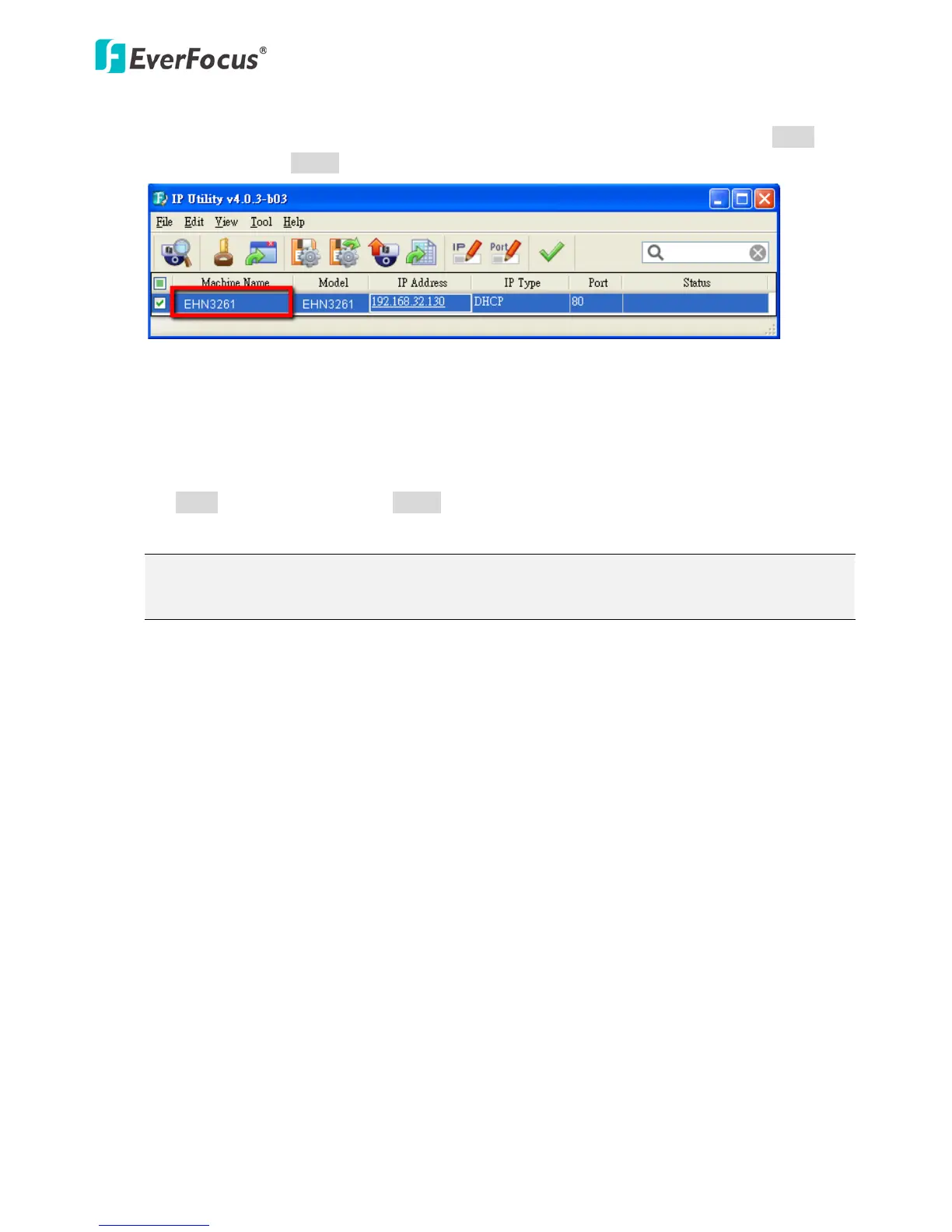
【Machine Name】If required, enter a new name for the machine. This name will be visible in the
Machine Name field of the IP Utility software, which is included in the software CD. Click Apply to
apply the changes or Cancel to cancel the changes and return to the previous settings.
【Language Settings】Select the language to be displayed on the Web interface of the IP camera. The
default language is English.
To add a new language not listed in the current Language list, click the Browse button to locate the
new language file (.evb) on your computer and then click the Upload button. Updated language files
might be available on the manufacturer’s website. Contact your vendor if required.
Click Apply to apply the changes or Cancel to cancel the changes and return to the previous settings.
Note: Uploading a new language file will cause the system to reboot automatically. Please create
a new network connection to the IP camera when the reboot is complete.
【Maintenance】
Reboot: Click to reboot the unit without changing any of the settings. Use this function if the unit
is not behaving as expected.
Restore: Click to restart and reset most of the current settings to their factory default values. The
only settings that will not be changed to default are: IP Settings and DDNS Settings.
Initialize: This function can only be set up in the Advanced tab. This button should be used with
caution. Clicking this button will return all of the camera's settings, including the IP address, to
the factory default values. The camera will then have to be reconfigured.
【Save Configuration Server】
Save: To make a backup file of the machine’s current configurations, click this button to save all the
configurations to a configuration file. This will enable the user to reload these configuration settings
if the settings are changed and there is unexpected behavior.
【Load Configuration Server】
Select Video to apply only the video parameters from the configuration file to the system. Select
Network to apply only the network parameters from the configuration file to the system. Select All to
apply all the parameters from the configuration file to the system.



 To Next Page