EHN3261/3361
43
Browse: Click the Browse button to locate the saved config. File.
Load: Click the Load button to restore the system based on the selected parameters (Video, Network
or All).
【Video Format】Select NTSC or PAL for your local scanning system. Click Apply to save the setting.
【Upgrade Firmware】This function can only be set up in the Advanced tab. Click the Browse button
to find a previously prepared firmware upgrade file. Click the Upload button to install the new
firmware.
Note:
1. Do not disconnect power to the unit during the upgrade sequence. The unit will reboot
automatically after the upgrade has completed (1-5 minutes).
2. During the upgrade process, all event recording actions will be stopped. Event recording
actions will resume after the camera is rebooted.
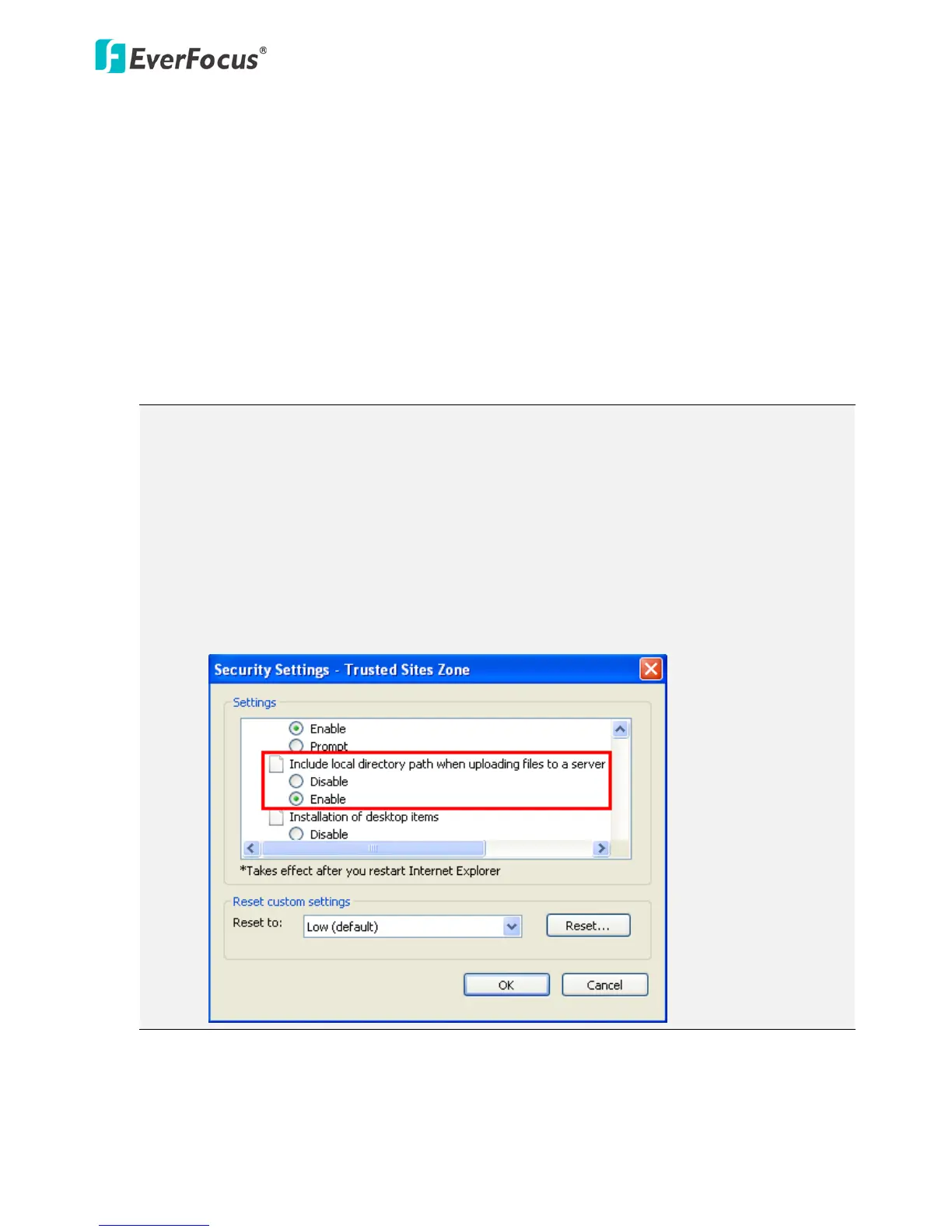
3. If the “File Error, Please re-login!!” warning message appears when upgrading the firmware,
please try the following instructions:
a. Go to Internet Explorer > Tools > Internet Option > Security > Custom.
b. Find and enable the Include local directory path when uploading files to a server.



 To Next Page