9
ENGLISH
CHAPTER 9 CONTROLS
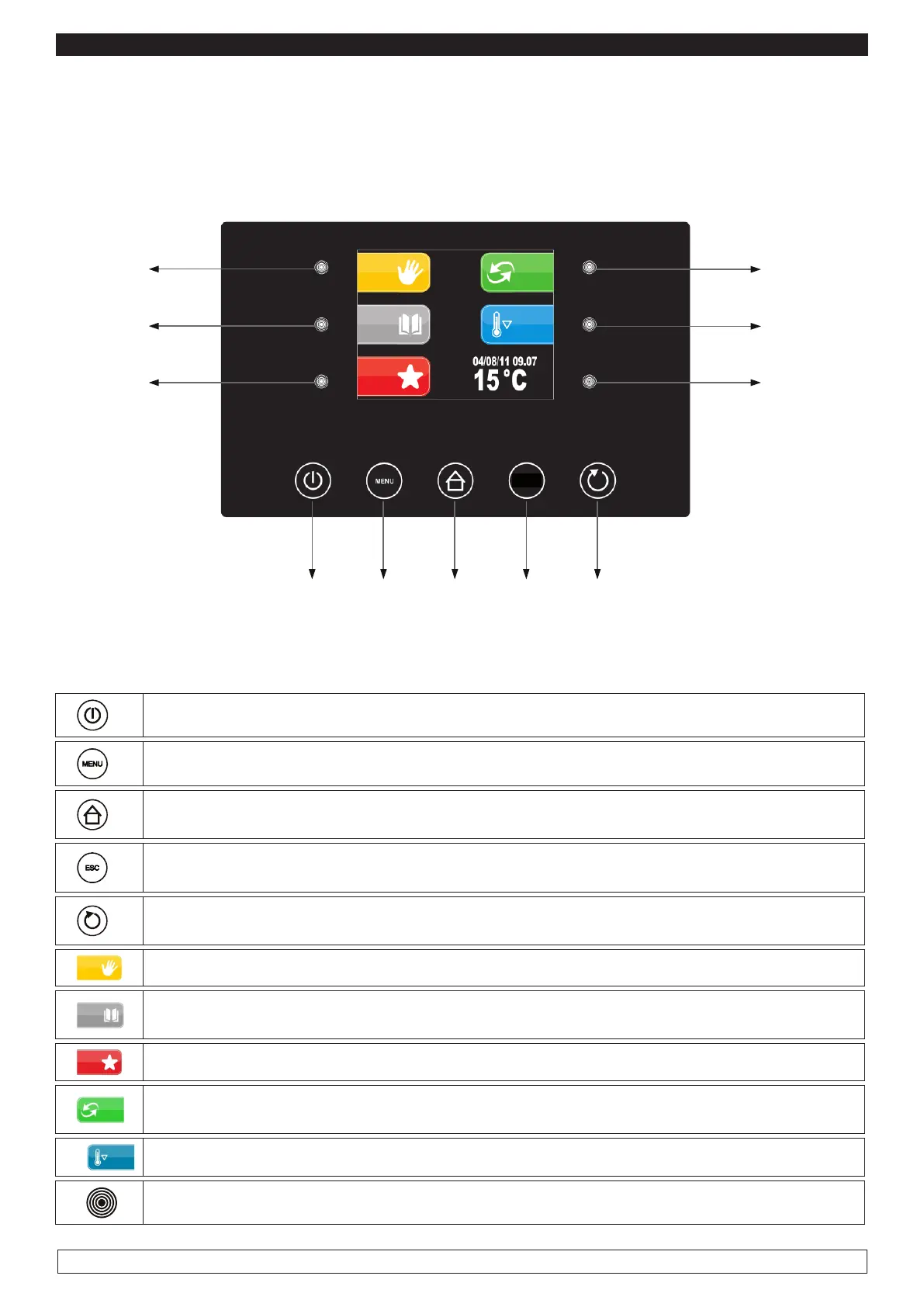
Description of control Panel:
The Control Panel consists of a digital capacitive-type temperature controller for coldness with colour
3,5” TFT supplied with user-friendly icons:
7
8
11
12345
ESC
The Control Panel is supplied with the following buttons:
1
ON / OFF It allows to change the controller’s status
2
MENU It allows to open the pop-up window containing the options for the current screen
3
HOME It allows to go back to the pre-selection screen at any time, cancelling any pro-
cessing selected programme.
4
ESC It allows to go back to the previous page at any time, cancelling any processing
selected programme.
5
START / STOP It allows to start/stop a working cycle, either manual or automatic or
auxiliary.
6
MANUAL KEY It allows to select a MANUAL working cycle
7
PROGRAMMES KEY It allows to select and/or change automatic retarded proofing
processes stored in memory.
8
FAVOURITE KEY It allows to recall the last 10 cycles performed promptly.
9
AUTOMATIC KEY It allows the selection, the setting and the implementation of a com-
plete automatic retarded proofing process.
10
PRE-COOLING KEY It allows the implementation of a cell pre-cooling cycle.
11
INTERACTIVE SELECTION KEY It allows to select the menu options








 To Next Page