43
PARAMETER MODIFICATION DISPLAYING
It allows to access the setup parameters of the
Control Panel.
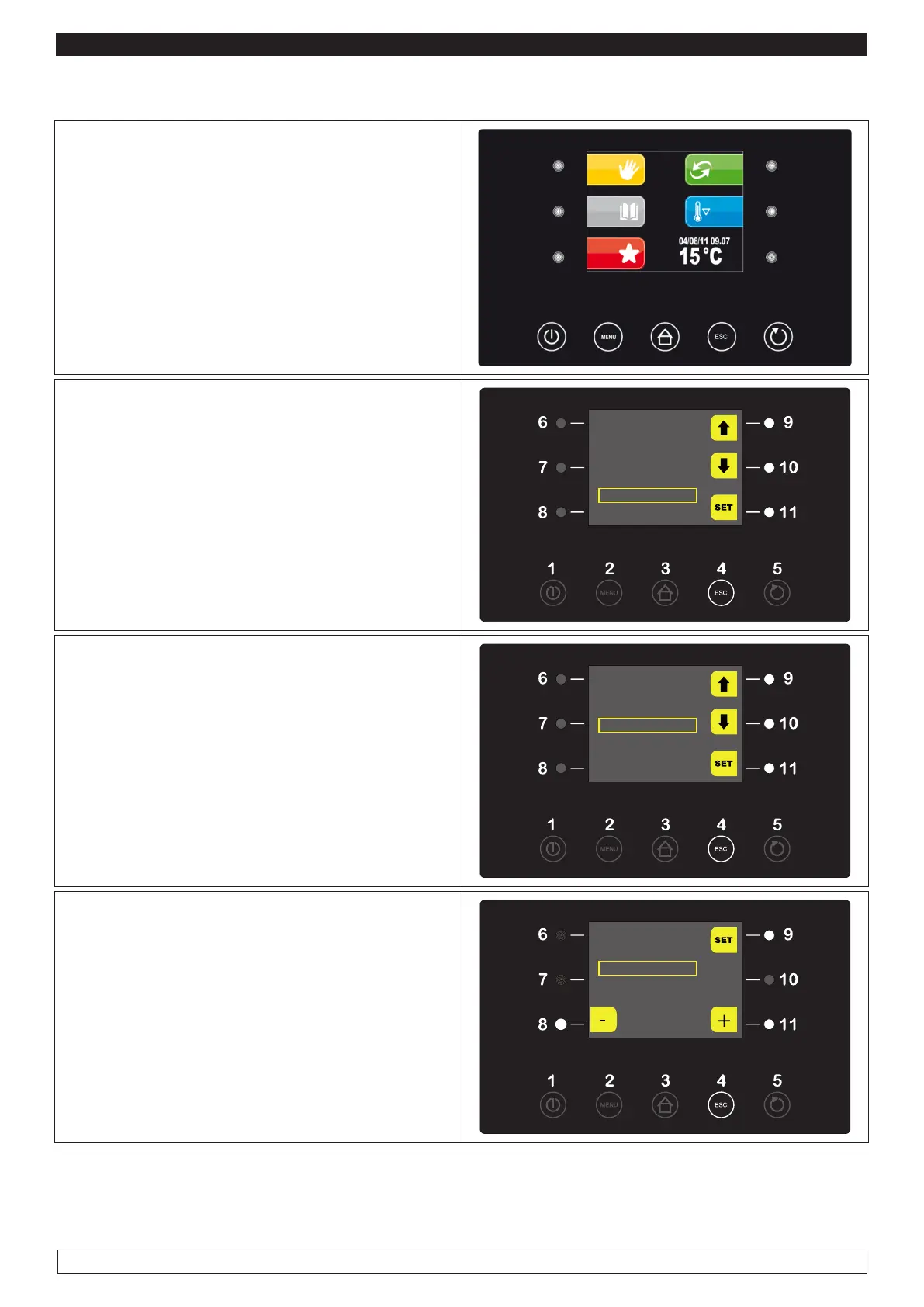
► Press the MENU key (2).
2
► Select with the UP-DOWN keys (9-10) the
“SERVICE” menu item then press the SET key
(11)
OPTIONS
22/12/14 18:15
MANUAL DEFROST
ALARM LIST
INTERNAL VALUES
SERVICE
► Select with the UP-DOWN keys (9-10) the
“INTERNAL SETUP” menu item then press the
SET key (11)
SERVICE
LANGUAGES
HISTORICAL DATA
INTERNAL SETTING
► Enter the Password* (-19) with the – and +
keys (8-11) then press the SET key (9)
PASSWORD
PA -19








 To Next Page