Software 3
107678 | V1.5-10/2019 31/ 106
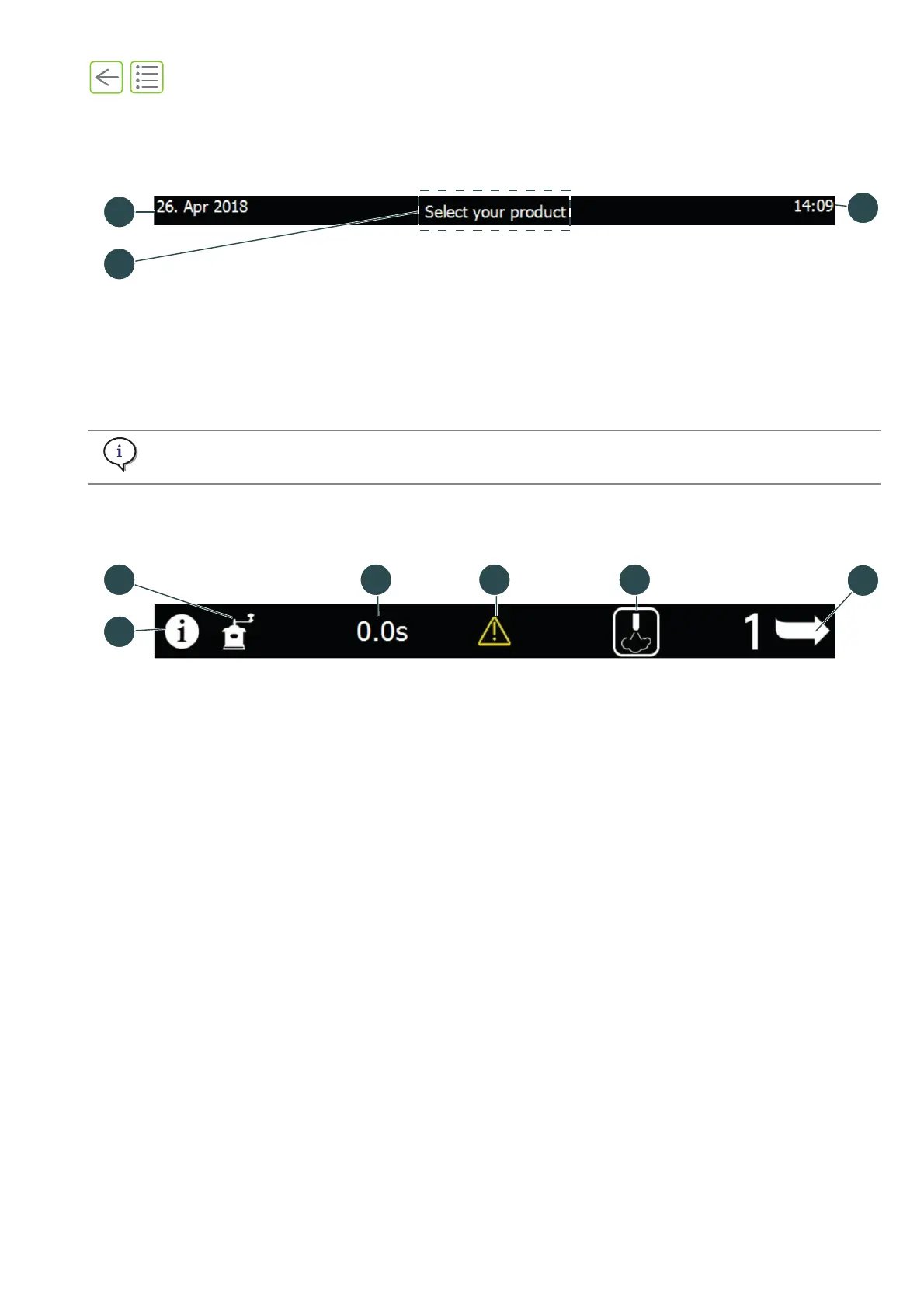
3.2.1 Header strip
The header strip is always visible except when the rinse top layer is displayed (see “5.3” on page 39).
3.2.2 Footer strip
The footer strip is always visible and buttons differ according to settings.
Fig. 3-2 Header strip
(1) Login access area (long press to open: See
“6.1” on page 50)
(2) Date (day, month and year)
(3) Time
To change the language, time zone and date, please refer to “11.4.3 Display” on page 100.
Fig. 3-3 Footer strip
(1) Help button (See “3.4” on page 33)
(2) Grinder button (See “3.5” on page 33)
(3) Extraction time (seconds)
(4) Warning message (See “8.1” on page 69)
(5) Purge button (See “5.6.5” on page 42)
(6) Product layer page # (press to access other
products)










 To Next Page