5 Operation
42/ 106 e’line User Manual | © Eversys AG
5.6.4 Steam product
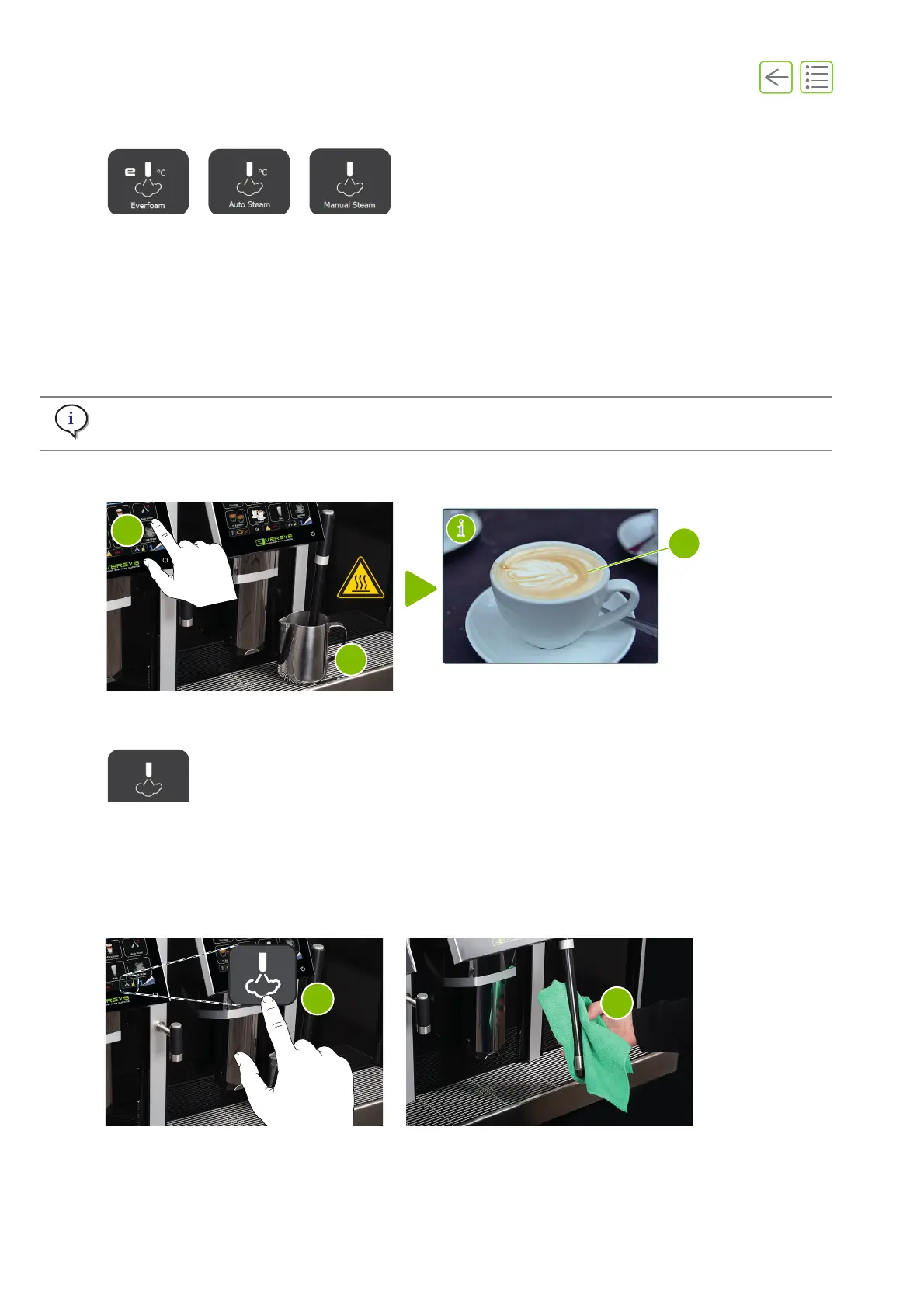
A. Before using the steam wand, press the purge button (“5.6.5” on page 42) to evacuate air from
possible condensation.
B. Place a milk frothing pitcher (2) under the steam wand.
C. Insert the steam wand in the milk frothing pitcher (filled to one third with fresh cold milk).
D. Press one of the buttons above to dispense a steam product (e.g. to make milk foam or coffee art
designs(3)).
E. Purge and wipe the steam wand (“5.6.5” on page 42).
5.6.5 Steam purge button
A. Each time the steam button is used, it is necessary to purge and wipe the steam wand.
B. Press the purge button on the main screen (1).
C. On the screen that displays, press purge.
D. Wipe the steam wand with a damp cloth (2). Change cloths every day.
Never leave the steam wand immersed in the pitcher.
Fig. 5-7
Fig. 5-8










 To Next Page