Settings Menu 6
107678 | V1.5-10/2019 51/ 106
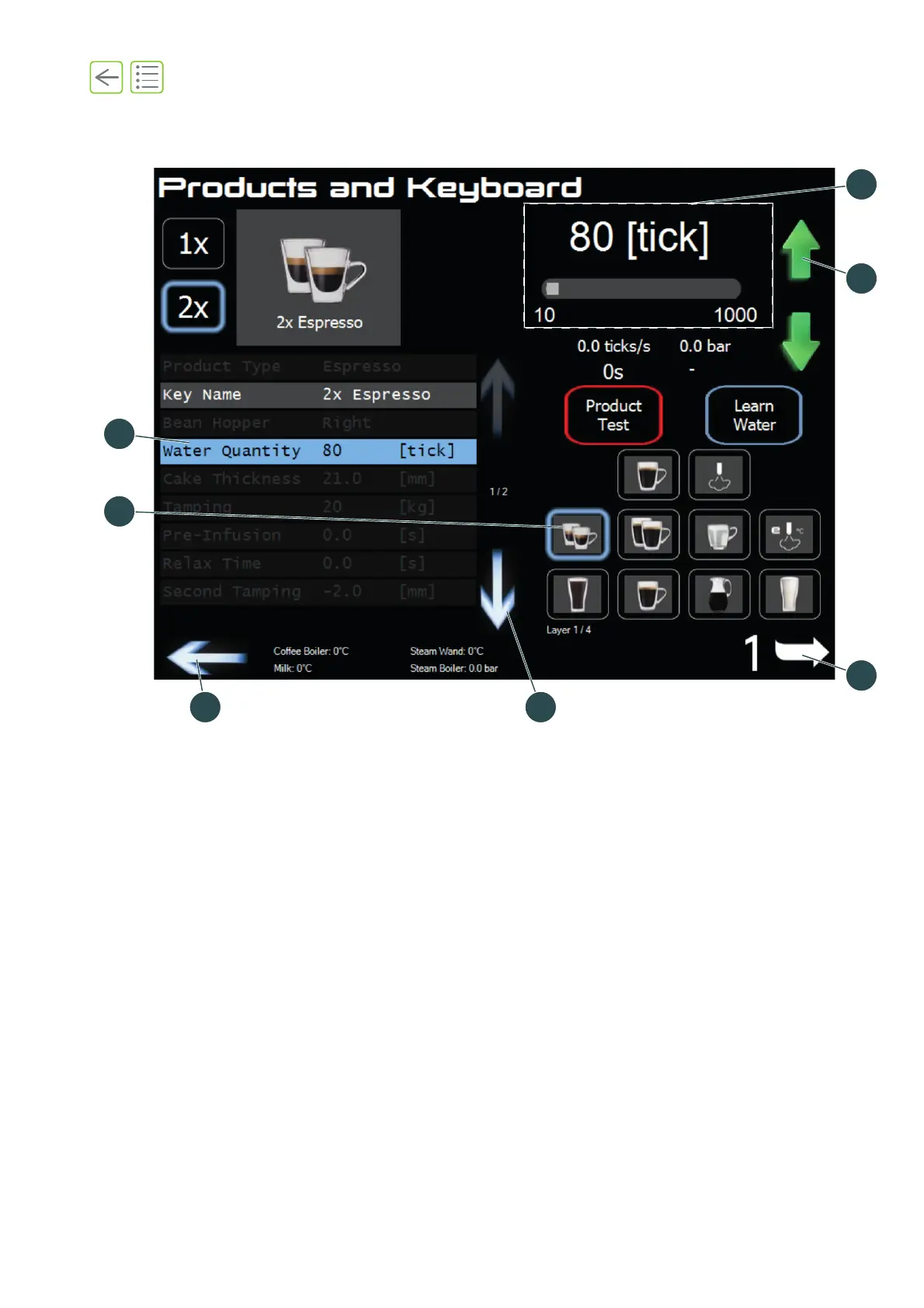
6.2 Use of the menu software
(1) Select a product.
(2) Press a sub-menu to display its settings.
(3) Slider: Slide left or right to adjust settings.
(4) Up/down keys: Use these arrows (green) for fine adjustments.
(5) Browse layers.
(6) Browse menu.
(7) Navigate to previous menu.
Fig. 6-3










 To Next Page