www.evofitness.net.au
3
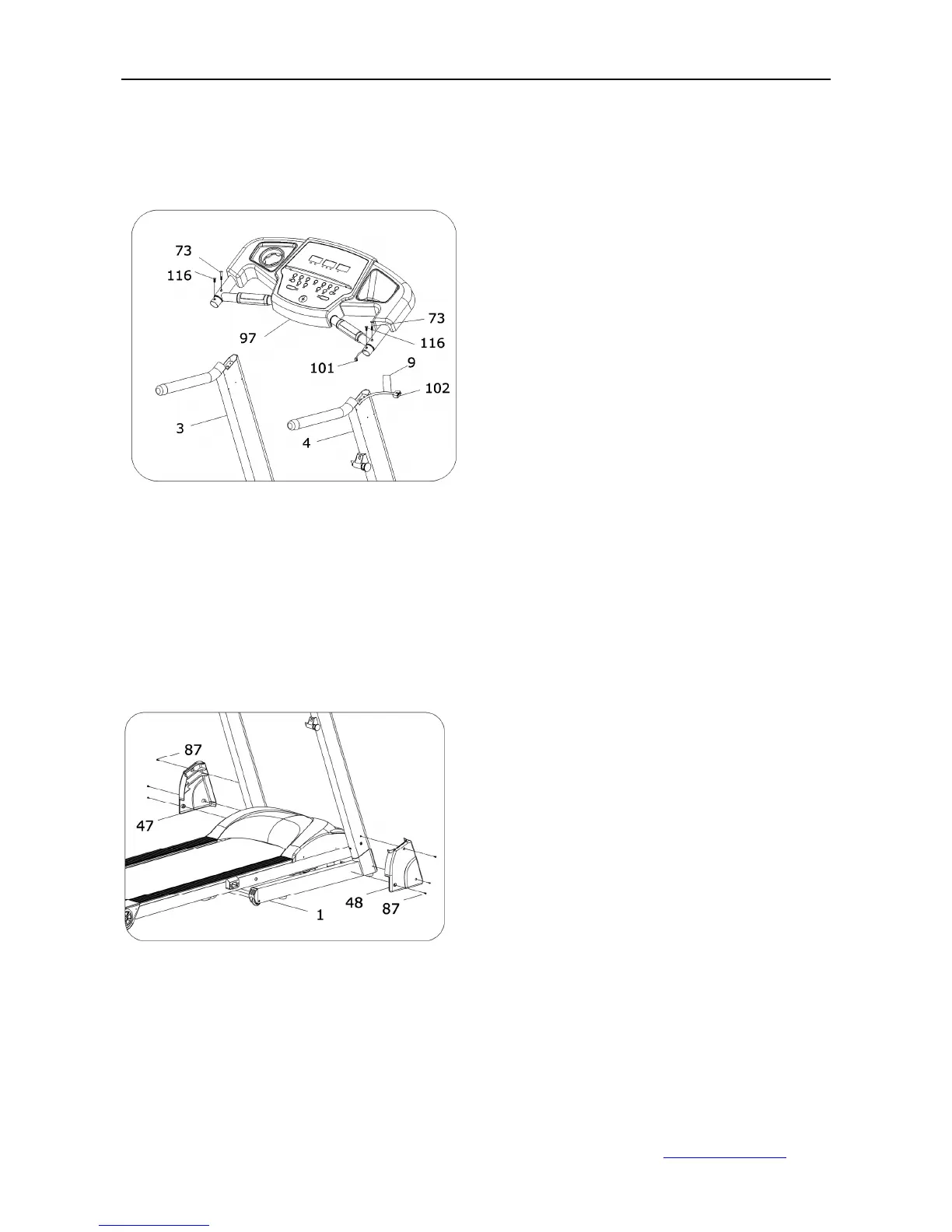
ASSEMBLY STEP 4:
ASSEMBLY STEP 5:
1. Connect the strand wire (101) from
the computer (97) with wire (102) from
right post. And slide the computer (97)
into post (3 and 4). Do as the label (9)
shows
2. To attach the computer (97) onto the
post (3 and 4) use bolt (73) and (116)
using the 5# Allen wrench.
Attach the R&L deck covers (47, 48)
onto the main frame; use the bolt (87)
using the Allen wrench.



 To Next Page