www.evofitness.net.au
4
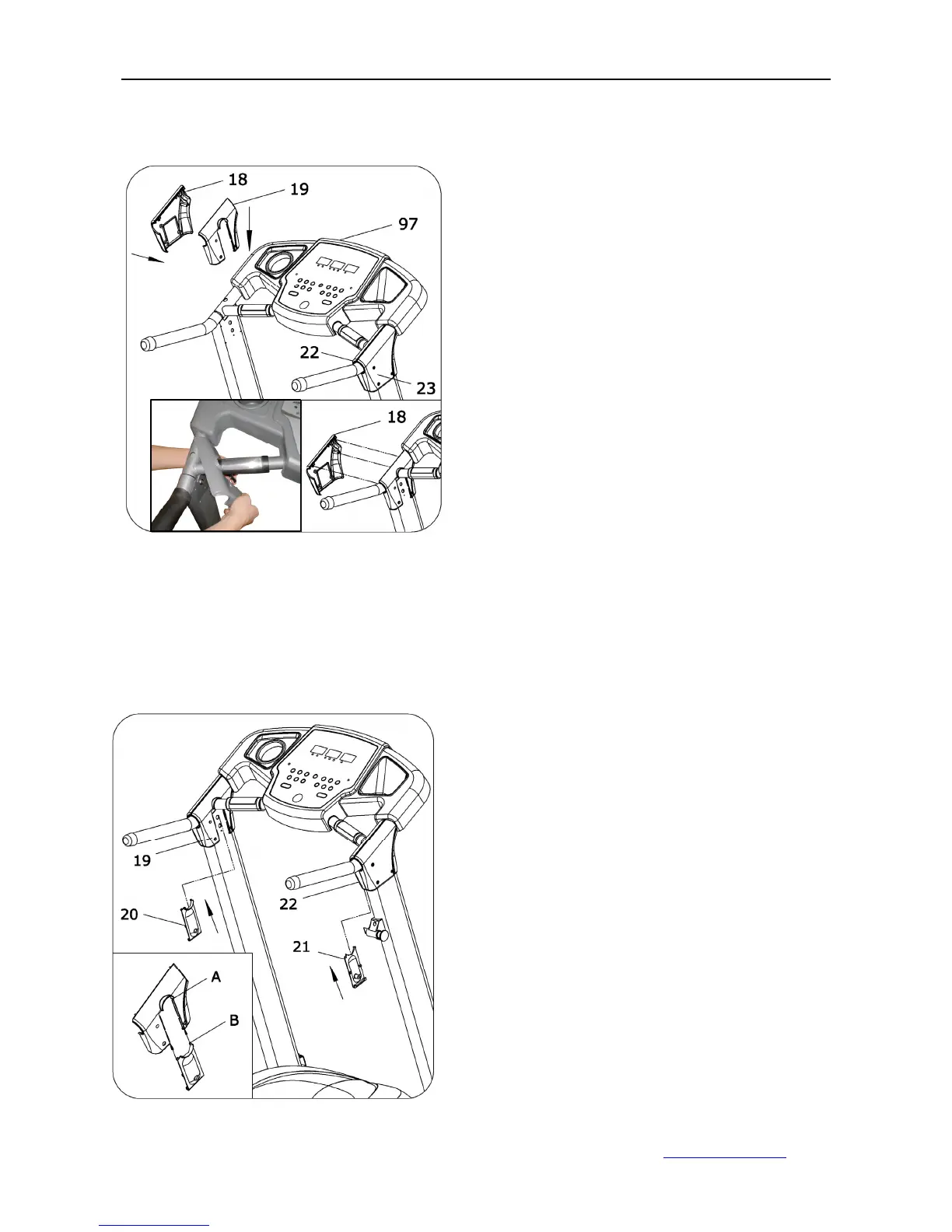
ASSEMBLY STEP 6:
ASSEMBLY STEP 7:
1. Slide the left handlebar covers R
(19) onto the computer (97)
handlebar, and then slide the left
handlebar covers L (18) in. Put the
left handlebar covers L and left
handlebar covers R together
2. Repeat the same steps above
with the right handlebar covers
1. Slide the cover L (20) into the
gap of left handlebar R (19) until
the key of L (20) slides into the
groove A.
2. Repeat the same steps above
as the right handlebar L (22)



 To Next Page