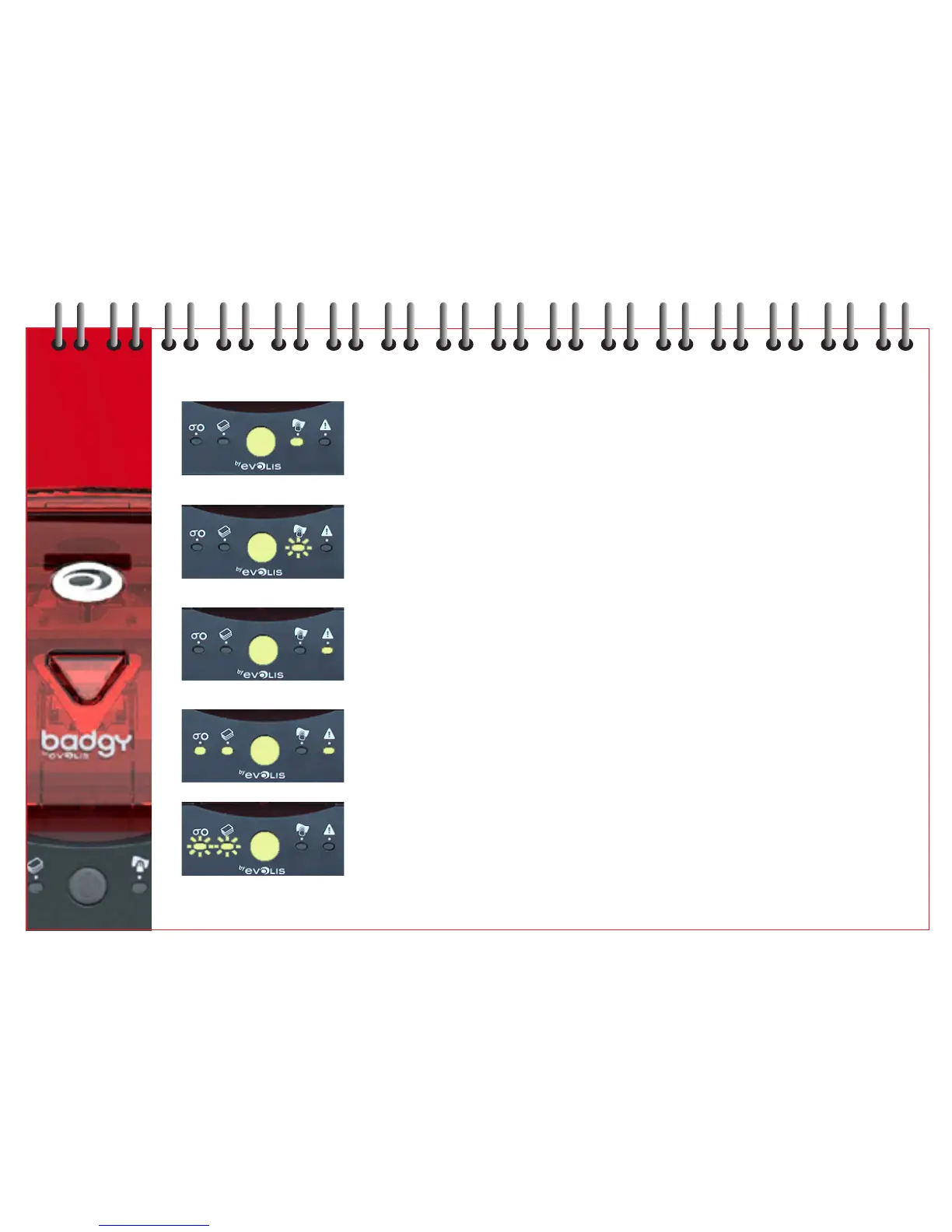
PRINTER CLEANING ALERT Printer cleaning required.
(AFTER 400 CARDS) Refer to Chapter 9 Servicing and Maintenance.
PRINTER CLEANING ALERT Printer cleaning essential.
(AFTER 500 CARDS) Refer to Chapter 9 Servicing and Maintenance.
PRINTER COVER OPEN Printer cover open.
Close cover - process restarts.
MECHANICAL PROBLEM Card jammed in printer.
Mechanical part is faulty.
Press the push button for one second.
If the problem persists, log on to www.badgy.com
for assistance.
COOLING MODE Print head cooling system activated.
Printer stops working for a few seconds.
As soon as print head reaches the normal working
temperature, process continues.
10



 To Next Page