PRINTER DESCRIPTION
2
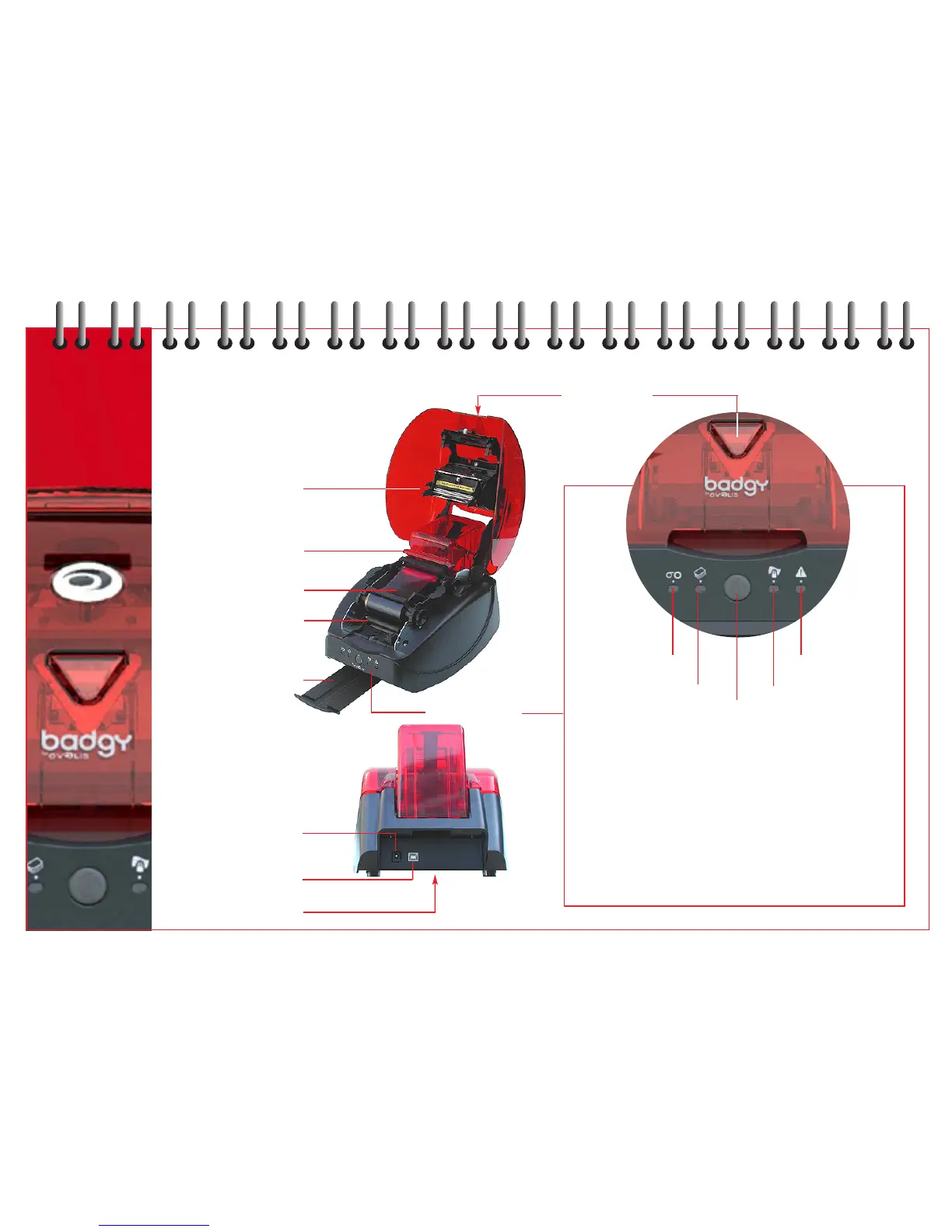
thermal print head
card feeder
and cleaning roller
ribbon cartridge
cleaning roller
card output hopper
power supply
connector
USB computer
connector
serial number label
control panel
cover button
power / stand-by* / data
push button
*The printer automatically goes into stand-by after
10 minutes of inactivity and the light turns off.
To reactivate the printer, press the button for
1 second and the light comes on.
Badgy may be left in stand-by at any time by
pressing the button for few seconds.
end of ribbon
no cards
cover open
cleaning
4



 To Next Page