4
6
CARDS
Badgy only uses plastic cards of 0.5mm (20mil) and 0.76mm (30mil) gauge.
For optimum quality, these must comply with ISO Standard 7810.
Badgy will automatically adjust for each card gauge.
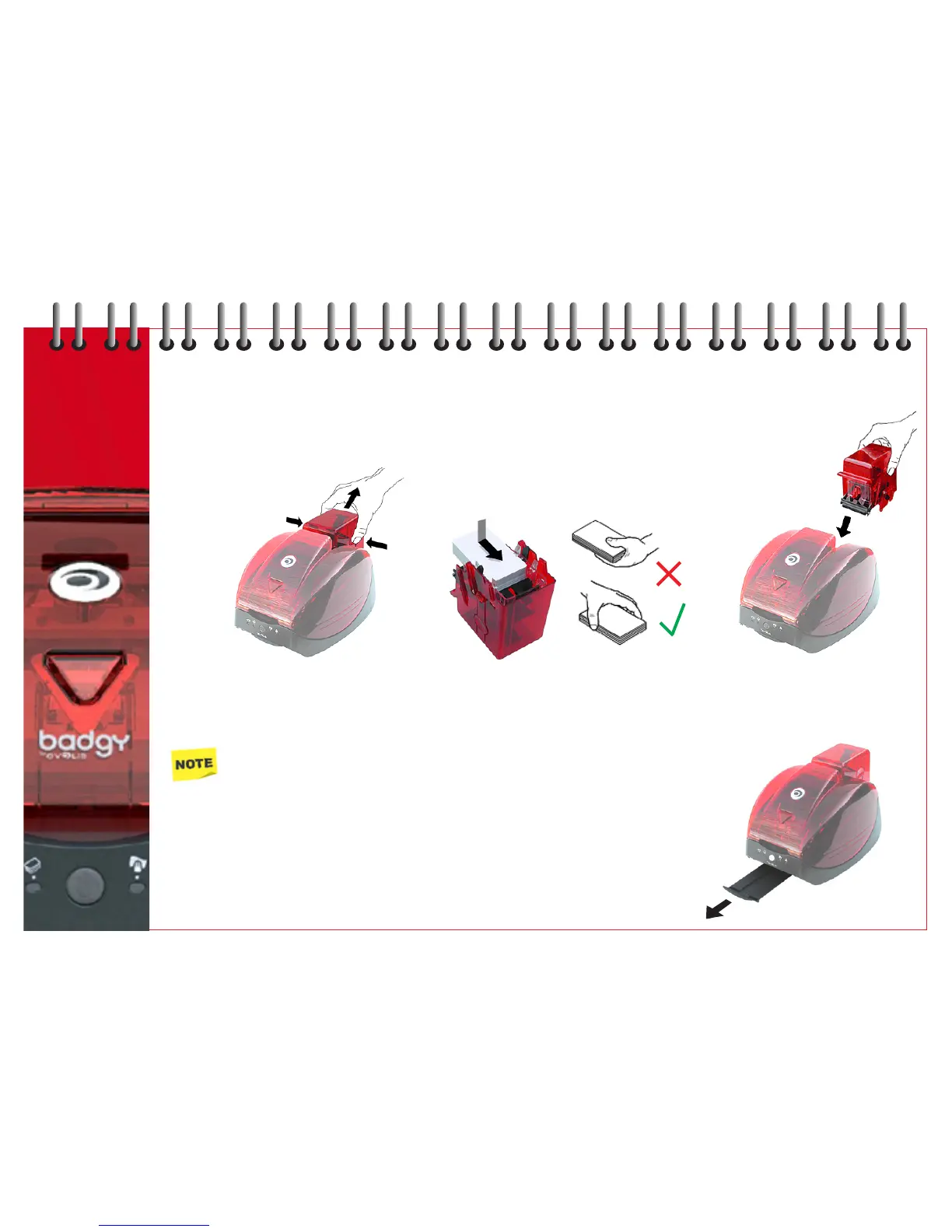
Loading cards
1 Remove the card feeder by 2 Turn the feeder over and insert 3 Place the feeder back into
pressing the side buttons. the cards as shown. the printer until you hear
Ensure you handle the cards an audible ‘click’.
correctly.
Only use the type of card as specified.
Do not touch the printable surface of the cards as this could affect the print quality.
Do not use cards that are damaged, bent or have an embossed texture.
Always store blank cards in a clean and dust-free location.
Removing cards
For collecting printed cards, the printer has a slide-out hopper - capacity of 10 cards.
The printer will automatically eject the cards into the hopper.



 To Next Page