KC PRIME
13
INSTALLATION
Physical attachment in a kiosk terminal
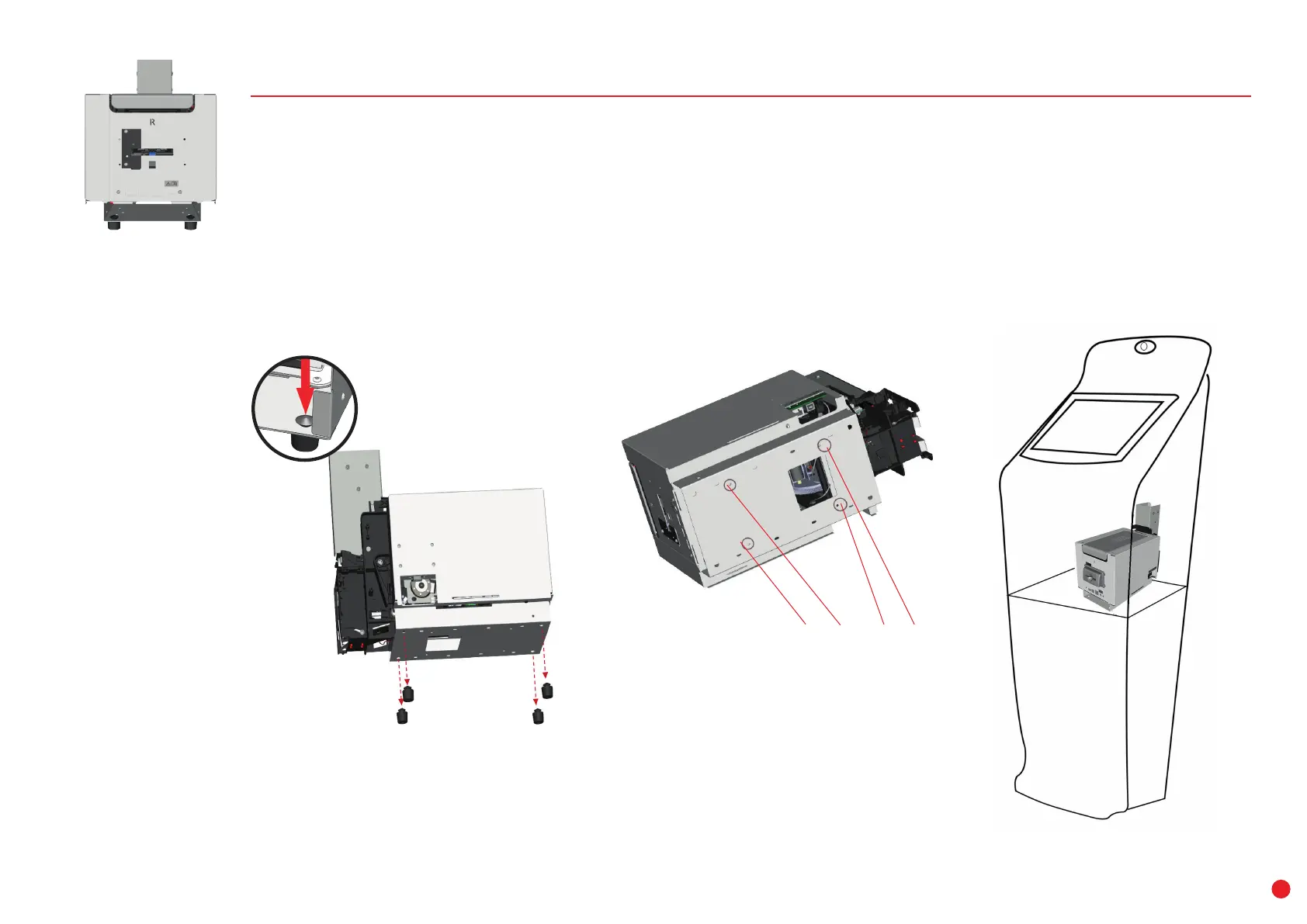
The KC PRIME printers can be attached to the terminal using screws.
To do so:
1 If necessary, remove the 4 rivet feet from the bottom plate by pressing on their top.
2 There are 4 holes on the bottom plate to enable you to attach the printer to the terminal.
3
For more information on the printer dimensions, please refer to the technical drawings provided by
your Evolis contact.
holes for screws
(M4 threading)
1 2



 To Next Page