• The GPS prefix field defines the characters for GPS string parsing. This field is for diagnostic purposes only, leave
the default value (NS) here.
• The RS232 baudrate is the baudrate of the serial connection to the GPS receiver. This field is for diagnostic
purposes only, leave the default value (9600) here.
• The Depth prefix box defines, if the depth value should be logged with a prefix. We recommend to leave this box
unchecked.
• The Extension, m field is the length of the GPS antenna extension in m. Set this value to 0.2 m if you are using the
extension supplied by EvoLogics.
• The Water Level, m field is the elevation (height above mean sea level) of the operating area in m.
4.3.3 Echosounder Tab
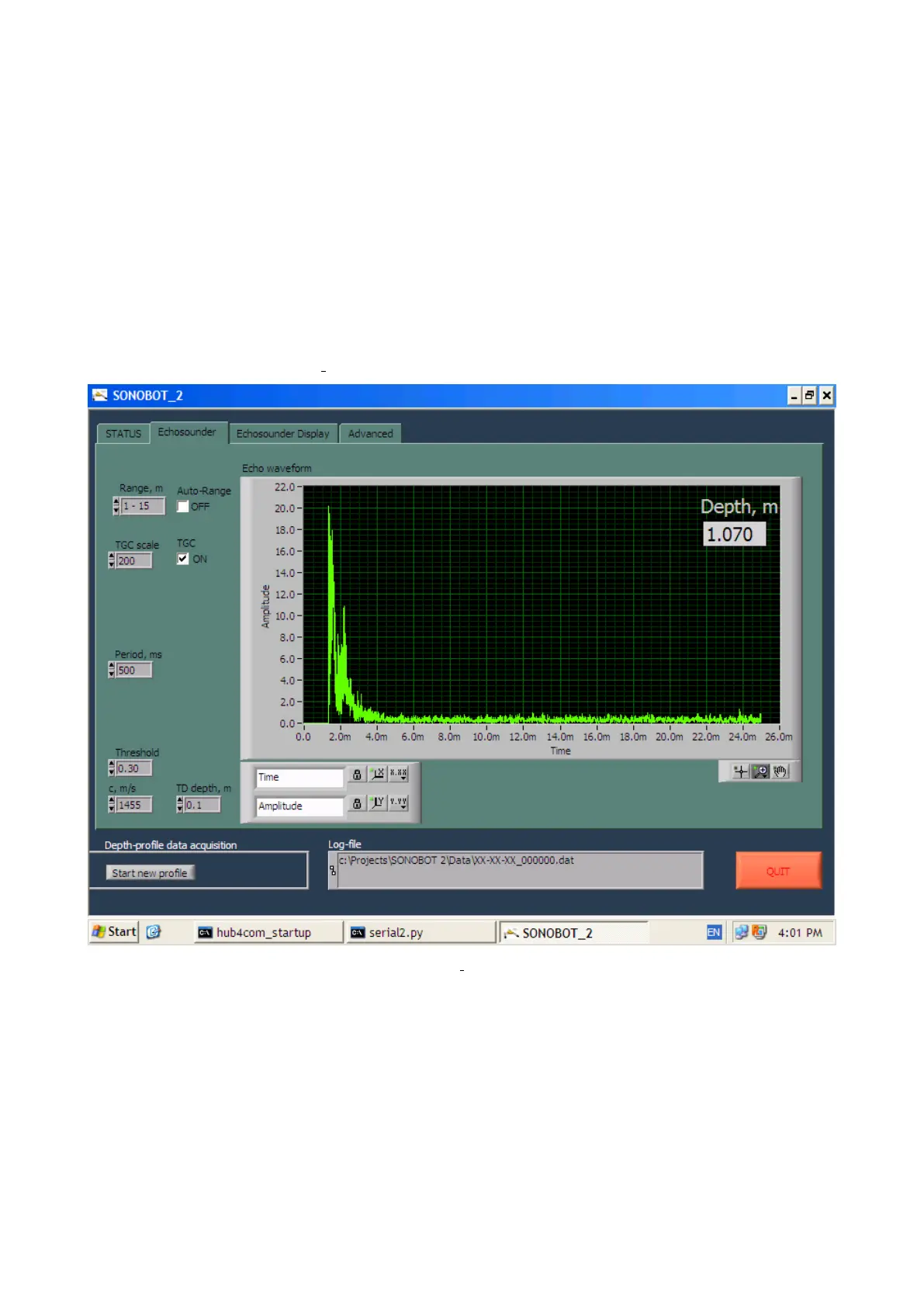
The Echosounder tab of the Sonobot 2 software is pictured below.
Figure 56: Sonobot 2: Echosounder tab
The Echosounder tab allows to configure the vehicle’s echo-sounder settings.
After system startup the suggested settings are pre-set, so the mission can start without prior adjustments.
• The Range field defines the depth range to be measured during the survey.
Select the mission-appropriate range for best measurement results:
– 0.5 - 2 m
– 1 - 15 m
– 12 - 45 m
48



 To Next Page