4.3.5 Advanced Tab
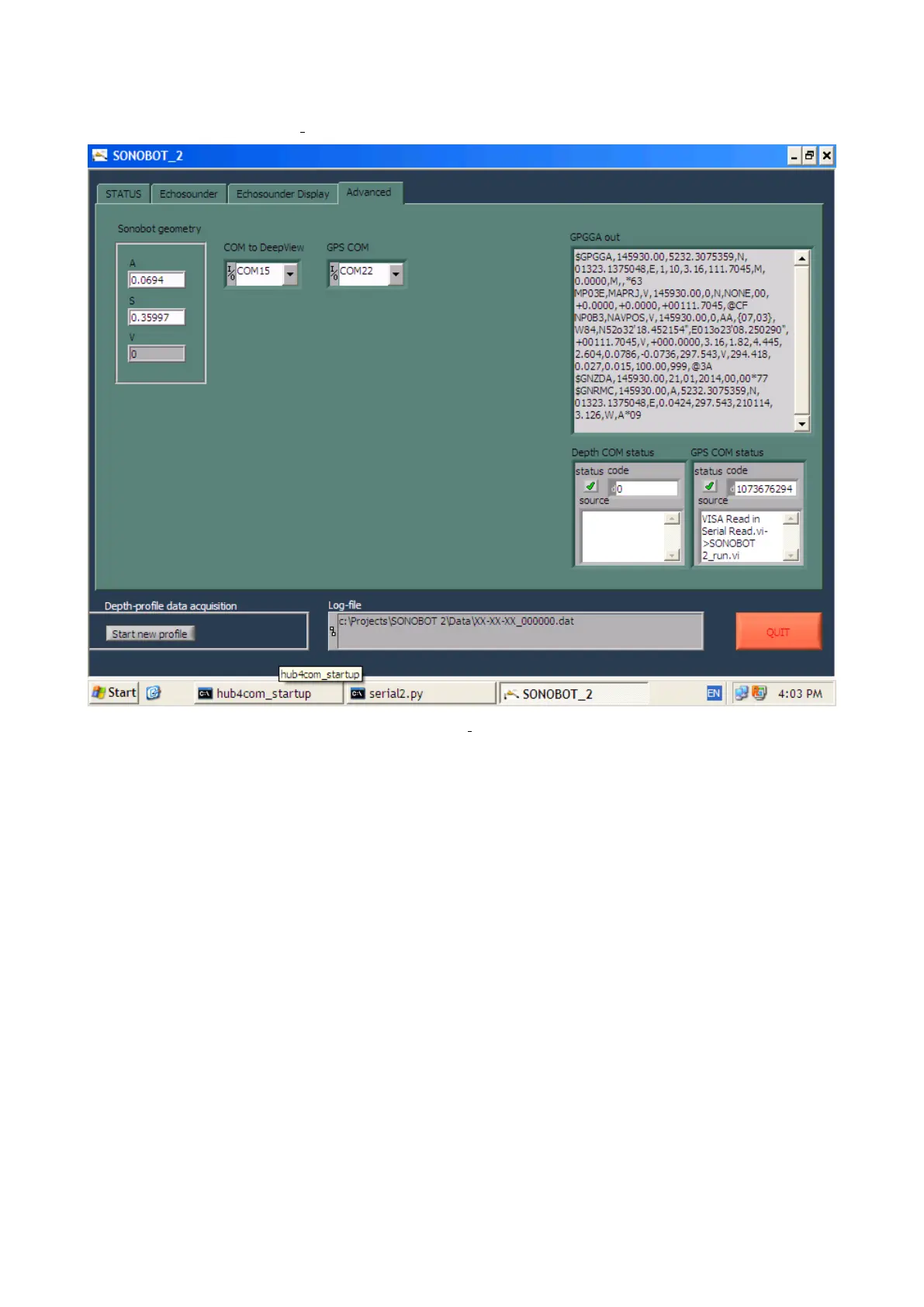
The Advanced tab of the Sonobot 2 software is pictured below:
Figure 59: Sonobot 2: Advanced tab
The Advanced tab provides diagnostic and debugging information. Do not change any settings in this tab without con-
sulting EvoLogics!
• The Sonobot geometry group defines the antenna height (A, in m), the Sonobot’s height above water (S, in m) and
the height of the antenna’s extension (V, in m). The last value repeats the Extension, m value from the Status tab.
• The COM to DeepView and GPS COM define the input/output serial ports for communication to the DeepView
software and to the GPS receiver, respectively.
• The GPGGA out field displays the full output of the GPS receiver (the ASCII sentences).
• The Depth COM status and GPS COM status display information about the serial connection to the DeepView
software and to the GPS receiver, respectively.
52



 To Next Page