4.2.2 Create the mission plan
To create a mission plan, you must specify some waypoints the vehicle has to pass on its route and save them to a waypoint
file. To create a waypoint file, follow the steps below:
• Open the Horizon software on the field PC - use the desktop shortcut.
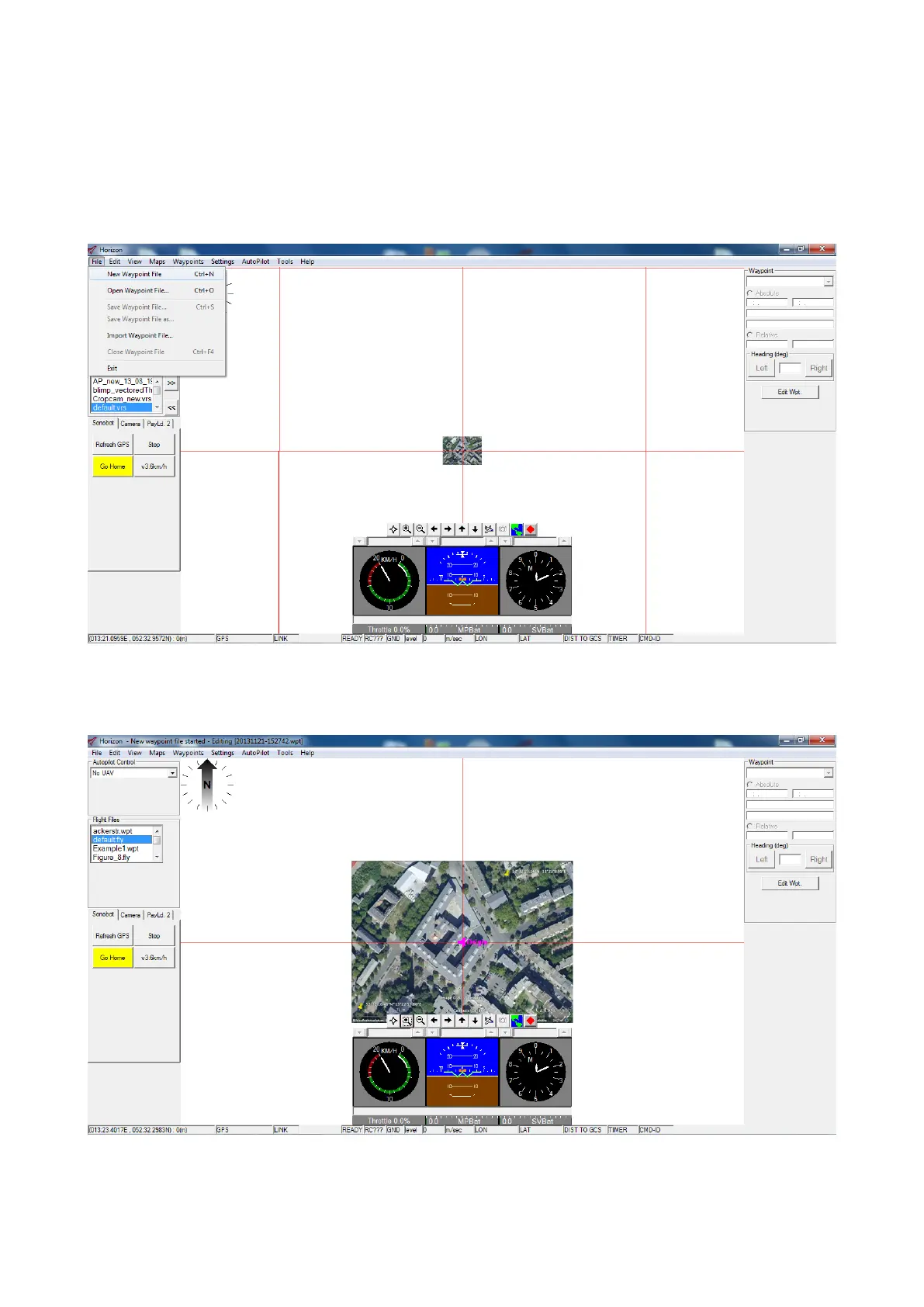
• Go to Menu → File → New Waypoint File to create a new waypoint file.
Figure 35: Horizon: create new waypoints file
• The map of the area you created and activated at the previous step (see 4.2.1) is displayed in the Map area.
Figure 36: Horizon: editing new waypoints file
31



 To Next Page