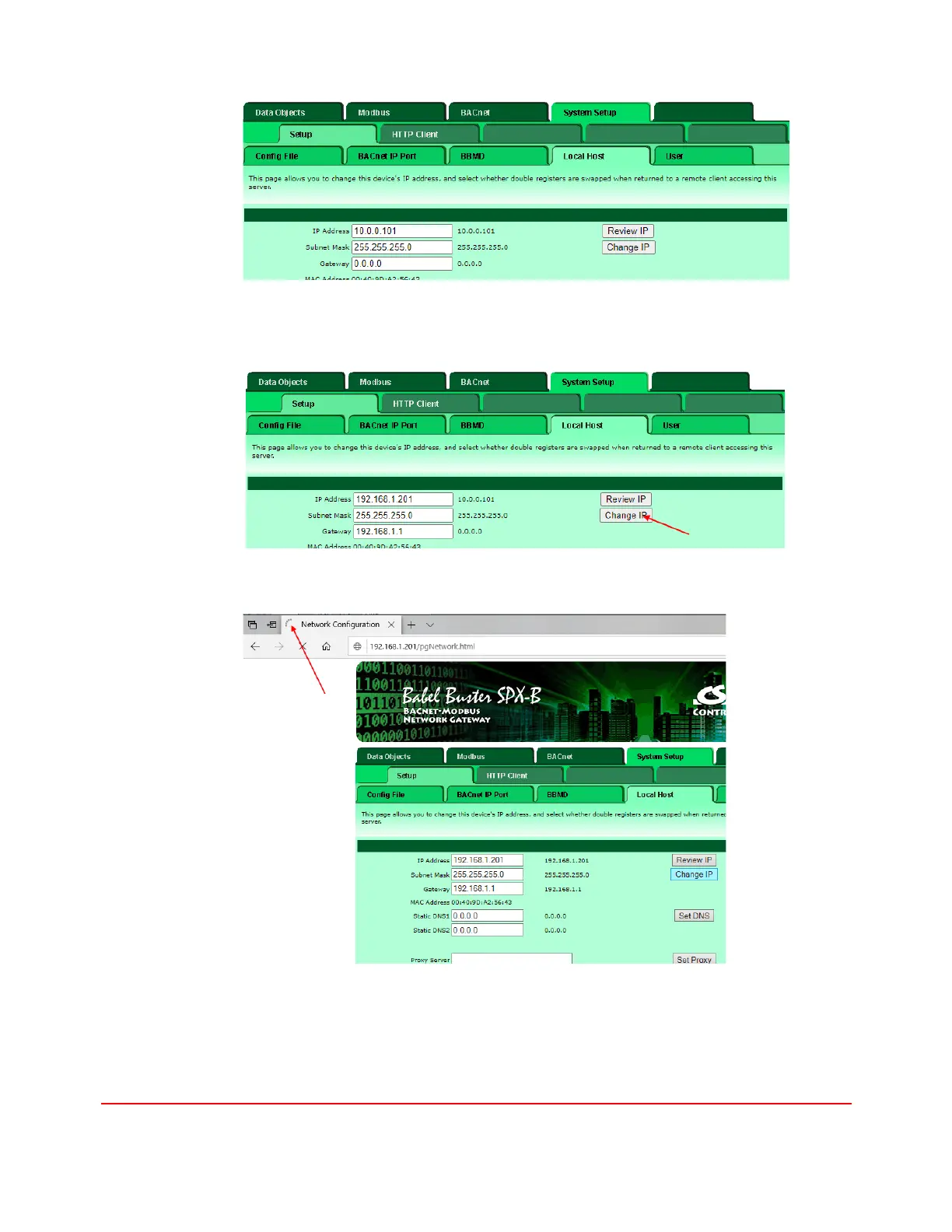
11. Enter the static IP address, Subnet Mask, and Network Gateway address, then
click "Change IP" button.
12. Wait until the progress indicator stops spinning
13. Power cycle the gateway and wait until boot-up is complete. The new IP
address is now in use.
14. Follow steps 2 – 5 to launch the Internet Protocol Version 4 (TCP/IPv4)
Properties and restore the original settings and click the OK button to exit.
15. Click the Close button to exit the network interface Properties dialog.


 To Next Page