OWNER MANUA L
EVOLUTION
Read carefully all the safety statements before attempting any procedure.
EVOLUTION
PAG E 34
OWNER MANUA L
Read carefully all the safety statements before attempting any procedure.
1
2
touchsc reen oper ation
bat tery charger
HOW TO USE CHARGER
WARNING
TO DECREASE THE POSSIBILITY OF ELECTRICAL SHOCK OR ELECTROCUTION,
MAKE SURE THE CHARGER PLUG IS NOT DAMAGED. THE POWER AC CORD HAS A
PLUG WITH GROUND POST. DO NOT MOVE, CUT OR BEND THE GROUND POST.
4. The charger will automatically start in several seconds after plugging in the AC power
cord.
1. Inspect the charger cord to check if there is broken on damaged on the power AC cord and
cable. Replace the broken AC power cord.
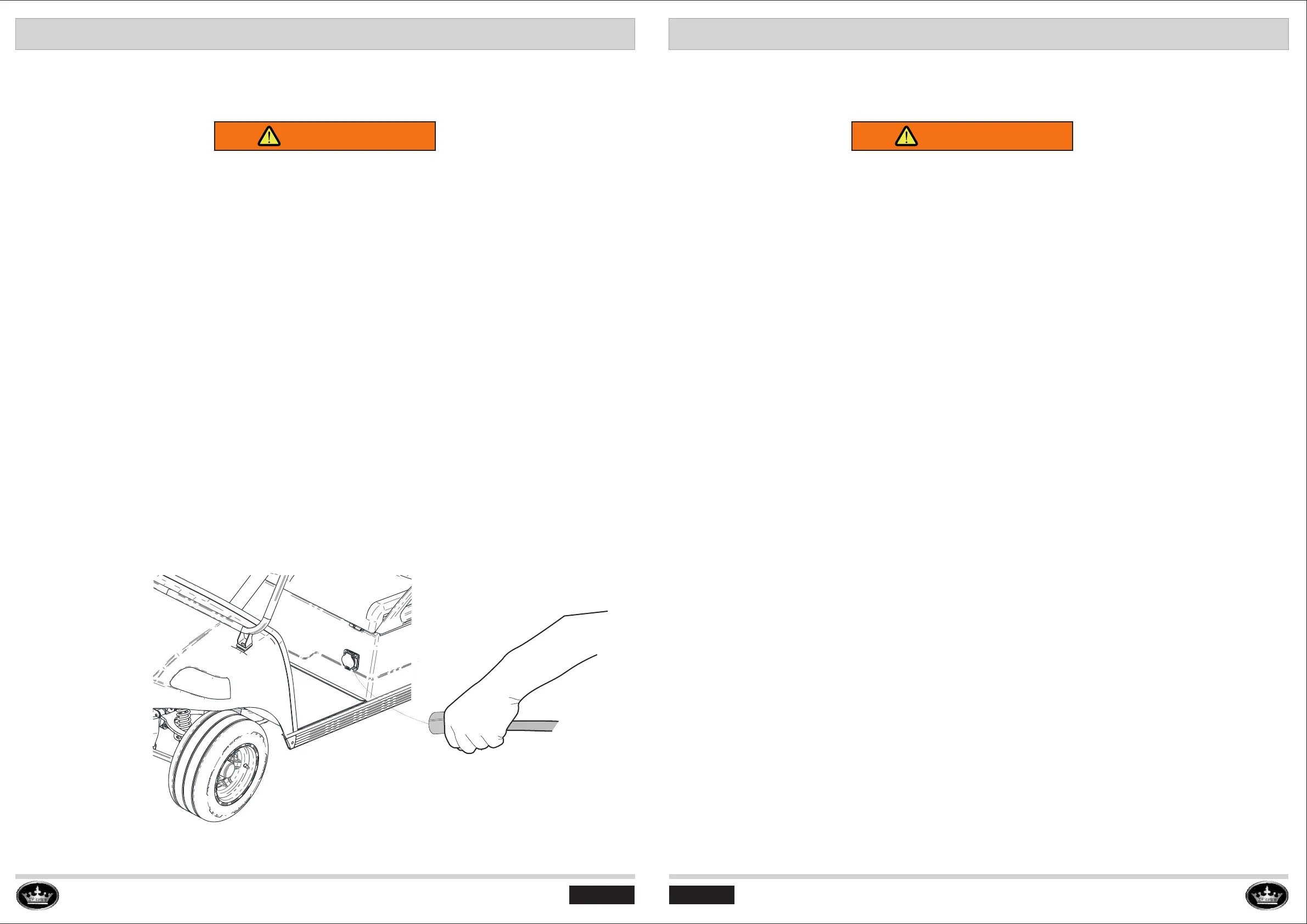
2. Plug the AC charge handle into the vehicle receptacle completely.
3. Plug the Power AC cord into the ground power completely.
6- Remove the AC charge cord before operating the vehicle.
5. The charger will automatically stop when the batteries are fully charged.
CHARGER MAINTENANCE
WARNING
IF THE PLUG PINS ARE BENT, SPEAK WITH YOUR LOCAL DEALER OR DISTRIBUTOR
FOR REPLACING. DO NOT TRY TO REPAIR THE AC CORD PLUG OR PINS.
ELECTRICAL CORDS
Examine electrical cords for wear and damage before use. Immediately replace electrical cords for:
• Cracks
• Cuts
• Frayed wiring
• Insulation damage
• Loose connections
• Splices
ELECTRICAL PLUGS AND RECEPTACLES
Examine electrical plugs for wear and damage before use. Immediately replace electrical plugs for:
• Bent pins
• Corrosion
• Cracks
• Loose connections
• Missing pins
CLEAN THE ELECTRICAL PLUGS AND RECEPTACLES
1. Disconnect the AC cord from the power source.
2. Disconnect the AC cord from the battery charger.
3. Disconnect the DC cord from the vehicle charger receptacle.
4. Apply electrical contact cleaner to the electrical plugs and receptacles. Refer to the
manufacturerinstructions.
5. Clean the electrical plugs and receptacles.
6. Lightly lubricate the electrical plugs and receptacles with WD-40®.
PAG E 33



 To Next Page