EXCELL PRECISION CO., LTD
02005159 ZSME300000350
Chapter 2 Configurations
Configuration Workflow
In the weighing mode, press
NET|GROSS
key and
ZERO
keys at the same time to enter
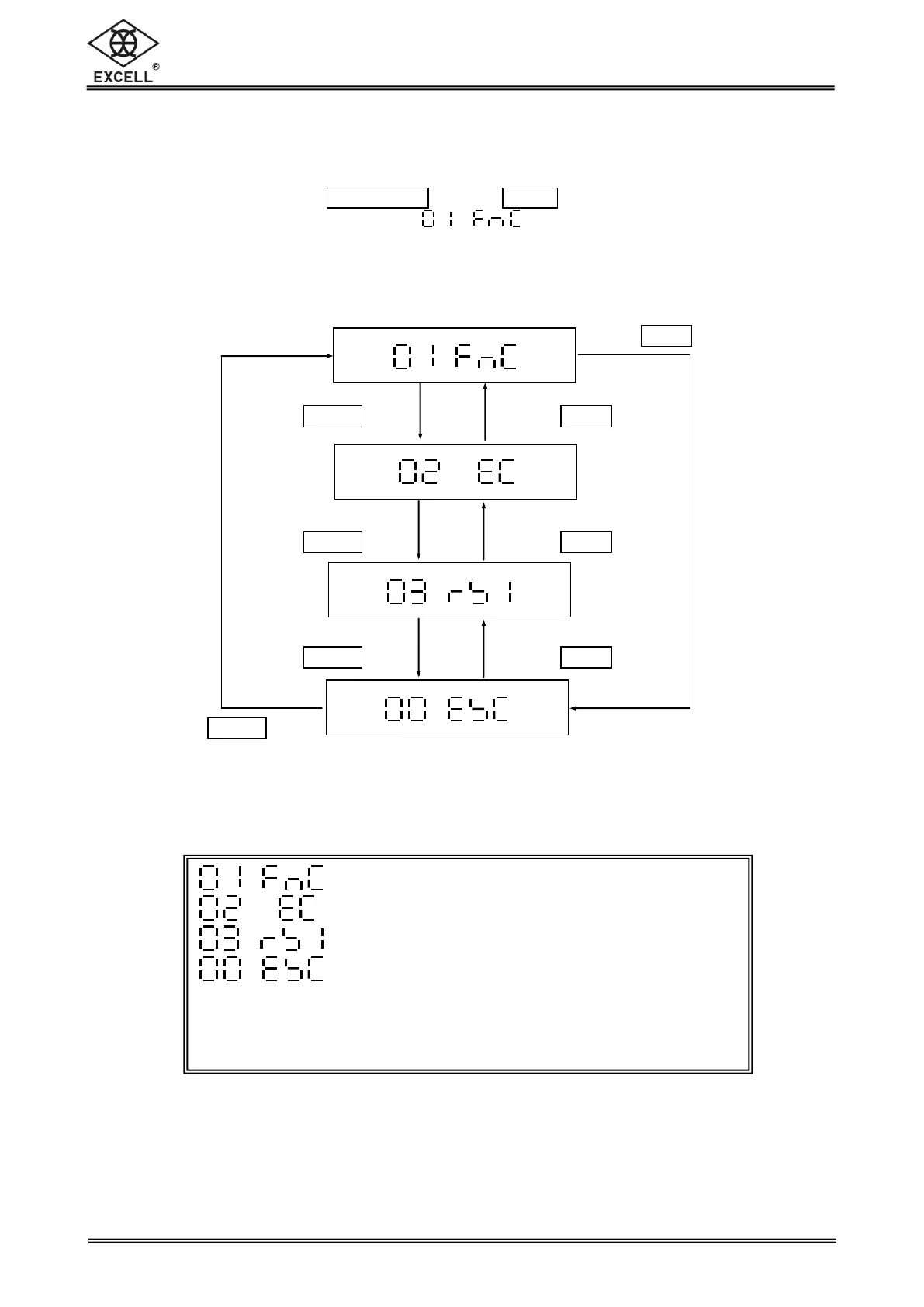
the configuration mode.The LCD shows .
Overall workflow of the Advanced Function setting mode:
General Function Setting Mode
External Weight Calibration
RS232 Bi-direction Function Setting
Exit the Advanced Function Setting Mode
Refer to the following sections for the detailed operation
procedures of each function setting.


 To Next Page