EXCELL PRECISION CO., LTD
02005159 ZSME300000350
Use
ZERO
or
UNIT
keys
to select the desired
setting
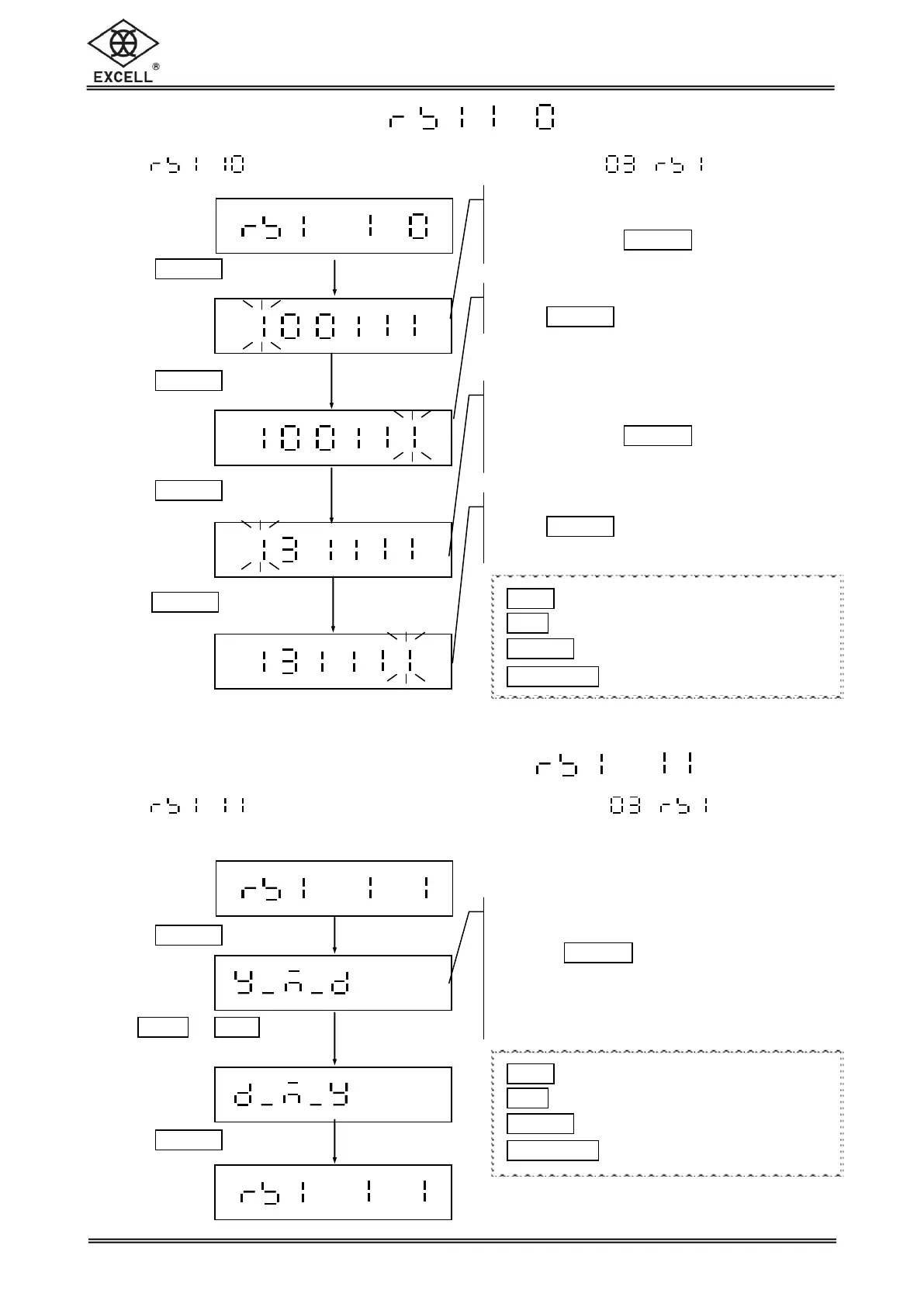
2-2-10 RTC Adjustment
Select in the RS232 serial interface setting mode to reset of Auto
Transmission.
2-2-11 Y/M/D Print Layout Selection
Select in the RS232 serial interface setting mode to reset of
Auto Transmission.
Move cursor to the right end and
Press
TARE
|
PT
key
Enter time in HH/MM/SS
Use upward and downward key to
select, and use
TARE
|
PT
key to
confirm, and move rightward.
Move cursor to the right end and
Press
TARE
|
PT
key to confirm.
RTC adjustment is complete
Display shows the previous setup
Use upward and downward key to select,
and use
TARE
|
PT
key to confirm
If y_m_d, printed as Year/Month/Day
If d_m_y, printed as Day/Month/Year
Enter the date in YY/MM/DD
Use upward and downward key to
select, and use
TARE
|
PT
key
to confirm
1
ZERO
key Upward key (0~9 digit entry)
1
UNIT
key Downward key (0~9 digit entry)
1
TARE
|
PT
key Move cursor rightward
1
NET
|
GROSS
key Move cursor leftward
1
ZERO
key Upward key (0~9 digit entry)
1
UNIT
key Downward key (0~9 digit entry)
1
TARE
|
PT
key Move cursor rightward
1
NET
|
GROSS
key Move cursor leftward


 To Next Page