EXCELL PRECISION CO., LTD
02005159 ZSME300000350
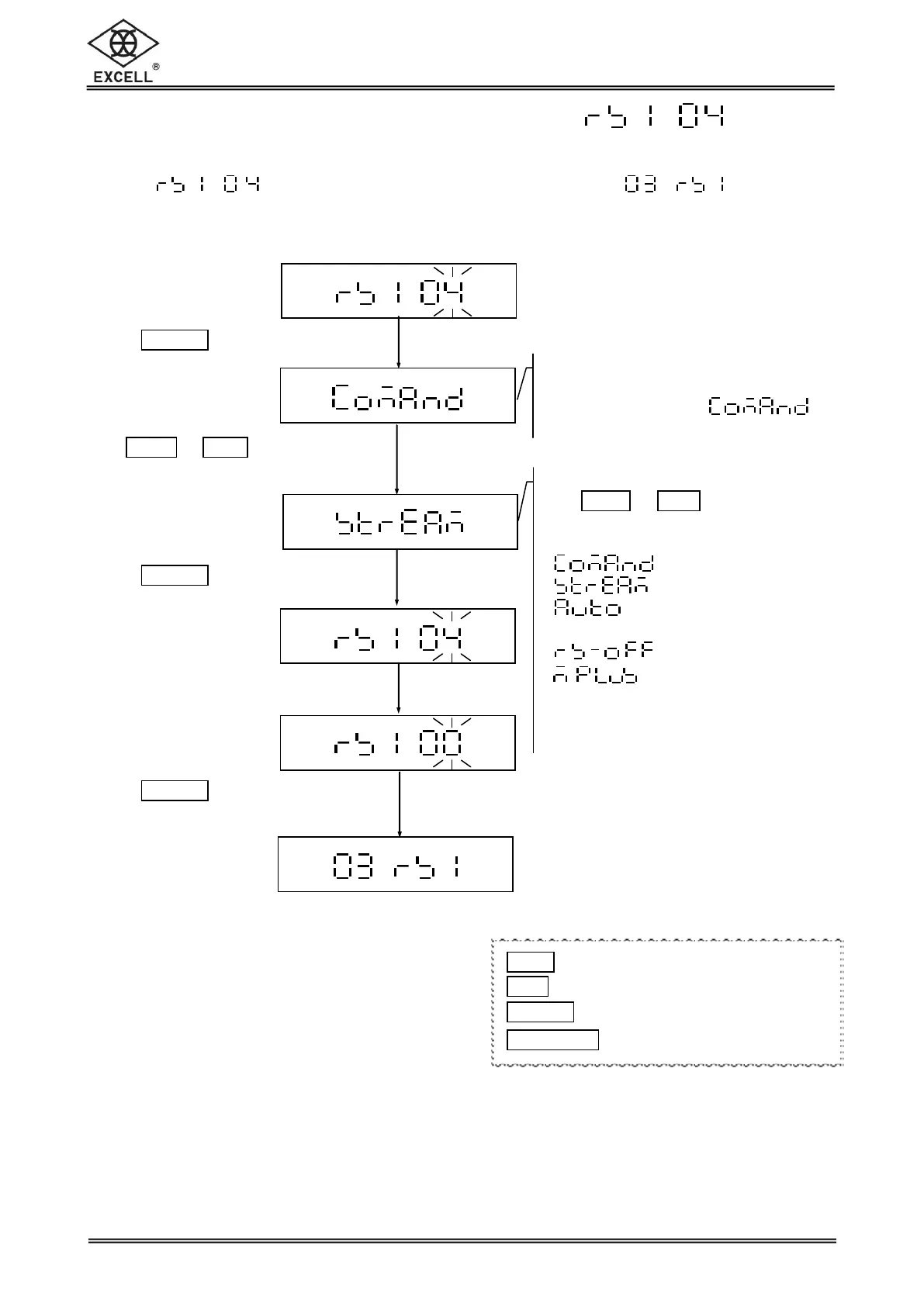
2-2-4 Continuous Transmission Settings
Select in the RS232 serial interface setting mode to set the
Continuous Transmission status.
Transmission setting
LCD shows the last setting
Default setting:
Transmission setting
Use
ZERO
or
UNIT
keys to select the
transmission type:
= Continuous transmission
= Constantly auto
transmission
= Shut down RS232
_ = M+ Mode
Press
TARE
|
PT
key
Use
ZERO
or
UNIT
keys to
select the transmission
type
Press
TARE
|
PT
key
Key in the parameter “00”
Press
TARE
|
PT
key to exit
1
ZERO
key Upward key (0~9 digit entry)
1
UNIT
key Downward key (0~9 digit entry)
1
TARE
|
PT
key Move cursor rightward
1
NET
|
GROSS
key Move cursor leftward


 To Next Page