
 Need help?
Do you have a question about the Excell QW and is the answer not in the manual?
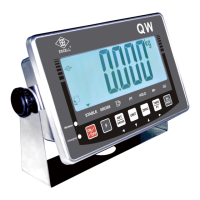
Lists key features of the QW/GW Waterproof Indicator, including display, housing, and modes.
Details technical specifications such as analogue input, signal range, load cell excitation, and operating temperature.
Illustrates the physical dimensions and layout of the QW and GW models.
Explains the various symbols, indicators, and their meanings on the scale's LCD display.
Describes power supply options, consumption, charging voltage, and low battery warnings.
Details the function of each key on the indicator's keypad for operation and settings.
Guides users through the self-test modes for internal value, keypad, and firmware version checks.
Lists and explains common error codes that may appear on the indicator display.
Provides conversion factors for various weight units supported by the scale.
Outlines the workflow for accessing and setting general functions of the indicator.
Explains how to enable or disable the automatic backlight feature and its behavior.
Details the settings for the automatic power-off timer to conserve battery life.
Describes how to configure high, low, and OK limits with audible alarm settings.
Explains various hold modes, including peak hold, stable hold, and animal scale hold.
Describes the setting for automatic averaging of unit weights for counting applications.
Explains how to configure the optional foot switch for functions like ZERO or PRINT.
Details the configuration options for the 'F' key, such as MC, HR, or T-TP functions.
Provides an overview of the RS232 serial interface settings and their parameters.
Guides on selecting the appropriate baud rate for RS232 communication.
Explains how to configure communication protocols like N81, E71, or O71 for RS232.
Describes the various output data formats available for RS232 transmission.
Details how to enable and configure continuous data transmission via RS232.
Allows selection of the transmission rate for continuous data output.
Configures automatic data transmission when the scale is at zero.
Allows resetting the auto transmission parameters to default values.
Configures the conditions under which data is outputted (e.g., stable output).
Sets the number of digits (6 or 7) for RS232 data output.
Guides on adjusting the Real-Time Clock (RTC) for date and time settings.
Configures the print layout for date as Year/Month/Day or Day/Month/Year.
Sets the identification number for RS485 communication.
Configures line feed behavior for specific output formats.
Guides on enabling wireless and initiating device connection on a computer.
Explains how to test the wireless connection using HyperTerminal.
Details wiring procedures for 4-PIN and 6-PIN load cells to the PCB.
Illustrates RS232 connections for PC and printer using 9-PIN and 25-PIN connectors.
Provides wiring diagrams for RS485 connections for PC and printer.
 General
| Brand | Excell |
|---|---|
| Model | QW |
| Category | Indicator system |
| Language | English |

 To Next Page
