EXCELL PRECISION CO., LTD
02005159 ZSME300000350
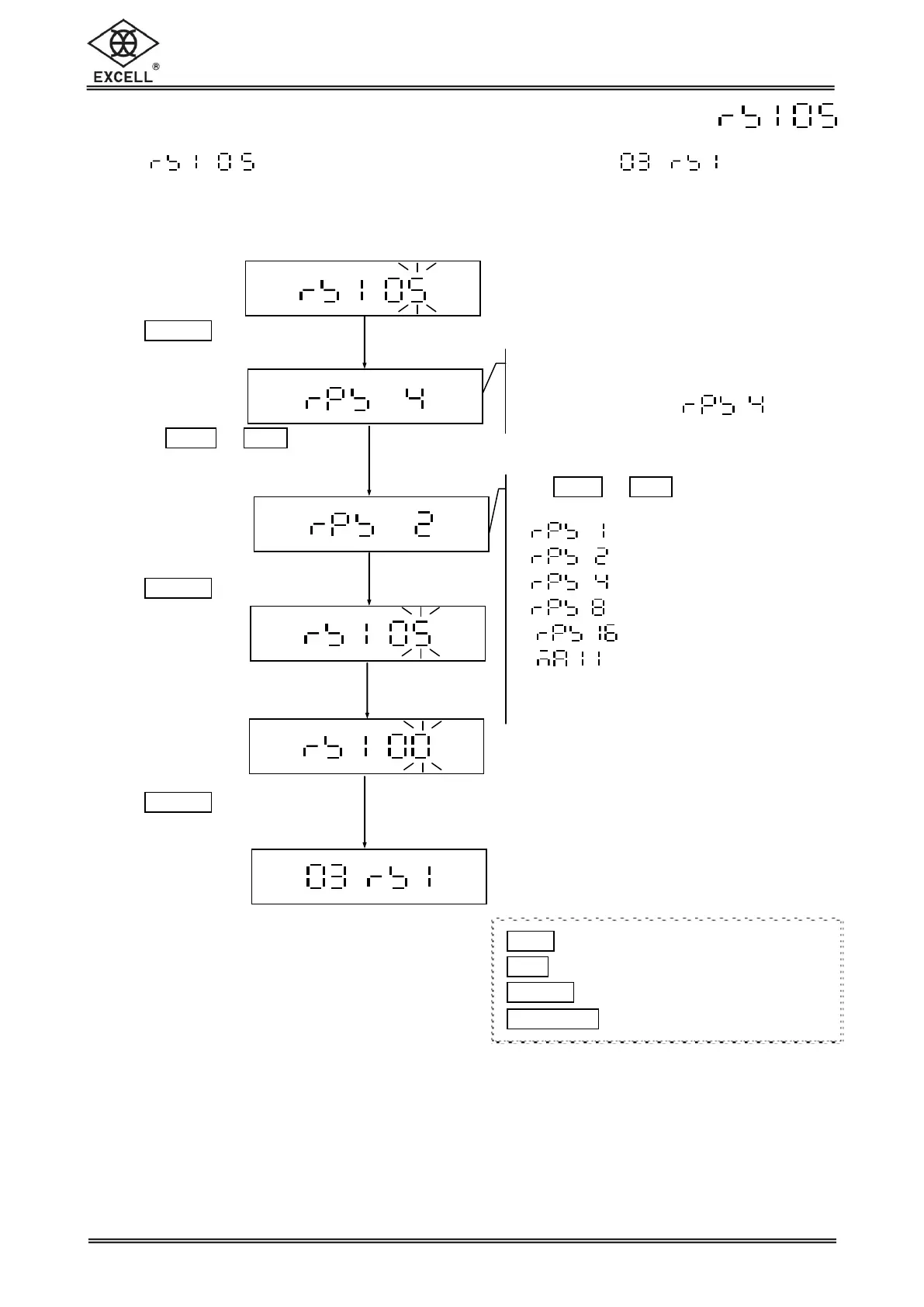
2-2-5 Selection of the Continuous Transmission Rate
Select in the RS232 serial interface setting mode to set the
Continuous Transmission Rate.
Continuous transmission rate setting
The LCD shows the last setting.
Default setting:
Use
ZERO
or
UNIT
keys to select the
continuous transmission rate:
= More than16 times/sec
Note: Actual output times vary by
hardware implements
Press
TARE
|
PT
key
Use the
ZERO
or
UNIT
keys
to select the continuous
transmission rate.
Press
TARE
|
PT
key
Key in the parameter “00”
Press
TARE
|
PT
key to exit
1
ZERO
key Upward key (0~9 digit entry)
1
UNIT
key Downward key (0~9 digit entry)
1
TARE
|
PT
key Move cursor rightward
1
NET
|
GROSS
key Move cursor leftward


 To Next Page