209173 RCD-2
Index A
95
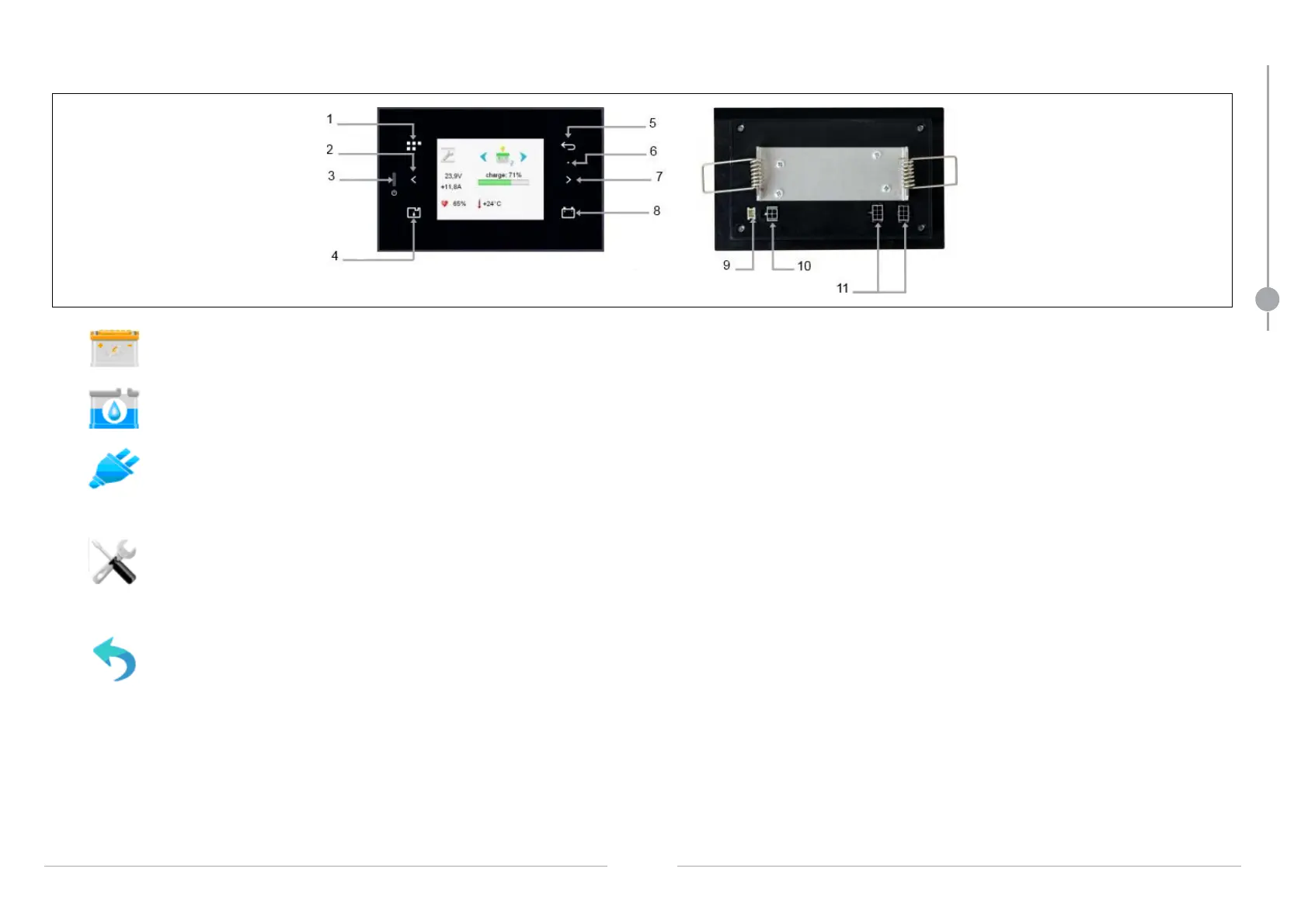
TOUCH SCREEN OPERATION
Front view: Rear view:
1. Direct access to home page
2. Previous page
3. ON/OFF button
4. Tank menu
5. Back
6. Light sensor
7. Next page
8. Direct access to battery page
9. Connector for temperature sensor
10. Bus
11. CAN connector
Battery measurement menu access
Fresh water tank level menu access
AC supply distribution menu access
Adjustment menu access (Access to it is restricted by a code supplied on request to the yard)
- CAN network display (Controller Area Network)
- Parameterization of lighting
- Configuration of the 'gauge' pack
- Configuration of source selectors
Return to preceding page
Electrical system



 To Next Page