12
Step 1
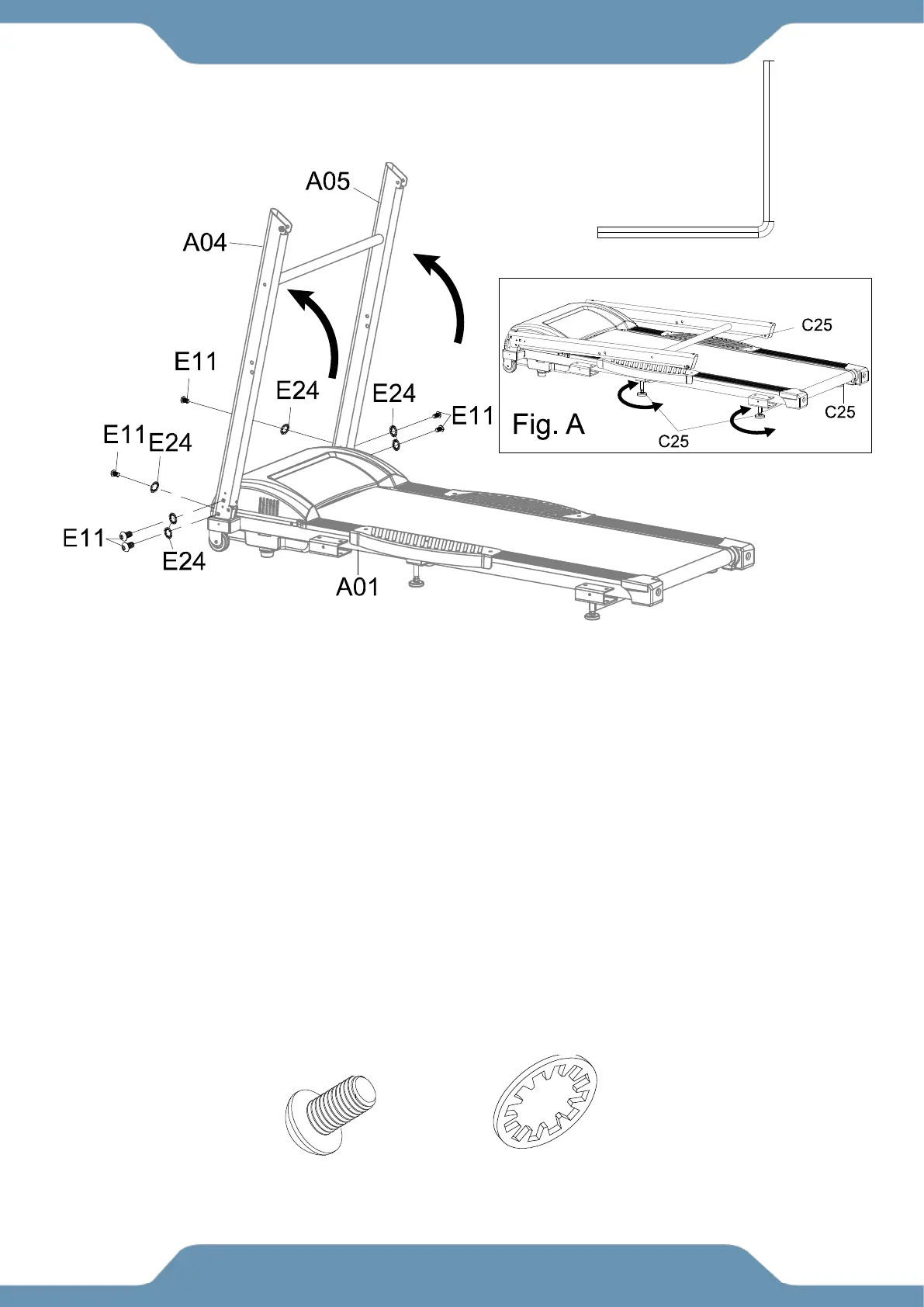
A. Placing the Treadmill on the Floor:
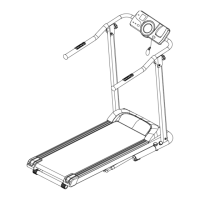
1. Lift the treadmill out of the box and place it on the floor. Stabilize the treadmill by turning the
Adjustable Foot Pads (C25) until they all make contact with the floor and the treadmill does
not shake. See Fig. A.
B. Lifting and Installing the Front Post:
1. Lift up the Left and Right Upright Tubes (A04) & (A05) from the folded position as shown in
Fig. A. Align the bolt holes on the Left and Right Upright Tubes (A04) & (A05) and the Main
Frame (A01). Insert six Bolts (E11) and six Washers (E24).
WARNING: DO NOT FULLY TIGHTEN HARDWARE UNTIL COMPLETING STEP 5.
(E11) Bolt M8x15
6 PCS
(E24) Washer Ø8
6 PCS
(B04) Allen Wrench 5mm 1PC
Tool:


 To Next Page