16
Step 5
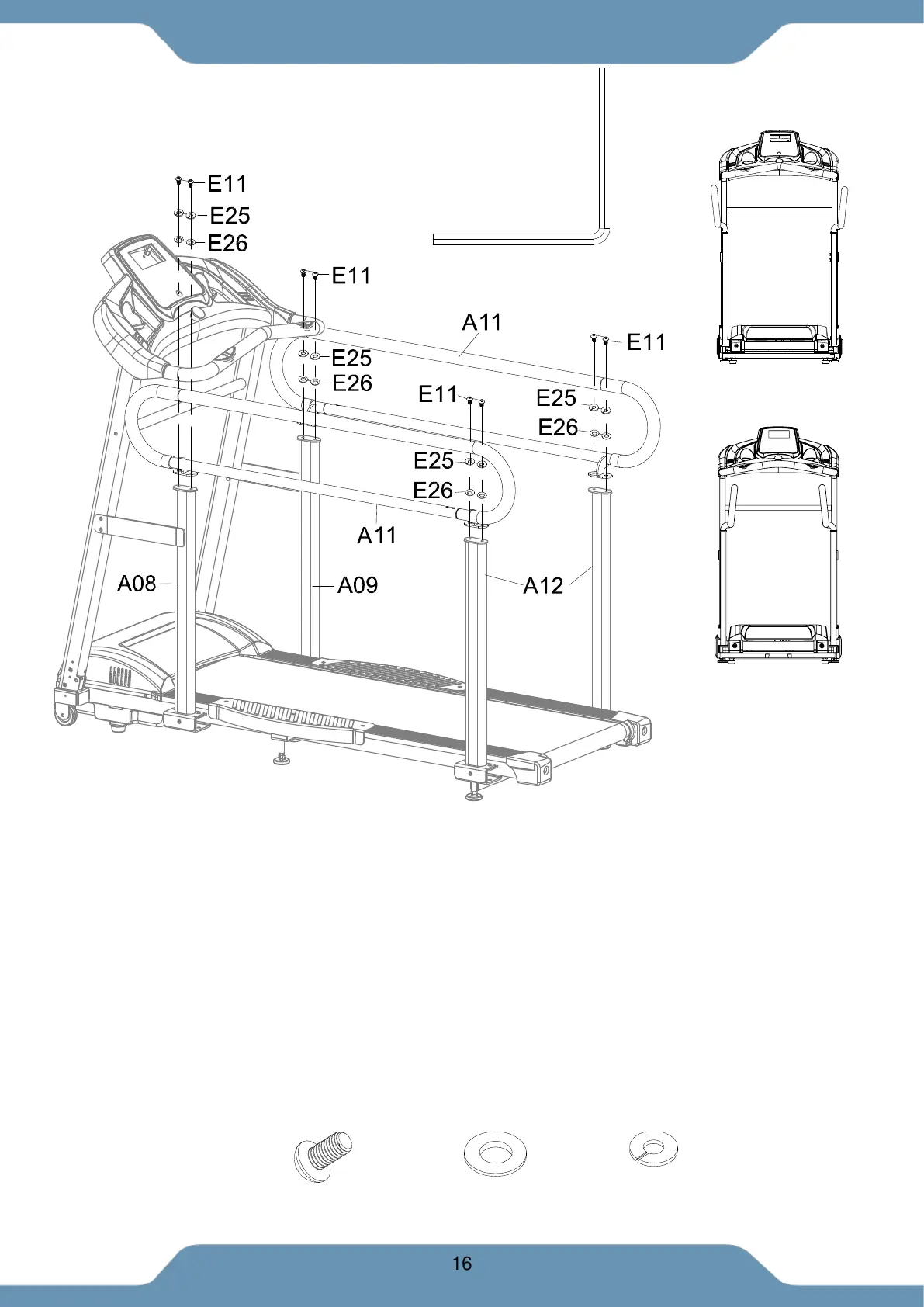
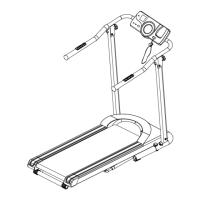
A. Installing the Side Handlebar:
1. Align the bolt holes on the Side Handlebars (A11) with the Left and Right Front
Supporting Tubes (A08) & (A09). Insert eight Bolts (E11), eight Spring Washers
(E25), and eight Flat Washers (E26).
2. Tighten the hardware with the 5mm Allen Wrench provided.
INSTALLATION TIP:
A. Wide Grip Width: For a wider grip, install the handles as shown in Fig. C.
B. Narrow Grip Width: For a Narrow grip, install the handles as shown in Fig. D.
NOW FULLY TIGHTEN ALL HARDWARE THAT HAS BEEN INSTALLED FROM STEP 1 TO
STEP 5.
(B04) Allen Wrench 5mm 1PC
Tool:
(E26) Washer
8 PCS
(E25) Spring Washer
8 PCS
(E11) Bolt M8x15
8 PCS
Hardware:
Fig. C
Fig D.


 To Next Page