Getting Started with Your Multifunction Loss Tester
Multifunction Loss Tester 15
Using Menus and Keypad
To access main features:
1. Press the Menu key.
2. Use the arrows to select feature and press Enter.
To activate F1/F2 functions:
1. Use the left/right function arrows (beside F1/F2 keys) to make the
desired function or parameter visible.
2. Press the F1 or F2 key located just below.
To access and modify on-screen parameters:
1. Use the arrows to select an on-screen item (drop-down list, keyboard,
check box, etc.).
2. Press Enter to activate or open it.
To enter text or numbers with an on-screen keyboard:
Use the left/right function arrows (beside F1/F2 keys) to move the
cursor in the text.
Use the up/down and left/right arrows to select a character, then press
Enter to add it.
Press OK (F1/F2 key) to accept the element and hide the keyboard.
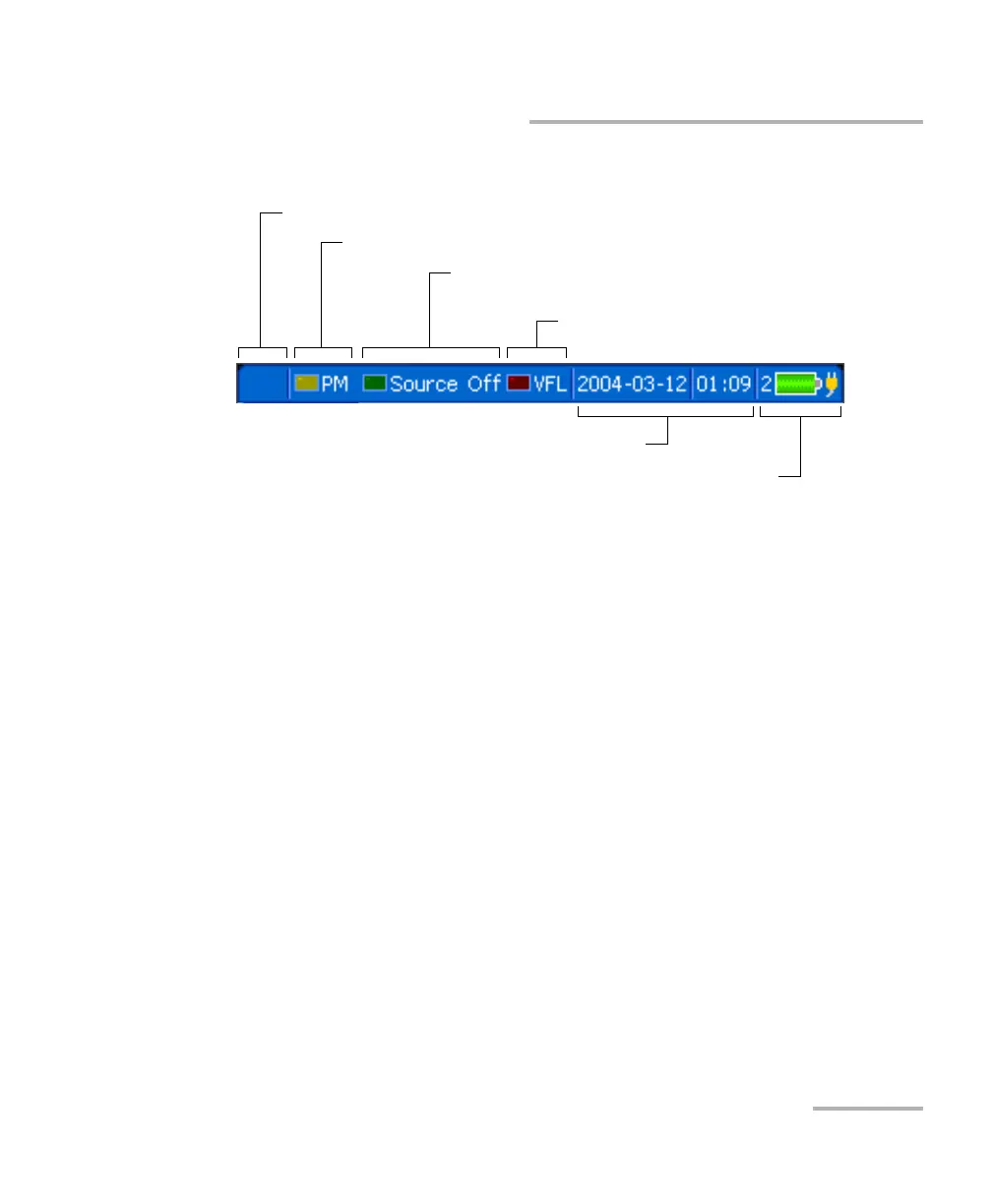
Power meter status (detected modulation)
Source/F
ASTEST/ORL meter status (active wavelength
or detected modulation)
VFL status (on/off)
Current date and time
Battery number/status and DC power status
Talk set status (seeking or connected)
Status Bar












 To Next Page